.svg)

.svg)
.svg)




TL;DR: Tradeify supports Tradovate, WealthCharts, and Tradesea (Rithmic) at checkout, plus Sierra Chart, Quantower, TradingView (via the Tradovate add-on), and NinjaTrader (Elite Live only). You pick a platform when you buy the account. Every plan costs the same on every platform, but the broker connection you choose (Tradovate, Rithmic, or WealthCharts) decides which front-end software you can run. See the full supported platforms list in the Help Center or jump to /#pricing to compare current plans.
Which Tradeify Platform Fits You Best?

Pick a platform by matching it to how you trade. Here is a quick decision guide:
- Tradovate Web / Mobile - Best for: beginners who want a browser-based, cross-device setup. Learning curve: low. Mobile app: yes. Broker connection: Tradovate.
- WealthCharts - Best for: visual research, trade copying, and idea generation. Learning curve: low to medium. Mobile app: no. Broker connection: WealthCharts.
- Tradesea - Best for: low-latency execution and order flow trading via Rithmic. Learning curve: medium. Mobile app: no. Broker connection: Rithmic.
- Sierra Chart - Best for: professional scalpers and high-stability workspaces. Learning curve: high. Mobile app: no. Broker connection: Rithmic (via Tradesea).
- Quantower - Best for: modern UI, modular order flow panels. Learning curve: medium. Mobile app: no. Broker connection: Rithmic (via Tradesea).
- TradingView (via Tradovate add-on) - Best for: charting on TradingView and trading from those charts. Learning curve: low. Mobile app: yes. Broker connection: Tradovate.
- NinjaTrader (Elite Live only) - Best for: advanced charting and C# automation after Elite Live access is unlocked. Learning curve: medium. Mobile app: no. Broker connection: NinjaTrader brokerage.
The platform you pick at checkout does not change the price of your account. All Tradeify plans cost the same on every supported platform. You can review current plan pricing on the Tradeify pricing page.
How Tradeify Platform Connections Work

The platform you can use depends on the broker connection you pick when you buy your account. Tradeify uses three broker connections: Tradovate, Rithmic (under Tradesea), and WealthCharts. Each broker is the pipe that carries market data from the CME, CBOT, NYMEX, and COMEX exchanges to your terminal.
- Tradovate - Modern, cloud-first execution. Powers Tradovate Web, Tradovate Mobile, and TradingView via the Tradovate add-on.
- Tradesea - Low-latency execution on Rithmic. Powers Sierra Chart, Quantower, and other Rithmic-compatible apps.
- WealthCharts - Visual strategy, trade copier, and research. Runs on the WealthCharts native platform.
- NinjaTrader - Advanced charting and C# automation. Available only at the Tradeify Elite Live stage, through the NinjaTrader brokerage.
The price is the same on every platform, but the connections are not interchangeable. If you pick Tradesea at checkout, you cannot switch to Tradovate Web without buying a new account, because the data routing and order flow are different. Pick the broker connection that fits the software you actually want to run.
Tradovate Platforms for Futures Prop Trading

The Tradovate ecosystem is the easiest place to start for new day traders. The interface is simple, your data syncs across devices, and the heavy lifting happens on Tradovate servers, not your laptop. That means your orders, brackets, and risk rules keep running even if your local app freezes.
Tradovate Web and Mobile Platform
Tradovate runs in a browser, so there is nothing to install. It works on Windows, Mac, and Chromebooks. That makes it the easiest option if you want to manage your funded account from more than one machine or while you are out. The platform also includes OrderFlow+, which gives you market depth and footprint charts that used to be desktop-only.
Tradeify accounts include Level 1 market data for all supported instruments in Tradovate. The first time you log in, sign the Non-Professional Data Agreement. If you skip it, your data will be delayed (you will see orange price bars), and that can cause bad fills during your evaluation.
TradingView Integration for Tradeify Traders
TradingView is not listed as a separate Tradeify platform at checkout. But Tradovate accounts can connect to TradingView through the TradingView add-on inside Tradovate settings. That lets you trade from your TradingView charts, with account balance, equity, positions, and orders all syncing in real time.
One catch: keep the Tradovate dashboard open in a second tab to watch your drawdown. TradingView can lag the prop firm trailing drawdown shown in Tradovate. Order entry through TradingView can also be a touch slower than the native Tradovate platform during very fast markets like the New York open.
NinjaTrader Platform for Tradeify Elite Live
NinjaTrader is a long-running favorite in the futures crowd. It has a deep library of custom indicators and lets you automate strategies with NinjaScript. On Tradeify, NinjaTrader is only available after you reach the Tradeify Elite Live stage. That unlocks after 3 payouts on a single account or 10 payouts across multiple accounts. At Elite Live, NinjaTrader connects through the NinjaTrader brokerage to trade real CME capital, with full access to the SuperDOM and advanced charting.
Tradesea and Rithmic-Based Futures Trading Platforms
Tradesea is Tradeify's newest platform option, launched with the Tradeify 3.0 update in March 2026. It runs on Rithmic, which gives you low-latency data and execution. Picking Tradesea at checkout also opens up third-party apps that connect through Rithmic, including Sierra Chart and Quantower.
Rithmic is the go-to for traders who care most about raw execution speed and tick-by-tick precision. Unlike cloud platforms, Rithmic apps generally need stronger local hardware and a bit more setup know-how.
Sierra Chart for Prop Trading
Sierra Chart is an institutional-grade platform with a very small memory footprint and a reputation for being rock-solid. It is written in C++ and built to handle huge amounts of market data, even when you are running dozens of charts across multiple monitors. For pro-level traders, Sierra Chart has the deepest bracket order tools, with stops, breakevens, and profit targets that fire with millisecond timing.
The interface focuses on data density, not eye candy, so the learning curve is steeper than browser platforms. It works best on a Virtual Private Server (VPS) where you can leave it running 24/7.
Quantower Platform for Futures Traders
Quantower has a clean, modern look and a modular layout, so you can build a workspace that fits how you trade. It includes volume profile, footprint charts, and TPO (Time Price Opportunity). It is popular with traders who watch more than one market because each panel can be moved or resized on its own.
- Tradovate - Best Use Case: beginners and cross-device access. Learning curve: low. Mobile app: yes.
- Tradesea - Best Use Case: Rithmic-powered low-latency execution. Learning curve: medium. Mobile app: no.
- NinjaTrader - Best Use Case: advanced charting and C# automation (Elite Live only). Learning curve: medium. Mobile app: no.
- Sierra Chart - Best Use Case: professional scalping and low latency (via Tradesea/Rithmic). Learning curve: high. Mobile app: no.
- Quantower - Best Use Case: modern UI and modular order flow (via Tradesea/Rithmic). Learning curve: medium. Mobile app: no.
Switching to Tradeify From Another Prop Firm
If you already trade with another Tradovate-compatible firm, moving to Tradeify is straightforward - your platform skills carry over. Tradovate Web, Tradovate Mobile, and the TradingView add-on all work the same way on Tradeify as they do on other firms that route through Tradovate. You will need a new Tradeify account, but your charts, hotkeys, and order tickets will look familiar. If you are coming from a firm that uses Rithmic, picking Tradesea at checkout lets you keep using Sierra Chart or Quantower with the same connection style. The Stay with Tradovate page walks through what to expect.
Hardware Requirements for Futures Trading Platforms
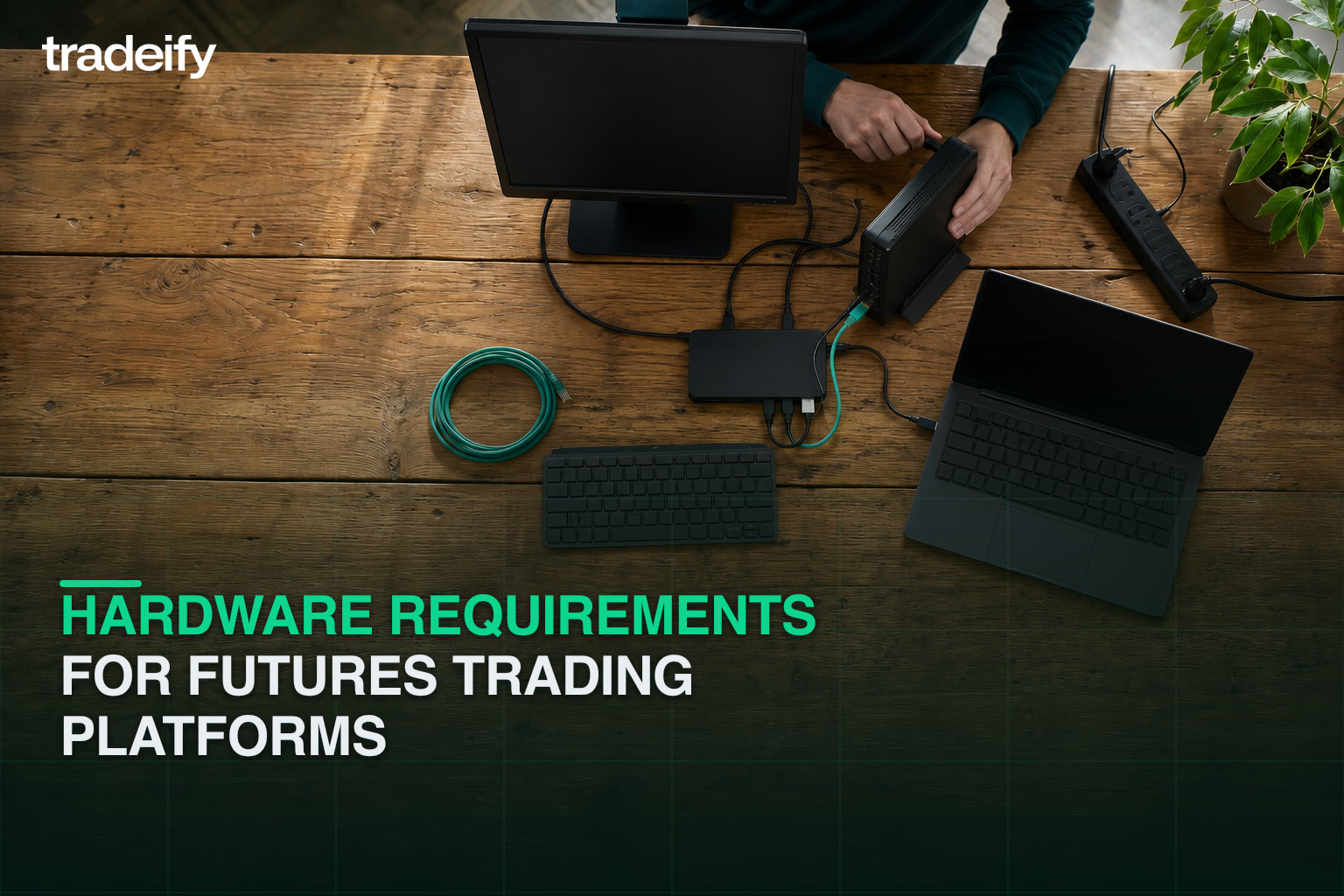
The performance of a futures trading platform depends on the hardware of the host machine. In the futures market, where a delay of 300 milliseconds can change the quality of a fill, system resources are not just a convenience - they are a requirement.
NinjaTrader Platform System Requirements
NinjaTrader is a resource-intensive desktop application that uses multi-core processors for strategy optimization and chart rendering.
- CPU, Minimum Requirement, 1 GHz 64-bit; Recommended for Prop Trading, 3.5 GHz+ i7 or Ryzen 7.
- RAM, Minimum Requirement, 2 GB; Recommended for Prop Trading, 16 GB - 32 GB.
- Storage, Minimum Requirement, HDD; Recommended for Prop Trading, NVMe SSD (256 GB+).
- Graphics, Minimum Requirement, DirectX 10 compatible; Recommended for Prop Trading, Dedicated GPU with 8 GB VRAM.
- Display, Minimum Requirement, 1024 x 768; Recommended for Prop Trading, 1920 x 1080 (Dual/Triple Monitor).
Running heavy workspaces with many charts and custom indicators often calls for 32 GB of RAM to prevent stutter or frozen charts in very volatile periods.
Sierra Chart and Quantower Platform Hardware
Sierra Chart is more efficient than NinjaTrader but still benefits from high-speed processors and ample memory for intraday scanning and historical tick data processing. Quantower, due to its modular and visually rich interface, requires a high-performance CPU and at least 16 GB of RAM to maintain responsiveness when managing multiple analytical panels simultaneously.
Traders using Mac or Linux machines face extra technical challenges, as NinjaTrader and Sierra Chart are designed natively for Windows. These users often employ virtualization software such as Parallels or use a Windows-based VPS to keep the platform stable.
VPS for Futures Prop Trading Platforms
For serious participants in futures prop firms, the stability of the local internet connection and home power supply is a significant point of failure. A Virtual Private Server (VPS) handles that by hosting the trading platform in a professional data center, usually located near exchange servers in Chicago.
A VPS offers several advantages for the Tradeify participant:
- Reduced Latency: Direct connectivity to the CME exchange can achieve latencies as low as 0.52 ms, minimizing slippage on order fills.
- Uninterrupted Uptime: VPS infrastructure has redundant power and internet, so automated strategies or trade copiers run 24/7 even if the trader's local computer is off.
- Remote Accessibility: Traders can reach their full desktop setup from any device via Remote Desktop Protocol (RDP), allowing professional-grade trading on mobile or lightweight laptops.
Futures Products Available on Tradeify Platforms
Tradeify provides access to a comprehensive suite of futures products across several asset classes, letting traders diversify or focus on a specific niche.
Equity Index Futures on Tradeify
Equity indices are the most popular instruments among day traders due to their high liquidity and predictable trading sessions.
- E-mini S&P 500, Symbol, ES; Exchange, CME; Multiplier, $50.
- E-mini NASDAQ 100, Symbol, NQ; Exchange, CME; Multiplier, $20.
- E-mini Dow Jones ($5), Symbol, YM; Exchange, CBOT; Multiplier, $5.
- E-mini Russell 2000, Symbol, RTY; Exchange, CME; Multiplier, $50.
Micro Futures for Prop Trading Risk Management
Micro futures are 1/10th the size of standard E-mini contracts and are essential for beginners to manage risk effectively. Tradeify supports a full range of micros, including the Micro S&P 500 (/MES) and Micro NASDAQ (/MNQ). Starting with micros lets a trader build a buffer in their account, reducing the psychological pressure of the trailing drawdown during the evaluation phase.
Energy, Metals, and Agriculture Futures
Beyond equities, Tradeify participants can trade commodities such as Crude Oil (CL), Gold (GC), and Soybeans (ZS). These markets often follow different supply-and-demand cycles than stocks, providing opportunities during periods of equity market consolidation.
EUREX Futures on the Tradeify Platform
For traders in the European session, Tradeify supports EUREX products such as the DAX Index and Bund Futures. EUREX contracts are traded in euros but settled in USD, which can result in minor P&L differences on the dashboard from currency conversion.
Automated Trading on Tradeify Platforms
Tradeify is known for a trader-friendly stance on automated trading systems and bots, provided certain institutional guidelines are followed.
Bot Ownership and Verification on Tradeify
Traders are permitted to use automated bots but must maintain sole ownership of the strategy. Tradeify prohibits third-party bot services that are marketed across multiple prop firms to prevent systemic risk. The firm may request documentation or a video demonstration to verify that the trader understands and controls the automated system they are running.
Tradeify Microscalping Rule for Platform Traders
To make sure strategies hold up in live markets, Tradeify enforces a microscalping rule: more than 50% of account profits must come from trades held for at least 10 seconds, and at least half of all trades placed must be held for 10 seconds or longer. This rule prevents high-frequency strategies that work in a simulated environment but fail on real exchange capital.
Copy Trading Across Tradeify Platform Accounts
Traders may copy trades between their own accounts (up to the five-account limit). Tradovate natively supports copy trading and is the recommended approach. Some traders also use third-party software such as Replikanto for NinjaTrader, but because Replikanto is a third-party application, Tradeify is not responsible for any issues it may cause. Copy trading between different individuals is strictly prohibited and can result in account deactivation.
Tradeify Drawdown and Payout Rules for Prop Traders
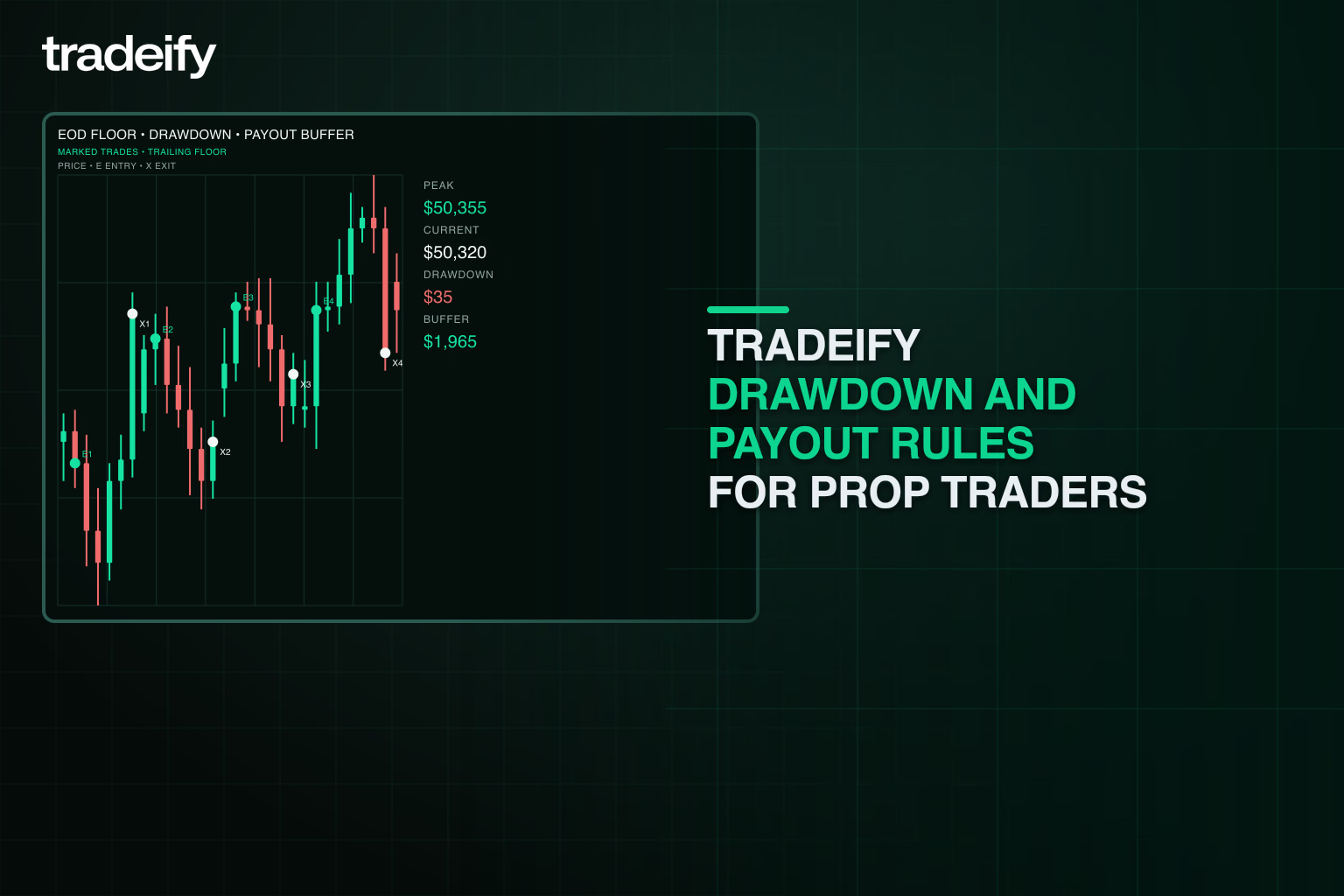
Platform choice also interacts with the firm's drawdown and payout rules, which are designed to reward consistency and long-term risk management.
EOD vs. Intraday Trailing Drawdown on Tradeify
Unlike many competitors that use intraday trailing drawdowns (where the loss limit moves up in real-time as profits increase), Tradeify uses End-of-Day (EOD) trailing drawdown across all plans. In an EOD model, the drawdown is only recalculated based on the account's closing balance at 5:00 PM EST. This is more forgiving for amateur traders, since it allows for intraday price swings without prematurely triggering a drawdown violation.
Once the account balance exceeds the starting capital plus the drawdown amount (plus a $100 buffer), the drawdown locks and stops trailing, giving the trader a permanent safety net as they continue to grow the account.
Tradeify Elite Progression to Live Futures Trading
Tradeify uses a three-stage progression system designed to identify and graduate consistently profitable traders to live market capital:
- Stage 1: Evaluation. The trader must hit a profit target (e.g., $3,000 for a $50K account) without breaching the drawdown or daily loss limits.
- Stage 2: Growth. Upon passing, the trader moves to a simulated funded account. They must achieve the stated objectives to request payouts, and every requested payout is split 90/10 between the trader and Tradeify.
- Stage 3: Tradeify Elite. Traders become eligible to transition to a live funded account with real CME capital after 3 payouts on a single account or 10 payouts across multiple accounts.
Prop Trading Payout Eligibility on Tradeify
Payouts are processed via Rise (bank transfer or cryptocurrency) or Plane (bank transfer only). Depending on the plan selected at checkout (Daily vs. Flex), traders can request payouts either daily after building a required buffer or after every five winning days. Consistency rules vary by plan: Select Funded accounts have no consistency requirement, Growth accounts cap any single trading day at 35% of total profit, and Lightning Funded accounts start at 20% and scale up to 30%. The rule is designed to discourage high-risk lottery trading habits where it applies.
How to Choose the Right Futures Trading Platform on Tradeify
The optimal platform for a Tradeify participant depends on their technical proficiency, trading style, and long-term goals.
Best Beginner Platform for Futures Prop Trading
For the amateur day trader, Tradovate Web is the recommended starting point. This setup offers several strategic advantages:
- Reduced Complexity: No software to install or maintain, and data agreements are handled in the browser.
- Visual Clarity: Tradovate's charting interface is intuitive and includes OrderFlow+ for market depth visualization, allowing the trader to focus on price action rather than technical troubleshooting.
- Risk Mitigation: Trading micro contracts exclusively while building an initial profit buffer is the most effective strategy for surviving the early stages of a funded account.
Advanced Futures Platforms for Experienced Prop Traders
As a trader gains consistency and needs more sophisticated analytical tools, transitioning to Quantower or Sierra Chart via the Tradesea/Rithmic connection is advisable. These platforms provide deeper insights into order flow, including footprint charts and volume delta, which can help refine entries and exits in volatile markets.
Professional Futures Trading Platform Setup
For those managing multiple funded accounts or building automated systems, Sierra Chart hosted on a Chicago-based VPS represents the pinnacle of performance. This configuration minimizes execution risk, provides the highest degree of order management customization, and ensures that the trading environment is isolated from local hardware or internet failures.
Tradeify Platform Troubleshooting and Best Practices
Successful operation within the Tradeify ecosystem requires attention to technical details that are often overlooked by beginners.
- Daily Reconciliation: The Tradeify dashboard now updates in real time or close to real time. However, payouts can only be requested after end-of-day reconciliation has completed.
- Non-Professional Agreement: This is a one-time required step on first purchase for each broker. Tradeify does not charge data fees; if the agreement is not signed, the user simply will not have real-time data and may see delayed quotes that can lead to accidental rule breaches.
- Contract Roll Awareness: Futures contracts have expiration dates. Tradovate displays roll alerts so traders can move positions to the new front month before liquidity disappears from the old contract. Tradesea handles this differently: it does not allow traders to choose the wrong contract, since it always trades the continuous contract on the front end while routing to the highest-volume or most recent contract on the backend.
- One Session Rule: To avoid data synchronization issues, traders should stick to one active session at a time. Running multiple platform connections simultaneously on the same credentials can lead to rejected orders or disconnected data feeds.
Tradeify Supported Platforms FAQ
Can I switch platforms after checkout?
No. Your platform choice is tied to the broker connection picked at checkout. To trade on a different broker connection (for example, moving from Tradesea to Tradovate), you need to buy a new account.
Is TradingView officially supported by Tradeify?
TradingView is not listed as a separate platform at checkout, but Tradovate account holders can link TradingView through the TradingView add-on inside Tradovate. That lets you place orders from TradingView charts while Tradovate stays the broker.
When does NinjaTrader unlock on Tradeify?
NinjaTrader is available at the Tradeify Elite Live stage. Eligibility starts after 3 payouts on a single account or 10 payouts across multiple accounts. At that point, NinjaTrader connects through the NinjaTrader brokerage on live CME capital.
Does Tradesea cost more than Tradovate?
No. Tradeify charges the same price for every plan regardless of which platform you pick at checkout. You can confirm current pricing on the Tradeify pricing page.
Can I use Sierra Chart or Quantower with Tradeify?
Yes. Both Sierra Chart and Quantower connect through Rithmic, so you need to pick Tradesea at checkout to unlock them.
Do I need a VPS to trade Tradeify platforms?
No, a VPS is not required. It helps if you run automated strategies, copy trades 24/7, or want lower latency to the CME, especially with Sierra Chart or Quantower.
Where can I see the full official list of supported platforms?
Tradeify keeps the current supported platforms list in the Help Center: help.tradeify.co - Supported Platforms.
The modern futures prop trading industry is built upon a foundation of high-performance technology. For the Tradeify trader, the platform is the primary tool for extracting profit from the market. By aligning their platform choice with their technical capability and hardware resources, traders can ensure that they are not disadvantaged by latency or technical failure as they pursue a career in funded trading.
Disclaimer: The materials and content provided by Tradeify Holdings, Corp. ("Tradeify"), whether on our website, through distributed documents, or other communications, including this blog post ("Article"), are intended solely for educational and general informational purposes. This Article should not be viewed as an offer or solicitation to buy or sell futures, futures-related products/derivatives, or any futures products of any kind, or otherwise constitute any type of trading or investment advice, recommendation or strategy, or an endorsement of any financial instruments, companies, or funds.
Engaging in futures and other financial trading involves significant risk and is not appropriate for all readers. Certain investment products (e.g., securities futures, forex futures, and virtual currency derivatives and products) present heightened risks which are described in the Risk Disclosure section of the Tradeify website. It is possible to lose the entire amount of your investment, or even more. Only use risk capital - money you can afford to lose without impacting your financial security or lifestyle. Trading should only be undertaken by individuals who have the necessary risk capital and fully understand the risks involved. Past trading results do not guarantee future performance. Tradeify does not warrant the accuracy or completeness of the information provided and is not responsible for any losses or damages resulting from reliance on this information.
Readers are encouraged to do their own research and consult with a qualified financial adviser before making any financial decisions. This Article does not consider your personal financial situation, risk tolerance, or investment goals.
The authors' (together with guest writers, analysts, and/or other contributors, collectively "Contributors") views expressed in the Article are based on information the authors and Contributors believe to be accurate at the time of publication but are not guaranteed to be complete or up to date. The authors of this Article may be employees of Tradeify and receive compensation as such. In addition, the authors and/or Contributors may receive compensation (including, for example, referral fees) for soliciting and/or referring individuals to open accounts with Tradeify, both through this Article, as well as through outside activities. Because any testimonials or endorsements herein may be provided by individuals who have or may receive compensation, there is potential for bias in their statements. Such statements may not be representative of the experience of other clients and are not indicative of, or a guarantee of, future performance or success. No representation is being made that any Tradeify account will or is likely to achieve profits or losses similar to those discussed herein.
.svg)
.svg)
.svg)
.svg)




.webp)