.svg)

.svg)
.svg)

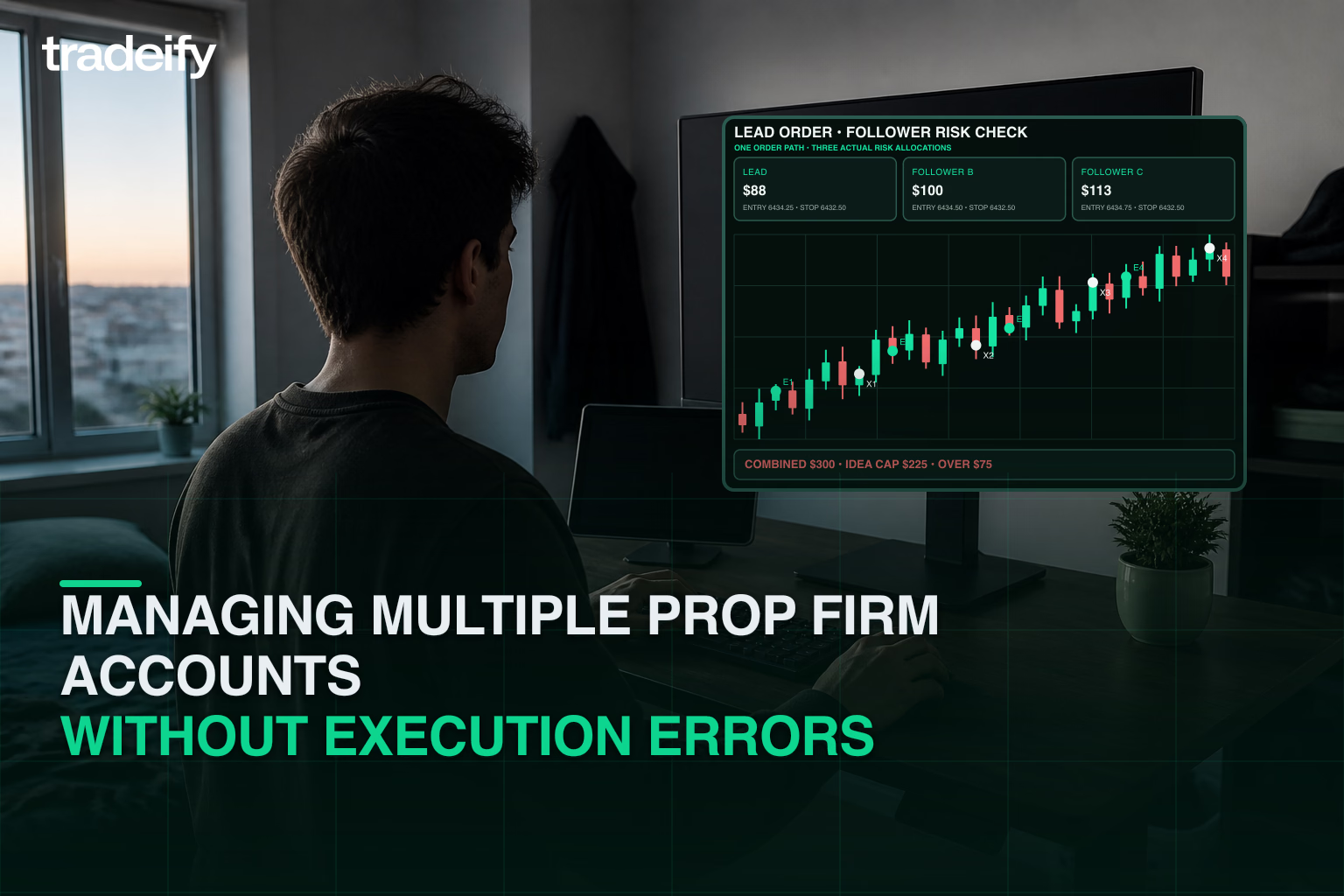


You can have more than one prop firm account, but the real limit depends on the firm. Same-firm caps, cross-firm policy differences, evaluation-versus-funded rules, and household checks all matter before you scale.
Direct Answer: How Many Prop Firm Accounts Can You Have?
There is no single rule that applies to every prop firm. Before you add another account, verify four things for each firm in your stack:
- Same-firm limit: How many funded accounts and how many evaluation accounts one trader can hold.
- Cross-firm compatibility: Whether running accounts at different firms creates conflicting copier, payout, or hedging rules.
- Household restrictions: Whether address, device, or identity checks reduce the practical limit.
- Execution method: Whether the firm allows the copying workflow you plan to use.
If the written rules line up, many traders can run more than one prop firm account. If the rules do not line up, adding accounts can create avoidable compliance risk.
Quick Rule Matrix Before You Add Another Account
| Rule to Verify | What to Check | Why It Matters |
|---|---|---|
| Funded-account cap | The current same-firm maximum for funded accounts. | A trader can be compliant on one account and over the limit on the next one. |
| Evaluation vs. funded distinction | Whether evaluation accounts count toward the same cap as funded accounts. | The answer to "how many accounts can I have" often changes once funding starts. |
| Household / identity rule | Whether the firm checks address, device, or identity overlap. | Shared access can reduce the usable limit even if the headline cap looks higher. |
| Copier permission | Whether native tools, third-party tools, or both are allowed. | An allowed account count is less useful if the intended workflow is not allowed. |
| Hedging / opposite-position rule | How the firm treats opposite positions, cross-account offsets, or contract mixing. | Multi-account execution can create violations even when the strategy idea is simple. |

Why Traders Use Multiple Accounts
Traders usually add accounts for one of three reasons: to spread one workflow across several accounts, to keep per-account size smaller while scaling total exposure, or to separate account types while keeping the trading process consistent.
That upside only matters if the rules are clear. Before you scale, define the real account limit, verify the policy stack, and decide how much total portfolio risk you are willing to carry across the whole group.

What Multiple Account Prop Trading Means
Multi-account prop trading means running several accounts from one trading process instead of treating each account as a separate manual workflow.
How it works: Traders often use platform-native tools or a copy trading workflow so a lead account can drive the rest of the stack.
The lead account: This is where the original order is placed.
The follower accounts: These accounts mirror the lead account so the trader can keep one execution process instead of repeating every click manually.

Tradeify Policy Verification Checklist
Use this checklist before you publish or act on any Tradeify-specific account-limit guidance. Use the linked official policies as the source of truth because account limits and execution rules can change.
- Funded-account cap: Confirm the current maximum on the official account-limit policy before adding an account.
- Evaluation-account treatment: Check the current treatment of evaluation accounts before building a multi-account setup.
- Household, identity, or device rule: Confirm the current identity, household, address, and device requirements.
- Copy-trading policy: Confirm the permitted copier setup and which account may act as the source.
- Hedging or opposite-position rule: Verify the current restriction on opposite positions and correlated products.
- Contract-type restriction: Check the account's current contract and product restrictions.
- Payout or consistency rule that affects stacked accounts: Review the payout and consistency rules for each account separately.
Fact-check starting points: account-limit policy, copy-trading policy, and hedging and contract rules.
How to Compare Firms Without Guessing
If you hold accounts at more than one firm, compare each rule set side by side before the session starts. The goal is not to find the highest headline account count. The goal is to find the strictest rule in the stack and size the workflow around that rule.
- Write down the funded-account limit and the evaluation-account treatment.
- Check whether household restrictions apply across traders, devices, or addresses.
- Confirm whether your intended copier setup is allowed.
- Review hedging, opposite-position, and contract-mixing language.
- Use the strictest rule in the stack as the operating rule for the whole workflow.
Risk Management for Multiple Accounts

Adding accounts multiplies exposure faster than most traders expect. The safest approach is to set risk at the portfolio level first, then divide that risk across the whole account group.
- Think in total exposure. A normal loss on one account can become a large portfolio event when the same trade is copied across several accounts.
- Size from the weakest rule. If one account has the tightest limit, size the full workflow to that tighter constraint.
- Plan for execution drift. Fills, slippage, and lag can make followers behave differently from the lead account.
- Use one stop process. If the lead account is flat, the rest of the stack should flatten with it.
Pre-Session Multi-Account Checklist

- Rule check: Reconfirm account-count, household, copier, and hedging rules before the session.
- Workflow check: Verify the lead account, symbol routing, and follower mappings on the smallest size first.
- Risk cap: Set one maximum loss for the full account stack.
- Failure plan: Decide in advance when you will disable copying and flatten every account.
FAQ: Multiple Prop Firm Accounts
Can I have more than one prop firm account at the same firm?
Sometimes, but the same-firm limit depends on that firm's current written policy for funded and evaluation accounts.
Can I hold accounts at different prop firms?
Often yes, but each firm still applies its own rules. Cross-firm account stacks work best when you compare the strictest rule across all firms before trading.
Do evaluation accounts count the same as funded accounts?
Not always. Some firms separate evaluation-account limits from funded-account limits, which is why the funded-versus-evaluation distinction should be checked first.
Do household or device rules matter?
Yes. Shared address, device, or identity checks can change the real limit even when a page headline sounds simple.
Can I use a trade copier across multiple accounts?
That depends on the firm's current copy-trading policy. Confirm whether native tools, third-party tools, or both are allowed before you scale.
What happens if two accounts break different rules?
Multi-account workflows are only as strong as the weakest rule in the stack. If one firm's rule is stricter, use that stricter rule as the operating limit.
What is the biggest mistake when adding more accounts?
Treating each account as isolated. In practice, copied trades create one combined exposure profile, so risk has to be managed at the portfolio level.
.svg)
.svg)
.svg)
.svg)








.webp)