




TL;DR: How to read a trade confirmation comes down to one decision: does this record match the trade you meant to place? Check the instrument, side, size and fill price first, then the costs and the net amount. Futures confirmations arrive by the next business day, stock confirmations at or before completion. On MES, one $1.25 tick does not cover an illustrative $1.56 round turn, so reconcile gross, cost and net separately. Raise any trade you did not authorize with your broker the same day.
You closed the trade, the platform says you made money, and an email lands with a PDF attached. Most traders read it the way they read a card receipt. They glance at the total and move on. The total is the least useful line on the page.
The useful lines sit around it: the trade date, the execution time, the contract or security, the side, the quantity, the fill price, the capacity the firm acted in, and the gap between the gross figure and the net. That gap is where most of the learning lives.
Two traders can take the same setup on the same chart and finish with different results, because their size, fills and costs were not the same. The confirmation is the document that shows which of those three moved.
This guide covers what a confirmation is, each field in reading order, how futures and stock confirmations differ, one illustrative futures session reconciled to the cent, and what to do when the record does not match your plan. Nothing here is a recommendation to buy or sell anything.
What a Trade Confirmation Is
A trade confirmation is the written record of one executed transaction. The firm that executed or carried the order issues it, and it tells you what was bought or sold, at what price, at what time, for which account, and at what cost.
Two sets of rules require it in the United States, and they run on different clocks.
- Futures. CFTC Rule 1.33(b) requires a futures commission merchant (FCM) to furnish a written confirmation of each commodity futures transaction it executes for a customer, not later than the next business day after the transaction.
- Stocks and most other securities. SEA Rule 10b-10 requires a broker-dealer to give or send written notification at or before completion of the transaction. It must disclose the date and time of the trade, the identity, price and number of shares or units, and whether the firm acted as agent or principal.
A confirmation is easy to confuse with the documents around it. It is not any of these:
- Your order ticket. The ticket records what you intended before the fill. The confirmation records what actually happened.
- Your trading journal. The journal records the plan and the reason. The confirmation records the result without opinion.
- A periodic account statement. The statement covers every activity in the account over a month or a quarter and should tie out to the confirmations.
- A futures purchase and sale statement. Under CFTC Rule 1.46, when a trade offsets an existing futures position, the FCM must promptly furnish a statement showing the financial result of the offset. The confirmation shows each fill. The purchase and sale statement shows what the round turn earned or cost.
That last split trips up new futures traders. If you are hunting for profit and loss on an entry confirmation, you are reading the wrong document. The entry confirmation proves what you bought. The offset statement proves what it was worth. Keep both, because a dispute about either one starts with the paper.
How to Read a Trade Confirmation Field by Field
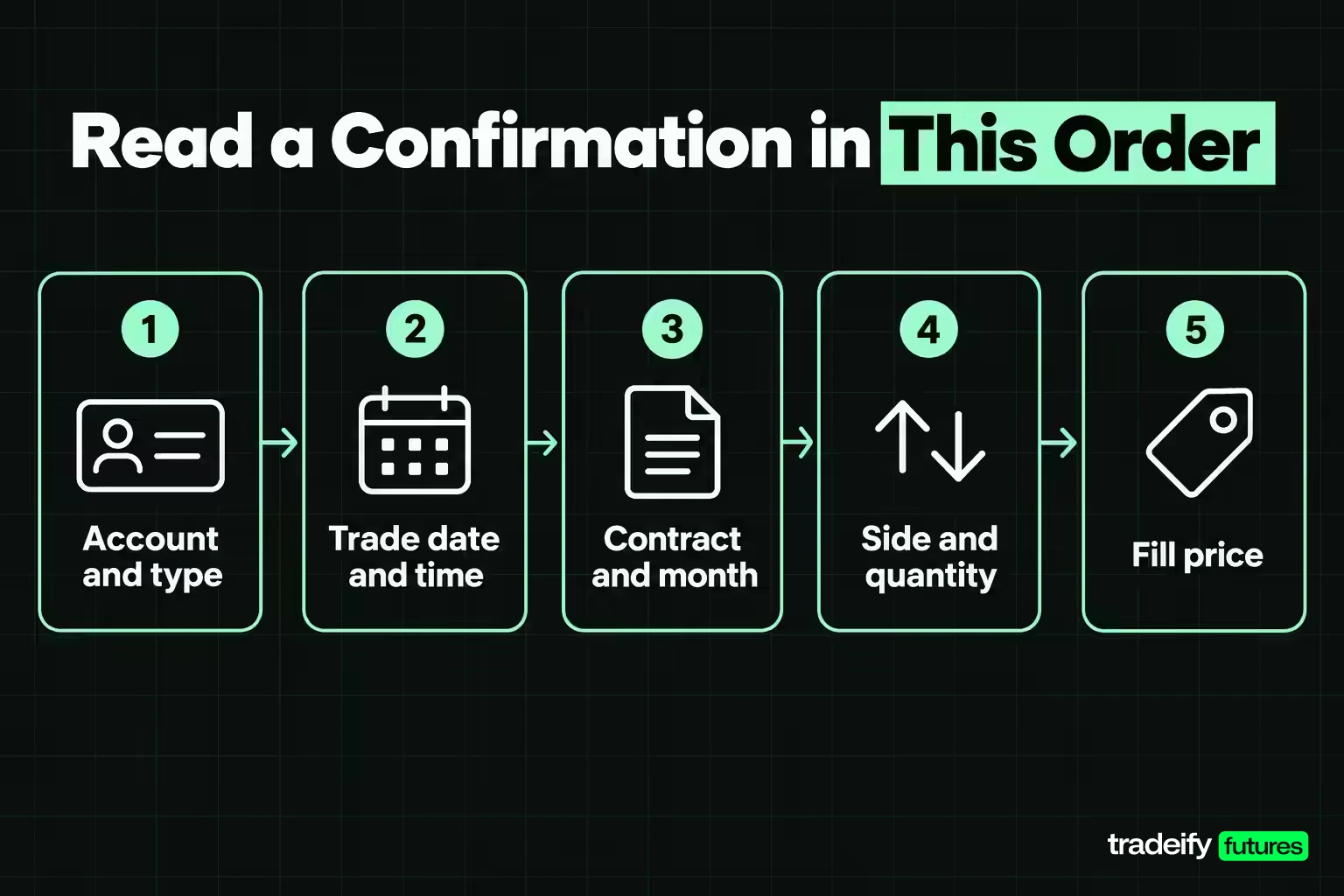
Whether it arrives as a PDF from a clearing firm or as a row in a platform report, a confirmation carries roughly the same set of fields. Read them in this order, because each one decides whether the next is worth checking.
| Field | What it tells you | What a wrong value costs you |
|---|---|---|
| Account number and type | Which account traded, and whether it is cash, margin, live, evaluation or simulated | A result filed against the wrong account makes every loss limit and review unverifiable |
| Trade date and execution time | Which session the trade belongs to and when the fill happened | A trade in the wrong session breaks daily loss math and weekly reviews |
| Settlement date | For stock, when cash and shares actually change hands | You plan to use cash that has not settled yet |
| Security or contract | The exact instrument, including contract month on futures | A wrong month or ticker means a different instrument than the one you analyzed |
| Side and open or close | Buy or sell, and whether the trade opened or closed risk | A misread side doubles or erases your assumed exposure |
| Quantity and price | Size and fill quality, often as an average price | A size you did not intend is the most expensive typo on the page |
| Capacity | Whether the firm acted as agent or principal | You hunt for a commission that is already inside the price |
| Commission and fees | The explicit cost of the trade | Net reads better than it is and break-even is understated |
| Mark-up or mark-down | Compensation built into the price on certain principal trades | The trade looks free while the real entry is worse than the printed price |
| Net amount | What actually moved your balance | Your journal disagrees with the account and you trust the wrong one |
Account Information on a Confirmation
The account block is short, and that is why it gets skipped. It usually shows your name, the account number (often partly masked) and the account type. CFTC Rule 1.33(b)(3) lists the customer's account identification number as a required field on futures option confirmations, and securities confirmations carry it as a matter of practice.
Check it first if you run more than one account. A trade that lands in your margin account instead of your retirement account, or in a live account instead of a practice one, is not a reporting quirk. It changes your risk and your taxes, and it is much easier to fix on day one than in April.
Trade Date, Execution Time and Settlement Date
The trade date tells you which session the result belongs to. That sounds minor until you try to check a daily loss rule: if the date is wrong in your records, the rule cannot be measured at all.
SEA Rule 10b-10 requires the date and time of a securities transaction, or a statement that the time is available on written request. FINRA Rule 2232 adds the settlement date for NMS stock transactions. Execution time matters when you are comparing a fill to the chart. A fill time a few seconds after a news print explains a price that a calm-market fill would not.
Reading an Illustrative Stock Confirmation
Here is how a plain stock purchase reads, using a round illustrative price.
| Line | Illustrative value | What to check |
|---|---|---|
| Trade date | Wednesday, November 4, 2026 | The session you actually traded |
| Settlement date | Thursday, November 5, 2026 | One business day later under T+1 |
| Action | Bought | Matches your order side |
| Quantity | 100 shares | Matches your order size |
| Price | $50.00 | At or better than your limit |
| Principal | $5,000.00 | Quantity times price |
| Commission | $0.00 | Zero commission is common, but check for fees |
| Net amount | $5,000.00 | Principal plus commission and fees |
| Capacity | Agent | Tells you whether cost is beside the price or inside it |
The arithmetic is the check. If 100 times $50.00 does not equal the principal line, something on the page is wrong, and you can see it in ten seconds.
Order Type, Fill Price and Quantity
The execution lines answer one question: did the market give you the trade you asked for?
Start with side and quantity. Buy or sell, and how many. On futures, also confirm whether the fill opened a new position or closed an existing one. Platforms that add to a position rather than reverse it will show the same side twice, and that is easy to misread when you meant to exit.
Next, price against your plan. A limit order fills at your price or better. A stop order becomes a market order once it is triggered, so it can fill beyond the stop price. Measure the difference in ticks, not in feel. On the Micro E-mini S&P 500 (MES), one tick is 0.25 index points and worth $1.25, so "a bit worse" can be written as a number.
Then partial fills and average price. A large order can fill in pieces at several prices. Some confirmations show every fill. Others show one line with an average price, which can look like a price you never saw on the chart. If the average looks odd, pull the individual fills before assuming an error.
Finally, the order type, when the record shows it. A trade you meant as a limit that appears as a market order is a process problem, usually a hotkey or a default setting. Fix it before the next session, not after the next slip.
One temptation to name here: when a fill comes in worse than planned, the urge is to make it back on the next trade. The confirmation is not asking you to do anything about the market. It is asking you to check whether your order did what you told it to.
Related lesson: How trade execution works
Commissions, Fees and the Net Amount on a Confirmation
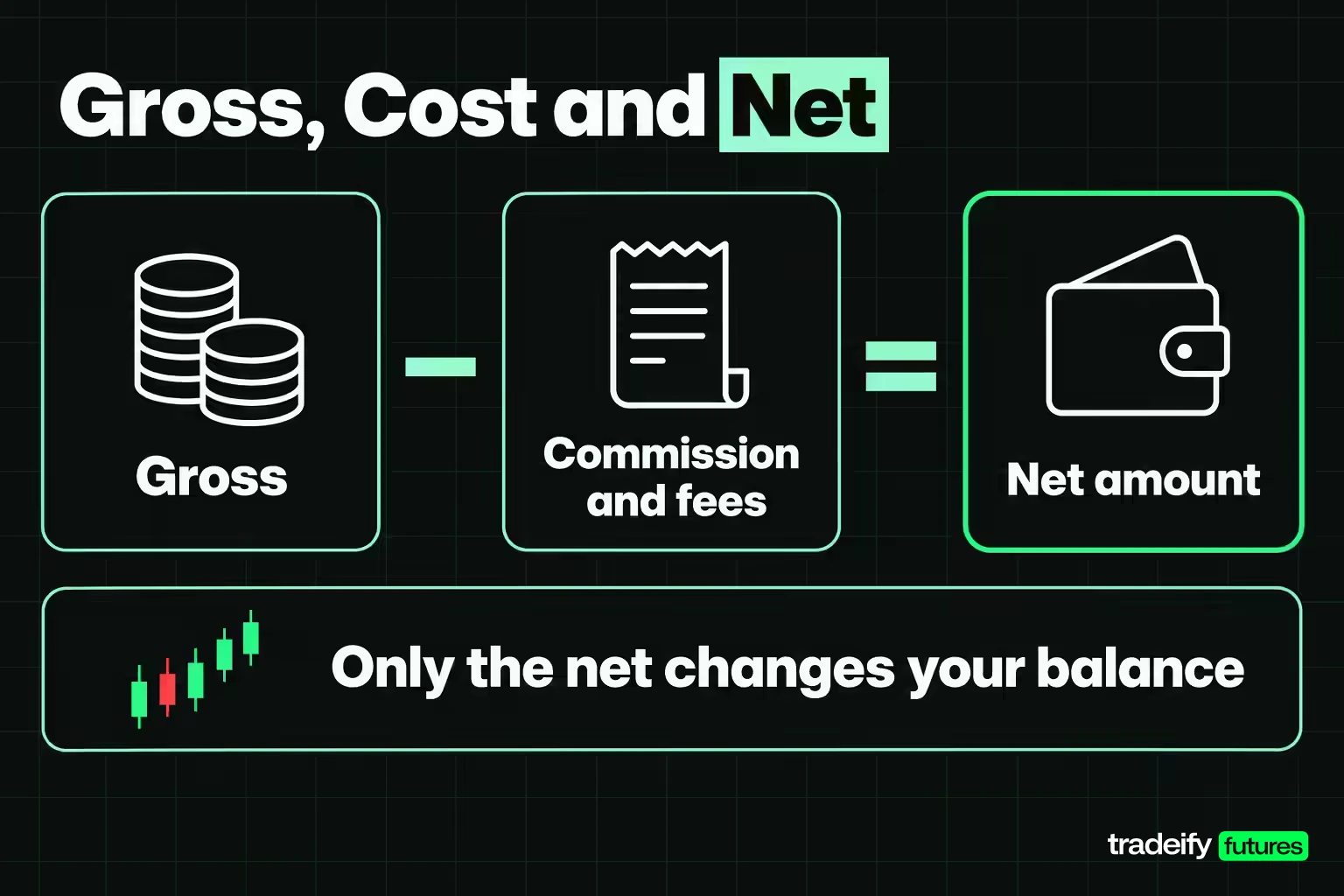
The money block turns price into dollars. Read it as three separate numbers: what the trade was worth before costs, what it cost, and what reached your account.
- Principal or gross. Quantity times price for stock. For futures, points moved times the contract multiplier times the number of contracts.
- Commission and fees. The broker's commission, plus exchange, clearing and regulatory fees on futures, and small regulatory fees on stock sales. Some firms itemize each one. Others bundle them.
- Net amount. Principal plus costs on a purchase, minus costs on a sale. This is the only number that changes your balance.
FINRA's investor guidance tells customers to scrutinize all fees, especially ones that might have been added such as handling or mailing charges, and to ask about anything unexpected. It is a short list worth running every time a new line appears.
Commission Versus Mark-Up on a Confirmation
The capacity field tells you how the firm was paid, and that tells you where to look for the cost.
The SEC's investor bulletin on confirmation statements explains the split. When a broker-dealer acts as your agent, the charge is a commission, shown as its own line. When it acts as principal and sells to you from its own inventory, it generally does not charge a commission and is paid through a mark-up or mark-down on the market price instead.
That is why a principal bond trade can look commission free and still cost you money. For certain corporate and agency debt trades with retail customers, FINRA Rule 2232 requires the mark-up or mark-down to be shown as a total dollar amount and as a percentage of the prevailing market price. If you see that line, read it. It is the cost.
Checking the Premium and Total Cost on an Options Confirmation
Options confirmations add a premium line, and the multiplier is where beginners slip. According to the SEC's investor guidance, one stock option contract generally represents 100 shares.
Take an illustrative purchase of 1 call contract at a $2.00 premium:
- Premium: $2.00 times 100 shares is $200.00.
- Illustrative per-contract fee: $0.65.
- Total cost: $200.65.
If the confirmation shows $2.00 as the cost, you are reading the per-share quote, not the dollars that left your account. For options on futures, CFTC Rule 1.33(b)(3) requires the confirmation to list the actual premium separately from each mark-up and from all commissions, fees and other charges, plus the strike price, the underlying and the final exercise date. Check every one of them against your order.
Futures Confirmations Versus Stock Confirmations
Most page-one explanations of confirmations are written for stock investors. If you trade futures, your record looks different, and knowing why saves you from looking for lines that are not there.
| Asset type | Lines specific to it | What to check first |
|---|---|---|
| Stock | Settlement date, capacity, payment for order flow note | Settlement date and net amount |
| Options | Premium, strike, expiration, contract multiplier | Premium times 100 against the net |
| Bonds | Mark-up or mark-down, yield, callable notice | Mark-up as a dollar amount and a percentage |
| Futures | Contract month, exchange, fees per contract, offset result on a separate statement | Contract month and the purchase and sale statement |
Settlement Dates on Stock Confirmations
For most U.S. securities, the standard settlement cycle moved from T+2 to T+1 on May 28, 2024. Under T+1, a sale on Monday settles on Tuesday. A stock bought on Wednesday, November 4, 2026 settles on Thursday, November 5, 2026, and that is the date FINRA Rule 2232 requires on the confirmation for NMS stock.
The settlement date matters when cash is tight. Selling a stock does not hand you usable cash until settlement, so a cash account trader who buys again before then can run into restrictions.
Contract Month and Offset Statements on Futures Confirmations
Futures do not carry a settlement date in the same sense. Open positions are marked to market each day, and profits and losses move through the account daily.
What futures confirmations do carry is the contract month. ESZ6 and ESH7 are different contracts that happen to track the same index, and a fill in the wrong month can sit in thinner trading with a wider spread than you planned for. Check the month before you check the price.
The profit or loss on a closed futures trade usually shows up on the purchase and sale statement required by CFTC Rule 1.46, not on the entry confirmation. If you only read the entry, you only know half the trade.
Related lesson: Futures contract symbols and month codes
Reading a Day of Futures Confirmations Line by Line
Here is one illustrative session on MES, read the way you would read three confirmations and their offset results. Per CME Group's contract specifications, MES is $5 times the S&P 500 Index, with a minimum tick of 0.25 index points worth $1.25, so $5 per point.
The cost per round turn (one entry plus one exit, per contract) is set at an illustrative $1.56 all-in, or $0.78 per side. Your own schedule will differ by broker, platform and account type. Swap in your number and the method still holds. Prices are round illustrative levels, not quotes.
| Trade | Order | Entry | Exit | Points | Gross | Cost | Net |
|---|---|---|---|---|---|---|---|
| 1 | Buy 3 MES | 7,010.25 | 7,016.75 | +6.50 | $97.50 | $4.68 | $92.82 |
| 2 | Sell 2 MES | 7,020.00 | 7,018.50 | +1.50 | $15.00 | $3.12 | $11.88 |
| 3 | Buy 1 MES | 7,014.00 | 7,013.00 | -1.00 | -$5.00 | $1.56 | -$6.56 |
| Day | 6 round turns | None | None | Not additive | $107.50 | $9.36 | $98.14 |
Gross, Cost and Net in the MES Example
Gross first. Each trade converts points to dollars at $5 per point per contract. Trade 1 moved 6.50 points on 3 contracts, $97.50. Trade 2 was a short that gained 1.50 points on 2 contracts, $15.00. Trade 3 lost 1.00 point on 1 contract, -$5.00. The day grossed $107.50.
Cost second. Six contracts traded a round turn each, so 6 times $1.56 is $9.36. On its own that looks small. As a share of the result it is 8.71% of gross and 9.54% of net.
Net last. $107.50 minus $9.36 is $98.14. That is the number that reached the balance, and it is the one that belongs in the journal.
Break-Even in Ticks
This is the line that changes behavior. One MES tick is worth $1.25 and the illustrative round turn costs $1.56.
- A one-tick winner closes at -$0.31.
- A two-tick winner closes at $0.94.
- The session's $9.36 of cost equals 7.49 ticks, or 1.87 index points of gross movement, before the day breaks even.
If you have ever finished a session that felt flat to slightly green and found the balance lower, this is usually why. The confirmations were right. The mental math skipped the cost line.
What would change the conclusion? Bigger targets relative to cost, fewer round turns for the same idea, or a lower cost per contract. The cost line does not care how good the setup looked.
What One Tick of Slippage Does
Take the first trade in the illustrative MES session (buy 3 MES at 7,010.25, sell at 7,016.75, $97.50 gross) and suppose it filled one tick worse on entry and one tick worse on exit, a modest outcome for a market or stop order in an active session. That is 2 ticks times $1.25 times 3 contracts, $7.50.
Gross on that trade drops from $97.50 to $90.00, and net from $92.82 to $85.32. That is 8.08% of the trade's planned net, gone without any change to the setup. The confirmation is the only place that shows it, because the chart shows where you wanted to be filled, not where you were.
Related lesson: Commission-adjusted futures breakeven
How to Check a Trade Confirmation for Errors
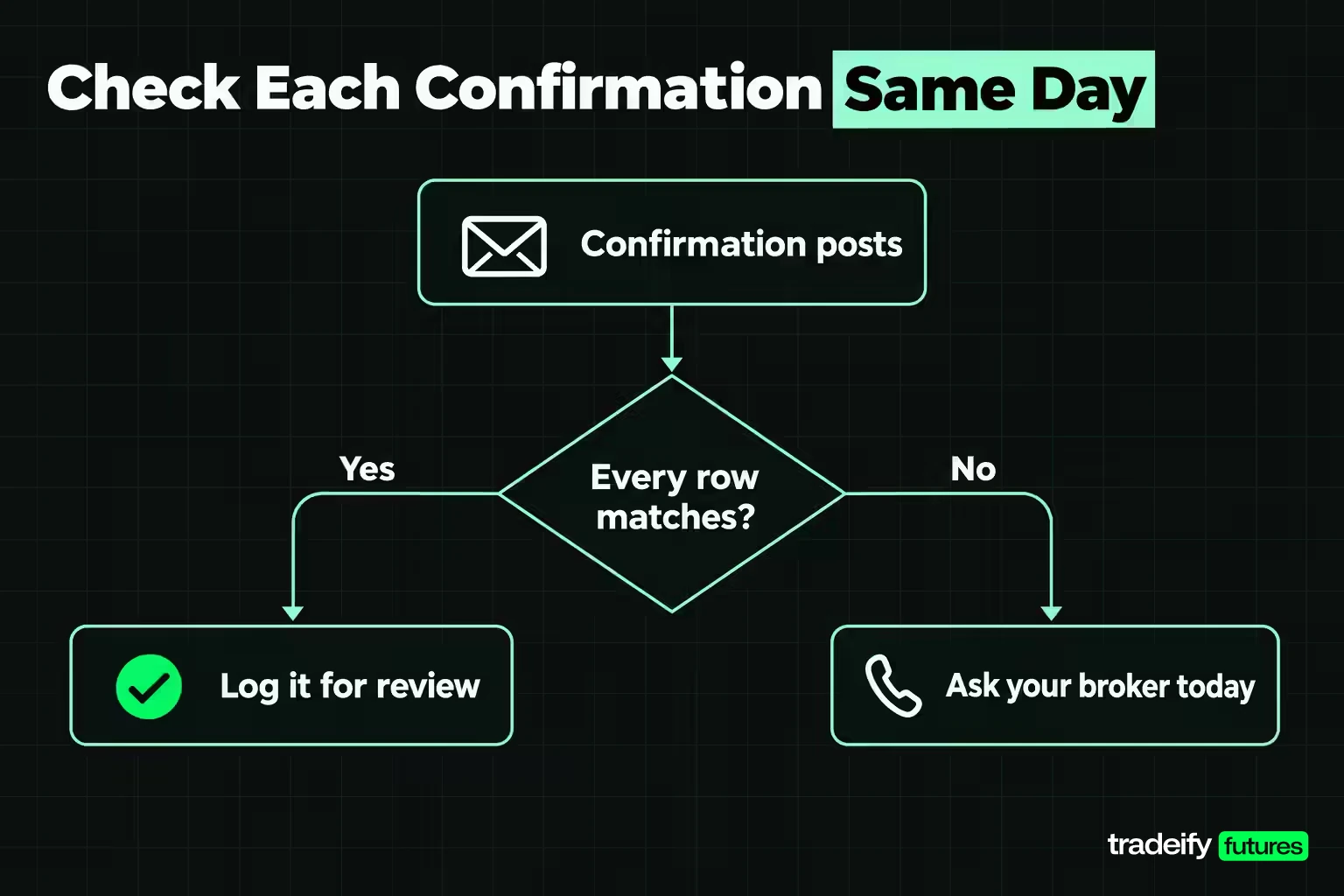
Run this check the day a confirmation posts, while you still remember the trade. One failed row is a question for your broker or your process. It is not a reason to keep trading and sort it out later.
| Check | Pass means | Why it matters |
|---|---|---|
| Instrument and month | The symbol and contract month are the ones you intended | A wrong month changes the instrument, not just the record |
| Side and quantity | Direction and size match the order, including partial fills | Size errors compound fastest |
| Entry price against plan | Fill at your limit or trigger, with any difference measured in ticks | Repeated multi-tick misses point to order type, not bad luck |
| Exit price against stop or target | Fill matches the level, or the gap is explained by a fast market | Stop orders and stop prices are not the same thing |
| Trade date and time | The session and timestamp match when you traded | The date is what makes a daily loss rule measurable |
| Gross, cost and net | You can see each one separately | A bundled net hides how much went to costs |
| Fee rate | Matches your published schedule for that product | Rates differ by product, plan and account type |
| Capacity and solicited flag | You know whether you paid a commission or a mark-up, and the trade is labeled correctly | FINRA treats an advisor's idea marked unsolicited as a red flag |
| Account label | The account and its type are correct | Mixed records make both sets of numbers less useful |
Common Confirmation Mismatches and Their Causes
Most mismatches have a mechanical cause. Sort it before you act on it.
| What you see | Likely cause | What to do |
|---|---|---|
| Net lower than the price move suggests | Costs applied after gross, sometimes on a separate report | Recompute gross, cost and net separately |
| A fee line you have not seen before | New product, plan change or an exchange fee for that contract | Compare it with the published fee schedule |
| Price differs from your limit level | Partial fills shown as one average price | Pull the individual fills for that order |
| Stop filled well past the stop price | The stop became a market order once triggered | Log the tick difference so slippage becomes a number |
| Two confirmations for one trade idea | The order filled in pieces, or entry and exit were reported separately | Match both to the same journal entry |
| Monthly totals do not tie to the balance | Fills exported without fees, or overlapping date ranges | Export fees or cash history for the same dates and join them |
| A trade you did not place | An error or unauthorized activity | Contact the firm immediately, then in writing |
Disputing an Error With Your Broker
The one row that is never a process issue is a trade you did not place or authorize. The SEC's investor bulletin is direct about it: if you spot errors or see transactions you did not make or authorize, contact your broker-dealer immediately. FINRA's guidance adds that you should contact the firm in writing about any discrepancy or unauthorized trade.
A clean dispute has four parts:
- Call or message the firm the same day and say which confirmation and which line is wrong.
- Follow up in writing with the trade date, the order you placed and the record you received.
- Keep the confirmation exactly as issued. Do not annotate the original.
- Note the date and time you raised it, and who you spoke to.
On every other row, resist the urge to "fix" the record in your spreadsheet so it matches what you remember. A confirmation is a record of what happened. A journal that quietly disagrees with it is worse than no journal at all.
Related lesson: Slippage explained
Trade Confirmations Versus Account Statements
A confirmation covers one transaction. A statement covers everything in the account over a period: trades, deposits, withdrawals, fees, interest and open positions.
| Feature | Trade confirmation | Account statement |
|---|---|---|
| Scope | One transaction | Every activity over a period |
| Futures timing | Not later than the next business day | Monthly, and at least once every three months |
| What it proves | What, when, how many, at what price and cost | Balances, open positions and period totals |
| Best use | Checking a single fill the day it happens | Checking that the period adds up |
For futures, CFTC Rule 1.33(a) requires a monthly statement showing open contracts with the prices at which they were acquired and the net unrealized profit or loss marked to market. An account with no open contracts and no balance change since the last statement can skip a month, but the FCM must still send one at least once every three months. For securities, FINRA notes that brokerage firms typically must send customer account statements quarterly.
The two documents are meant to agree. FINRA's guidance is to check each confirmation against the statement for the period in which the trade took place. Read the confirmation to check the trade and the statement to check the total. If the total is off, the confirmations tell you which trade to look at.
When Trade Confirmations Arrive and Where to Find Them
Trade confirmation delivery timing depends on whether you traded futures or securities.
- Futures: a written confirmation not later than the next business day after the transaction, under CFTC Rule 1.33(b).
- Securities: written notification at or before completion of the transaction, under SEA Rule 10b-10.
"Written" no longer means paper. Under CFTC Rule 1.33(g), futures statements may be furnished electronically if the customer consents, and most brokers default to email or an online document center. FINRA also notes that confirmations may come from your firm's clearing or carrying firm rather than the firm you deal with day to day, so an unfamiliar sender name is not automatically spam.
How to Check Your Trade History
If a confirmation has not arrived or you want the full record, the trade history in your platform or broker portal is usually the fastest route. Most platforms split it into several views:
- Orders: every order you sent, including cancels and rejects.
- Fills or executions: each fill with its price, quantity and time.
- Cash or account history: commissions, fees and cash movements by date.
- Performance or P&L reports: summaries of results, win rate and trade statistics.
Fills and fees often live in different views. That split is the most common reason a futures trader's monthly numbers do not tie: the fills export looks right and the costs are simply in another report. Export both for the same date range and join them.
Cost Basis and Tax Records From Trade Confirmations
Confirmations are tax records as much as trading records. They carry the price and cost data that your year-end forms are built from.
For stock, IRS Publication 551 says the basis of stocks or bonds you buy is generally the purchase price plus costs of purchase such as commissions and recording or transfer fees. The confirmation is where those numbers first appear, which makes it the document to check if a year-end form looks wrong.
Regulated futures follow different rules. IRS Publication 550 treats them as section 1256 contracts that are marked to market, with the 60/40 rule: 60% of the gain or loss is treated as long-term and 40% as short-term, regardless of how long you held the contract. Those gains and losses are reported on Form 6781. Your confirmations and purchase and sale statements are the trade-level backup for those totals. This is general information, not tax advice, and a tax professional should handle your specific situation.
How Long Brokers Keep Trade Confirmations
On the futures side, CFTC Rule 1.31 requires regulatory records to be kept for not less than five years from the date they were created. Records kept only on paper must be readily accessible for at least two years, and electronic records must stay readily accessible for the whole retention period.
That obligation sits with the firm, not with you. Your own habit can be simpler:
- Export the fills and the fee or cash history at the end of each month, because platform views are often filtered by session or date range.
- Save them in a folder you control, with the same naming pattern every month.
- Keep the account type in the file name, so live, evaluation and simulated records never mix.
Measuring Slippage and Cost From a Month of Fills
One trade confirmation is a receipt. A month of them is a measurement. Three columns turn that stack of fills into something you can act on: realized risk in R, cost as a share of gross, and fill quality in ticks.
Realized Risk in R From Confirmed Fills
Realized risk in R. R is the dollar amount you planned to risk before entry. Suppose a 1-contract MES trade with an 8-point stop: $40 of planned risk. If the stop fills 2 ticks (0.50 point) worse, the loss is 8.50 points, $42.50, plus $1.56 of cost, so $44.06. That is 1.10R, not the 1R the plan described. Ten of those in a month and your "1R" losses are quietly bigger than you think.
Cost Share and Fill Quality Across a Month
Cost as a share of gross. In an illustrative MES session of three trades grossing $107.50 with $9.36 of costs, it was 8.71%. It climbs as average trade size falls. With an average winner of $25 and a $1.56 round turn, 6.24% of every winner goes to costs before slippage.
Fill quality in ticks. Average the signed difference between planned and confirmed prices across the month. If entries average half a tick, your limit orders are mostly working. If they average two ticks, your entries are behaving like market orders, and the fix belongs in order type selection, not in your chart reading.
Compare the three columns month over month. One rough month is one line in the sample, not a verdict. Three months of the same slippage number is a pattern worth acting on, and the data already arrived with your confirmations.
Related lesson: How to keep a trading journal
Reading Fills and Reports on Simulated Funded Accounts
Evaluation and simulated funded accounts at prop firms generally do not come with a regulatory confirmation in the CFTC or SEC sense, because the trades are simulated rather than customer orders executed at an FCM for your own account. What you get instead is the platform's record: orders, fills, cash or fee history and performance reports.
Read those records with the same care as a live confirmation. The arithmetic is identical. Points times multiplier times contracts, minus costs, equals net. The difference is that fills on a simulated account are modeled against market data, so slippage and queue position may not match what a live order would get. Label every record live, evaluation or simulated, and never blend them in one sample.
On our accounts, evaluations and funded accounts are simulated, so the record you read is the platform's own. On Tradovate, the Reports icon opens a Performance report with profit and loss, win rate and trade statistics, and the Orders module holds your order history; on WealthCharts, WealthTracker records every trade as a journal. Our all-in round-trip commission on MES is $1.82, so a one-tick MES winner still closes red after costs, and every position must be flat by 4:45 PM ET on regular days, which keeps each day's fills in one session.
FAQ About Reading a Trade Confirmation
What does trade confirmation mean?
A trade confirmation is the written record a broker or futures commission merchant sends after a trade executes. It shows what was bought or sold, the quantity, the price, the date and time, the account and the costs. It proves the trade happened as recorded.
How do you check your trade history?
Open your broker portal or trading platform and look for the orders, fills and account history views. Fills show each execution, and account or cash history shows commissions and fees. Export both for the same dates if you want totals that tie to your balance.
What is the 3-5-7 rule in trading and how does it work?
The 3-5-7 rule caps risk at 3% of the account per trade and 5% across all open positions, and aims for winners at least 7% larger than losers. It is an informal heuristic, not a regulation, and versions differ. Your confirmations show whether your real losses stayed inside the 3%.
How do you know when to enter a trade?
You enter when the conditions written in your plan are met, not when the chart feels right. Many traders wait for a defined signal, such as a candle closing beyond a level, and set the stop before the order goes in. Missing that entry does not make the next price a good one. Your trade confirmations then show whether entries happened where the plan said they would.
What does 0.01 lot size mean?
In spot forex, 0.01 lot is a micro lot, which is 1,000 units of the base currency. A standard lot is 100,000 units and a mini lot is 10,000 units. Futures do not use lots; they trade in whole contracts.
What should I do if a confirmation shows a trade I did not place?
Contact your broker-dealer or futures broker immediately, then follow up in writing. Keep the original confirmation unchanged and note when you reported the problem. Do not trade the position back yourself until the firm has reviewed it, unless they direct you to.
Do futures trade confirmations show profit and loss?
Usually not on the entry confirmation itself. The result of a closed futures position appears on the purchase and sale statement that the futures commission merchant sends when a trade offsets an existing position. The monthly statement then shows the period totals.
A Five-Minute Routine After Every Trading Day
The habit matters more than the format. At the end of each session, open the day's confirmations or fills and run four checks against your journal: right instrument and month, right side and size, fill price against the planned level in ticks, and net after costs.
Write the tick difference and the cost next to each trade. If one number is off, raise it that day while the details are fresh. If everything ties, you have a record you can trust when you review the month, and that is the whole point of reading the page.
This guide is educational and is not financial, tax or legal advice, or a recommendation to trade any instrument. Futures, options and other leveraged products carry substantial risk of loss, and losses can exceed the amount deposited. All prices, premiums, fees and costs in the examples are illustrative assumptions, not quotes, and your own fee schedule and contract specifications may differ. Simulated, evaluation and funded accounts are simulated and do not reproduce live execution, and past or simulated results do not predict future results.


