.svg)

.svg)
.svg)


- Enter the intended contract and quantity.
- Place the correct market, limit, or stop order.
- Attach or place the protective stop.
- Move or cancel an order deliberately.
- Flatten the position without accidentally reversing it.
- Confirm that the account display shows what you expect.
Do not add strategy complexity while learning basic controls. First remove preventable execution errors.
How to choose the best trading simulator
There is no universal best trading simulator. There is only the best match for the job you need to rehearse.
Use this checklist before committing time or money.
Match the trading simulator to your market
Confirm that the simulator supports the exact instrument and contract type you intend to practice. A stock-market game may teach basic buying and selling, but it will not necessarily prepare a futures trader for contract selection, tick values, expiration, or ladder execution.
If you trade Micro contracts, make sure you can select and size those contracts directly. Do not practice with a larger contract and assume the behavior will transfer automatically.
Check trading data and simulator pacing
Ask what drives the price display:
- Current or delayed market data
- Historical replay data
- Bar-by-bar updates or more detailed updates
- Depth-of-market data
- A simplified price model
You do not need the most complex feed for every practice session. You do need to know what the simulator is showing so you do not mistake a simplified result for a live fill.
Confirm the futures order types you use
At minimum, the tool should let you rehearse the orders in your actual plan. That may include market, limit, stop, stop-limit, and bracket-style exits.
If your process depends on a ladder or depth-of-market display, test that workflow before selecting the tool. If you manage entirely from a chart, make sure chart orders behave clearly.
Model trading costs and fills conservatively
Enter commissions and fees when the simulator allows it. Pay attention to whether orders appear to fill as soon as price touches them and whether the result accounts for the bid-ask spread.
When the tool cannot model a cost or a less favorable fill, note that limitation in your journal. Do not silently treat the optimistic result as earned performance.
Look for a useful trading journal
A profit chart is not enough. You should be able to review:
- Entry and exit time
- Instrument and quantity
- Planned and actual risk
- Maximum session drawdown
- Rule violations
- Screenshots or written notes
- Results by setup and market condition
Exportable records are useful, but a simple manual journal can work if it captures the decisions behind each trade.
Recreate the rules that matter
For prop-firm preparation, the simulator should let you approximate the account conditions you expect to face. Configure the starting balance, size, costs, and loss limits when possible. When the tool cannot enforce a rule, track it manually and treat a breach as the end of the practice session.
That last part matters. A rule that carries no consequence in practice is easy to ignore under pressure.
Use a trading simulator transfer-gap audit

A simulator can feel realistic and still train the wrong problem. Fast data does not help if the order ticket behaves differently from the platform you plan to use. Accurate fills do not help if you reset every loss that would have counted against a daily limit.
Before judging the P&L, compare the practice session with the conditions you expect to face. This transfer-gap audit makes the mismatch visible:
Practice variable | What to compare | What a mismatch can teach you |
|---|---|---|
Market and session | Contract, trading hours, data speed, and volatility | A result from a quiet replay may not transfer to a fast opening session |
Execution | Order types, queue behavior, partial fills, commissions, and slippage | Clean simulator fills may hide the cost of the actual order plan |
Risk | Position size, stop distance, daily stop, and drawdown treatment | Unrealistic size or free resets can reward behavior the target account would punish |
Decision pressure | Real-time pacing, missed entries, losing streaks, and the ability to stop | Pause-and-rewind practice may test analysis without testing execution discipline |
After each session, name the largest gap. Then change one variable in the next session. If fills are too clean, add a conservative slippage assumption. If replay removes time pressure, run the next practice session without pausing. If resets erase consequences, keep the full sequence of results.
There is no universal transfer score that proves readiness. The useful signal is repeated execution without preventable rule breaches while the practice conditions increasingly resemble the target conditions. A profitable session with a large transfer gap is still weak evidence.
How futures traders should practice in a simulator
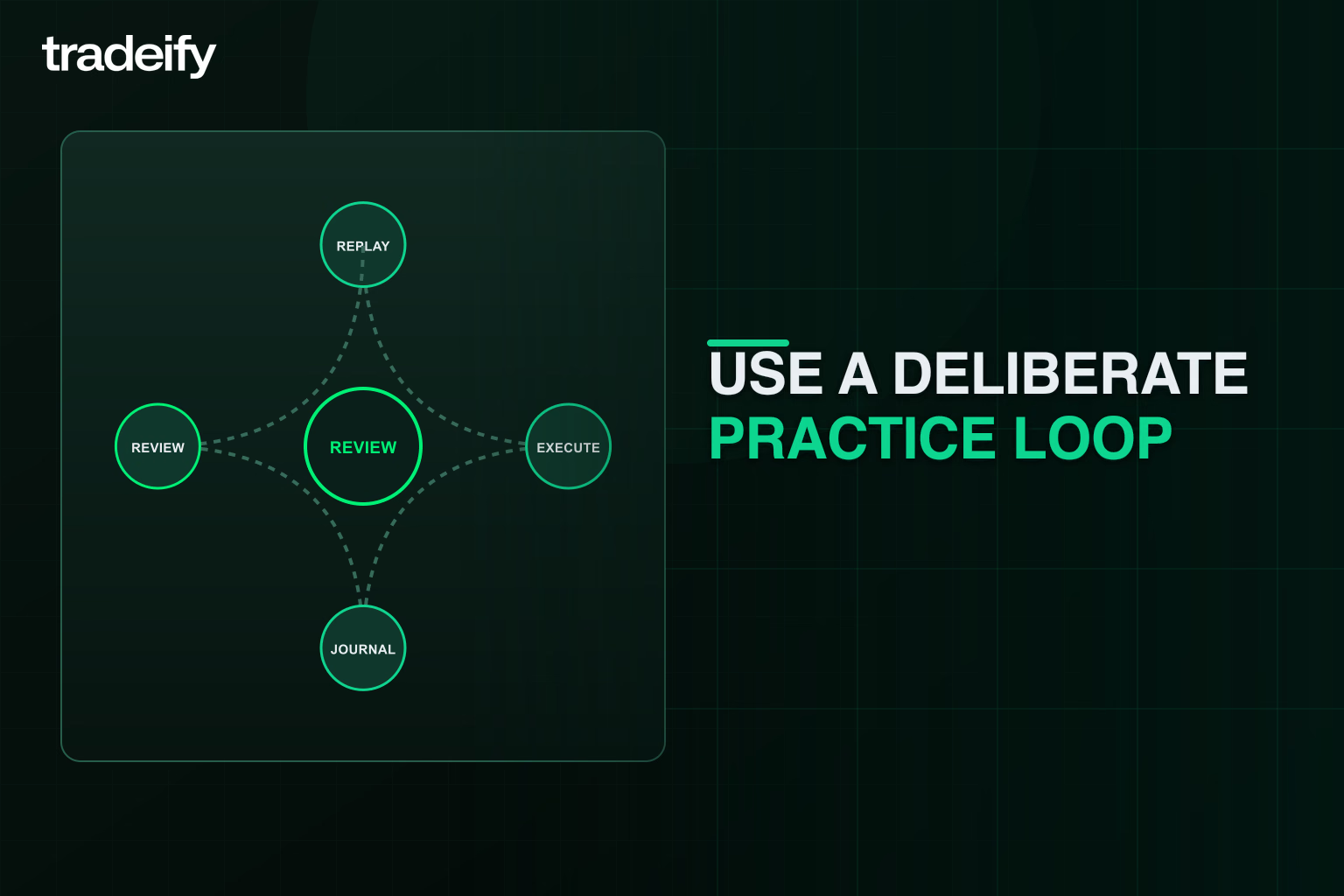
Unstructured screen time creates activity, not necessarily skill. Use a repeatable loop.
Set one futures practice goal
Choose one goal for the session:
- Place bracket orders without an execution mistake.
- Trade only one defined setup.
- Stop after the session loss cap.
- Hold size constant after a losing trade.
- Avoid entries outside the planned time window.
- Record every trade before taking the next one.
One goal makes the review honest. If you try to fix everything at once, every result becomes open to interpretation.
Define the futures risk before the entry
Write down the invalidation point, planned stop, contract quantity, and maximum planned loss before placing the order.
Size should come from the risk plan, not from confidence. A setup that “looks perfect” can still fail. The simulator is where you practice treating that fact as normal.
Run the futures session without resets
Do not refill the account, erase a loss, or restart because the first trade went badly. Those actions remove the exact pressure you need to study.
If you hit the practice loss cap, stop. Review what happened while the decisions are still fresh.
Review the futures process before the profit
Grade the session in this order:
- Did you follow the rules?
- Did you take only the planned setup?
- Was every loss within the planned amount?
- Did you commit an order-entry or management error?
- Did you stop when the plan said to stop?
- What was the financial result?
Profit comes last because a rule-breaking trade can make money. That does not make it a good repetition.
How to rehearse prop-firm rules in a trading simulator
An evaluation rule is not useful until it changes a decision.
Translate each rule into a pre-trade action:
- Maximum loss or drawdown: Set an internal stop well before the account boundary.
- Daily loss limit: Define a smaller personal session cap and a maximum number of attempts.
- Position limit: Preset the allowed quantity and verify it before every order.
- Consistency rule: Avoid relying on one unusually large day or one oversized trade.
- Restricted times or products: Build them into the written session plan.
- Required trading days: Focus on repeatable process instead of forcing a target on any single day.
Consider a purely hypothetical evaluation with a $1,500 total loss buffer. If your planned maximum loss is $75 per trade, five full planned losses would use $375, or one-quarter of the buffer.
That is not a universal sizing rule. It is an example of turning an account boundary into a decision you can see before clicking.
Your simulator journal should also record near-violations. A trade that missed the loss limit by a few dollars may be technically safe, but it still shows that your process operated too close to the boundary.
How to read trading simulator results
Simulated results are practice data, not a promise.
The CFTC’s advisory on hypothetical trading results explains why. Assumed trades are not executed in actual market conditions. Hypothetical results may overstate or understate performance because of liquidity, spreads, fees, price impact, stop execution, and the trader’s ability to absorb losses.
Simulation also changes your behavior. A loss with no real financial consequence may feel easier to accept. A fast drawdown in an evaluation or live account can create hesitation, early exits, larger revenge trades, or refusal to stop.
Use simulated performance to make narrower claims:
- You followed a defined process across the sampled sessions.
- You kept losses within the planned amount.
- You reduced platform errors.
- You traded the intended setup in several conditions.
- You identified a behavior that needs more work.
Do not use it to claim that you will pass an evaluation, qualify for a payout, or earn a fixed daily amount.
Common trading simulator mistakes
Trading a simulator with unrealistic size
An oversized simulated balance can hide poor risk habits. Match the scale and contract limits you plan to use, then size from the actual loss buffer.
Resetting the trading simulator after losses
Resets erase the sequence that reveals your behavior. Keep the loss, review it, and continue only if the written plan allows another trade.
Changing the futures setup after every result
One loss does not disprove a setup. One win does not validate it. Constant changes make it impossible to learn whether the process is repeatable.
Ignoring simulator costs
Commissions, fees, and spreads change the break-even point. Model them when possible and record what the tool cannot reproduce.
Treating replay as prediction
If you remember the session, know the news outcome, or peek at future bars, you are testing memory with hindsight. Choose unfamiliar periods and hide the future.
Chasing a simulated daily target
A fixed target can turn a completed session into forced trading. When no valid setup remains, the correct action may be to stop with no trade.
A practical trading simulator scorecard

Use a scorecard after every session. Keep the scoring simple enough that you will actually complete it.
Area | Pass question | What to record |
|---|---|---|
Setup discipline | Did every trade match the written setup? | Valid trades, invalid trades, skipped valid trades |
Risk control | Was risk defined and within the cap before entry? | Planned loss, actual loss, largest loss |
Rule compliance | Did you remain inside every account and session rule? | Breaches and near-breaches |
Execution | Were the contract, quantity, order type, stop, and exit correct? | Mistakes and corrective action |
Drawdown response | Did size and behavior stay controlled after losses? | Changes in size, pace, or decision quality |
Session discipline | Did you start and stop at the planned times? | Extra trades and reason |
Review quality | Can you explain why each trade was taken? | Screenshot, setup label, short note |
A profitable session can fail this scorecard. A losing session can pass it.
That distinction is the point. You are training the behavior that remains under pressure, not collecting a perfect simulated equity curve.
.svg)
.svg)
.svg)
.svg)






.webp)