.svg)

.svg)
.svg)



TL;DR: Desktop trading is usually the better primary setup for funded traders because it offers more chart space, clearer order and position visibility, faster multi-window work, and stronger support for advanced tools. Mobile trading is best as a backup for alerts, monitoring, cancellations, and urgent position management. A sound setup uses desktop for preparation and planned execution, mobile for limited backup tasks, stable internet plus a tested contingency, and current funded-account rules to decide which platforms, devices, locations, and order methods are allowed.
The desktop freezes with a position open. You grab the phone, sign in, and realize you have never checked where working orders appear in the mobile app.
Now every tap carries pressure. Is the stop still working? Did the cancel request reach the server? Is the correct funded account selected on the small screen?
The worst time to learn a backup platform is during the failure it is supposed to solve. A phone can be valuable, but convenience does not make it the best place for every trading task.
For funded traders, the desktop versus mobile choice is not about loyalty to a device. It is about matching each task to the interface that makes errors less likely while staying inside the account rules.
Desktop and Mobile Trading Compared
Desktop platforms prioritize information density and control. They can display several charts, an order panel, working orders, depth, news, and account metrics at the same time. Keyboard and mouse input can also make repeated actions faster.
Mobile platforms prioritize access. They are useful when a trader is away from the desk, receives an alert, needs to check a position, or must respond to a connection problem.
The practical division is simple:
- Desktop for planning, analysis, and normal execution.
- Mobile for monitoring and a limited backup path.
That is a default, not a universal rule. The trade speed and number of decisions should control the choice.
A slow swing-trading process may work well on mobile. A fast futures scalping process may be difficult to manage safely on a phone because the interface hides context while the clock keeps moving.
Desktop Trading Advantages for Funded Traders
Desktop Trading Shows More Context
Multiple windows let a trader see the setup, higher-time-frame context, working orders, and account status without constant switching.
That matters when confirmation depends on several pieces of information. On a small screen, changing tabs can hide the order quantity or stop while the trader checks another chart.
More space does not require more indicators. The goal is to keep the few inputs that matter visible at the same time.
If price reaches a planned level, the desktop should let you see the observation, the confirmation condition, the order controls, and the account risk without hunting through windows. If it cannot, the layout is working against the plan.
Desktop Trading Improves Order Visibility
A full desktop order panel usually makes quantity, order type, limit or stop price, and attached orders easier to verify. Working orders and fills may also be clearer.
Before sending an order, a funded trader may need to check:
- Correct account.
- Correct contract or symbol.
- Correct quantity.
- Correct order type.
- Correct protective stop.
- Remaining room under account limits.
The larger interface gives those checks more space. It does not perform them for you.
This is where a two-second pause matters. If the account, quantity, or protective order is wrong, the setup is not ready, even if price is already moving.
Desktop Trading Supports Complex Workflows
Desktop platforms are often better for advanced charting, depth-of-market tools, multiple workspaces, custom indicators, hotkeys, automation, and data-feed management.
These features can support a tested process. They can also increase operational risk.
A hotkey that saves one click can send the wrong quantity just as efficiently. A script can repeat an error without hesitation. Test the normal path, the failure path, and the manual cancel path in simulation before any add-on touches a funded account.
Desktop Trading Makes Review Easier
Saving screenshots, exporting trades, writing notes, and comparing executions is easier on a desktop. Review matters because the result alone does not show whether the trade followed the plan.
A valid loss and an accidental win should not receive the same grade.
Desktop Trading Limits for Funded Traders
Desktop setups are not automatically reliable. They can fail through internet outages, operating-system updates, frozen software, data-feed interruptions, or local hardware issues.
The dangerous belief is that professional-looking hardware equals resilience. Reliability comes from knowing what fails next and what action is still available.
They can also encourage screen overload. Six monitors do not create six times the clarity. If every screen asks for attention, the trader may react more and observe less.
Common desktop risks include:
- Overcomplicated layouts.
- Accidental hotkey orders.
- Running unsupported add-ons.
- Local connection failure.
- Assuming a chart stop is a server-held order.
- Leaving a logged-in platform unattended.
Know where each order resides and what happens if the local platform closes. Platform and broker documentation should explain whether an order is held locally, at the broker, or at the exchange.
Mobile Trading Advantages for Funded Traders
Mobile Trading Provides Backup Access
A phone can give the trader a second path when the desktop or local internet fails. With a separate cellular connection, it may help confirm the position, cancel a working order, or manage an urgent issue.
That backup is useful only if it has been tested. Confirm login, account selection, order display, and cancellation steps before the session.
Do not stop at opening the app. In simulation, place an order on desktop, find it on mobile, verify the quantity, and cancel it. The backup passes only when you can complete the exact task under a clock without guessing.
Mobile Trading Improves Monitoring
Mobile alerts can tell a trader when price reaches a planned area or when an account event needs attention. This can reduce the need to watch every tick.
An alert should bring the trader back to the decision, not make the decision. Price reaching a level is observation. Confirmation still depends on the strategy.
If the alert arrives after the valid entry has passed, the phone does not give the setup a second life. Chasing from a smaller screen is still chasing.
Mobile Trading Fits Slower Decisions
Some swing or position-management tasks do not require several windows or rapid input. A mobile app may be adequate for checking a daily bar, reviewing an existing order, or managing a planned action.
The slower the setup and the simpler the order, the stronger the mobile case. The faster and more conditional the setup, the stronger the desktop case.
Mobile Trading Limits for Funded Traders
The small interface is the main constraint. Order tickets may hide advanced fields, charts may show less context, and a tap error can change price or quantity.
Mobile use also introduces:
- Notification interruptions.
- Battery and signal risk.
- Biometric or password lockouts.
- Public-network security concerns.
- App versions that differ from desktop features.
- Difficulty viewing several accounts or working orders.
- Pressure to trade from places that do not support careful decisions.
Avoid building a process that depends on perfect cellular service. A backup path needs its own backup, such as the broker or provider support procedure for urgent account issues.
Write that contact path down. Searching for it while a position is open is not a contingency plan.
Best Device by Trading Task
Use desktop for tasks that need context, precision, or several visible inputs:
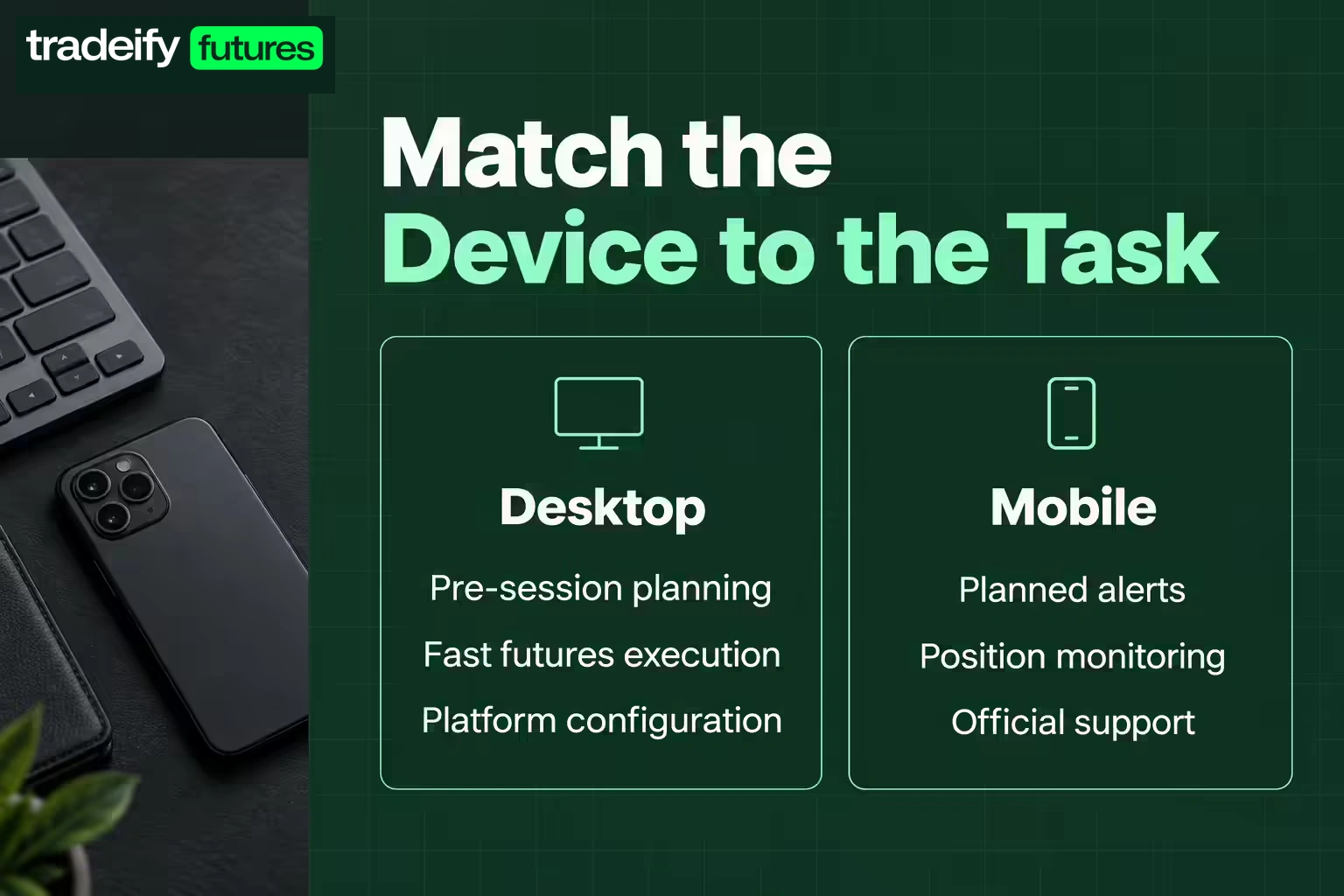
- Pre-session planning.
- Multi-time-frame analysis.
- Fast futures execution.
- Depth-of-market work.
- Managing several orders.
- Strategy testing and journaling.
- Platform configuration.
Use mobile for narrow tasks that benefit from access:
- Receiving planned alerts.
- Checking whether an order filled.
- Monitoring an existing position.
- Canceling an order during a desktop failure.
- Contacting official support.
- Reviewing a simple watchlist away from the desk.
Avoid using mobile for revenge entries, impulsive size changes, or complicated recovery trades. The device makes action easy when the correct decision may be to stop.
A Funded Trader Desktop Setup
A strong desktop setup can be simple:
- One primary computer with current security updates.
- One stable wired or trusted Wi-Fi connection.
- One chart layout with only required inputs.
- One visible order and position panel.
- One account-risk view.
- One tested backup login path.
Add a second monitor only when it solves a defined visibility problem. For example, one screen may hold the execution chart and order panel while the other holds higher-time-frame context and the economic calendar.
Keep notifications, social chats, and unrelated browser tabs away from the execution screen. A funded account already creates enough pressure without a live chat announcing every move.
A Funded Trader Mobile Backup Plan
Write the backup steps in order:
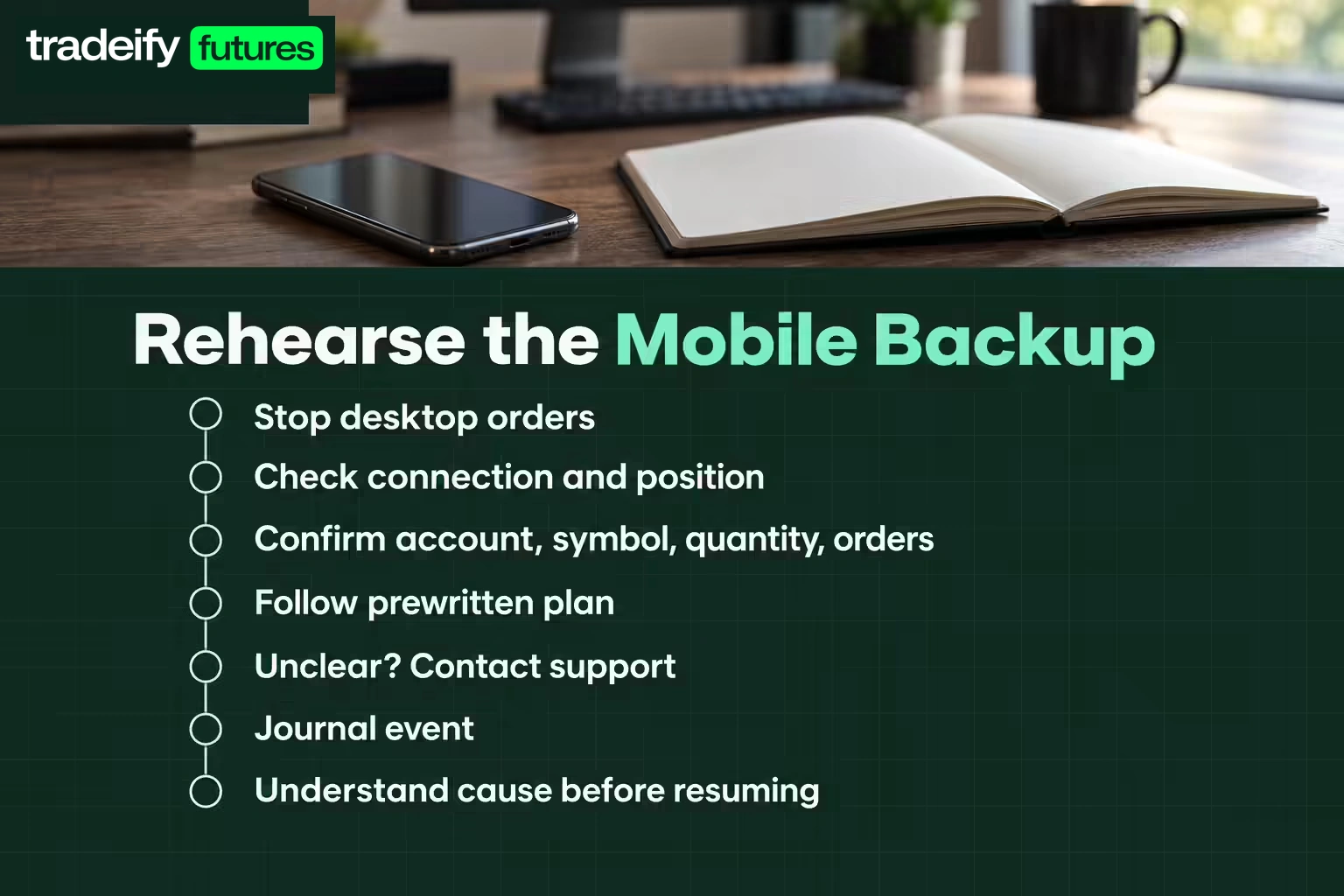
- Stop sending orders from the failed device.
- Check connection status and current position from the mobile app.
- Confirm account, symbol, quantity, and working orders.
- Cancel or manage orders according to the prewritten plan.
- Contact official support if account state is unclear.
- Save the event in the journal.
- Do not resume normal trading until the cause is understood.
Test this process in simulation. Time how long it takes to open the app, select the correct account, find working orders, and cancel one.
The point is not to become fast at emergency trading. It is to reduce improvisation.
After any platform incident, stay done until the account state, protective orders, and cause are clear. Recovering the connection is not the same as recovering a controlled trading process.
Desktop and Mobile Security
Use unique passwords, multifactor authentication, current software, and official app-store or provider links. Do not install trading software from a direct message or give remote access to someone claiming to be support.
The Federal Trade Commission recommends checking the sender and using a known website or phone number instead of a link in an unexpected message. That is especially relevant when a fake moderator or support account claims an urgent login problem.
On mobile:
- Use a screen lock and device encryption.
- Hide sensitive notification previews.
- Avoid public Wi-Fi for account access.
- Keep the operating system and app current.
- Know how to revoke access if the phone is lost.
On desktop:
- Lock the computer when away.
- Separate trading from unknown downloads and extensions.
- Back up platform settings securely.
- Review connected applications and API permissions.
- Confirm the official update source.
Funded Account Rules Across Devices
Device access can interact with provider controls for location, IP addresses, virtual private networks, copy trading, automation, and multiple-account management. Some brokers and platform connections allow only one active session, so signing in on a phone may disconnect the desktop session, and signing back in on the computer may disconnect mobile. The exact rules vary and can change.
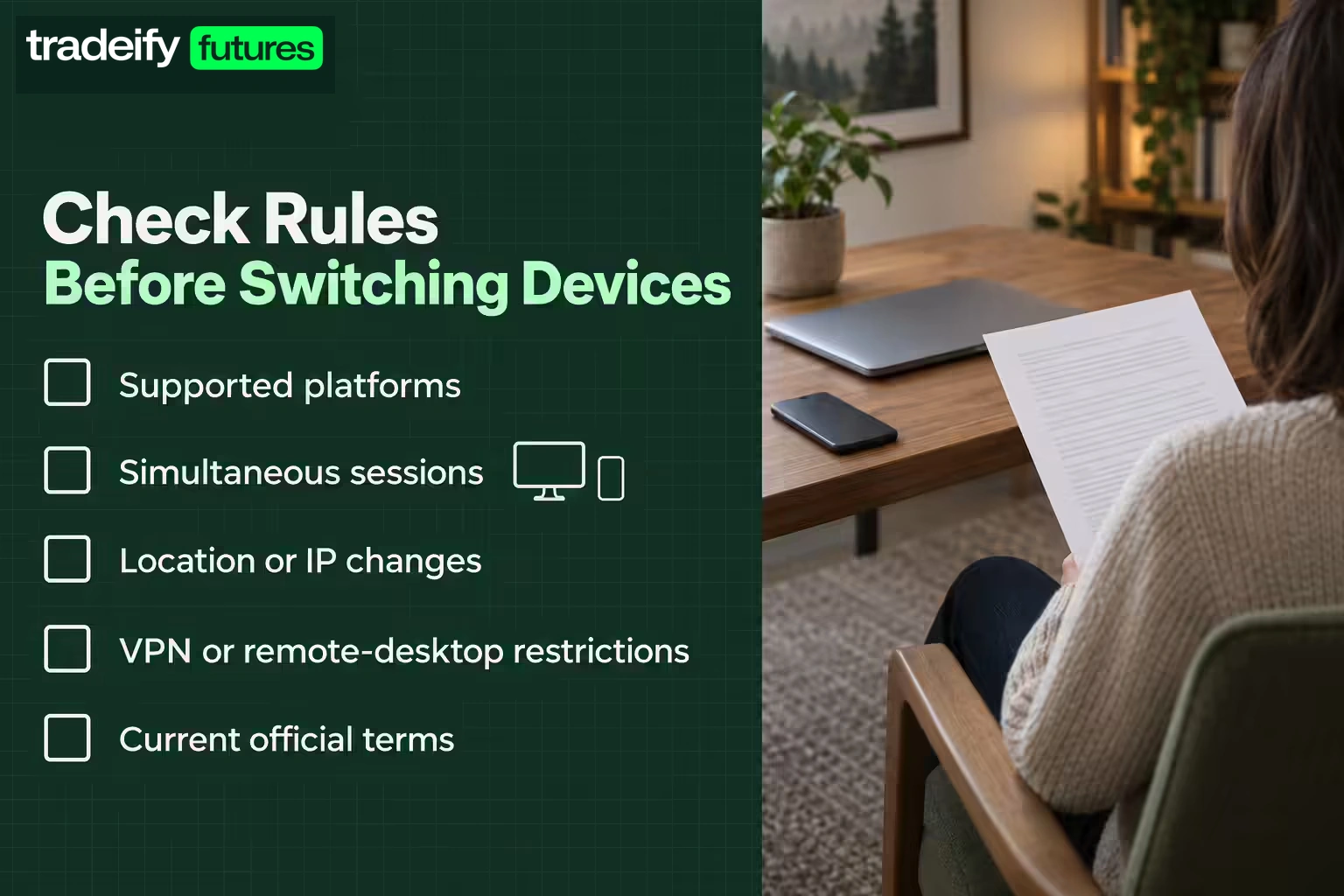
Before using a second device or traveling, check:
- Whether mobile and desktop platforms are both supported.
- Whether simultaneous sessions are allowed and whether a second login disconnects the first.
- Whether location or IP changes require notice.
- Whether VPNs or remote desktops are restricted.
- Whether third-party trade copiers or automation are permitted.
- How daily loss and drawdown are calculated.
- What support needs during an outage or disputed execution.
Do not rely on a Discord answer or an old video for a rule that affects account status. Use the provider's current official terms and support.
Desktop and Mobile Trading Example
Imagine a funded futures trader preparing for the U.S. morning session. On desktop, the trader marks the higher-time-frame range, notes a scheduled economic release, sets the maximum planned loss, and opens the approved execution platform.
The phone is charged, logged in, and connected through cellular data. Alerts are enabled, but order entry is not part of the normal workflow.
During an open position, the desktop internet fails. The trader does not send a second order blindly. The mobile plan is to confirm the existing position and working protective order, take the prewritten management action, then stop trading until the connection issue is resolved.
The backup device did not create an edge. It reduced the chance that a technical problem became an emotional one.
That is the real standard for a backup: fewer uncontrolled decisions when the normal path breaks.
Choose Desktop or Mobile Trading by Consequence
Use the device that makes the costly mistake harder to make.
Desktop is usually the better primary choice for funded traders who need fast execution, several visible inputs, and detailed order control. Mobile is a valuable secondary tool for alerts, monitoring, and tested emergency actions.
Set up both before the session. Then run one rehearsal: place and cancel a simulated order across the two devices, write down the steps, and time the full handoff.
Confirm current account rules and keep the mobile role narrow. The goal is not to trade from everywhere. It is to remain controlled when the normal setup stops working.
Futures and leveraged trading involve substantial risk and can produce losses quickly. Technology can fail, orders may fill differently from expected, and simulated testing cannot reproduce every live condition. Funded-account rules, platform access, and device policies vary by provider, so verify the current terms before trading.
.svg)
.svg)
.svg)
.svg)






.webp)