.svg)

.svg)
.svg)



TL;DR: Trading indicators for prop traders should do more than flash buy and sell signals. In a funded futures account, the best indicator stack helps you answer three questions before every trade: where is the market accepting price, where is risk invalidated, and how close are you to the account rules that matter today?
That is why a futures prop trader should think in two groups. Market indicators help with trend, volatility, volume, order flow, and execution timing. Account indicators help with daily loss, drawdown, position size, open risk, and trade frequency. Search results around trading indicators for prop traders are crowded with indicator marketplaces, TradingView scripts, MT5 lists, and NinjaTrader tool pages, but the gap is practical: most posts talk about entries while funded traders also need rule control.
Tradeify traders should also start with platform fit. Tradeify currently supports three broker connections, selected at checkout: Tradovate, Rithmic, and WealthCharts. The broker you choose determines which front-end platforms you can use. TradingView and NinjaTrader connect through Tradovate. Rithmic gives access to platforms such as Tradesea, Quantower, Sierra Chart, and R|Trader. WealthCharts is a separate web-based platform with charting, DOM, trade copier, and analytics tools. Most of these front-ends are third-party platforms, so platform-level technical support comes from the platform itself, while Tradeify handles account and billing questions. Confirm current platform access in your Tradeify dashboard before buying.
Table of Contents
- What trading indicators need to do in a prop account
- Best trading indicators for futures prop accounts
- Match trading indicators to Tradeify platforms
- Indicator stacks by trading style
- How to test trading indicators before an evaluation
- Common indicator mistakes in prop accounts
- Indicators for Tradeify traders
- FAQ
What trading indicators need to do in a prop account
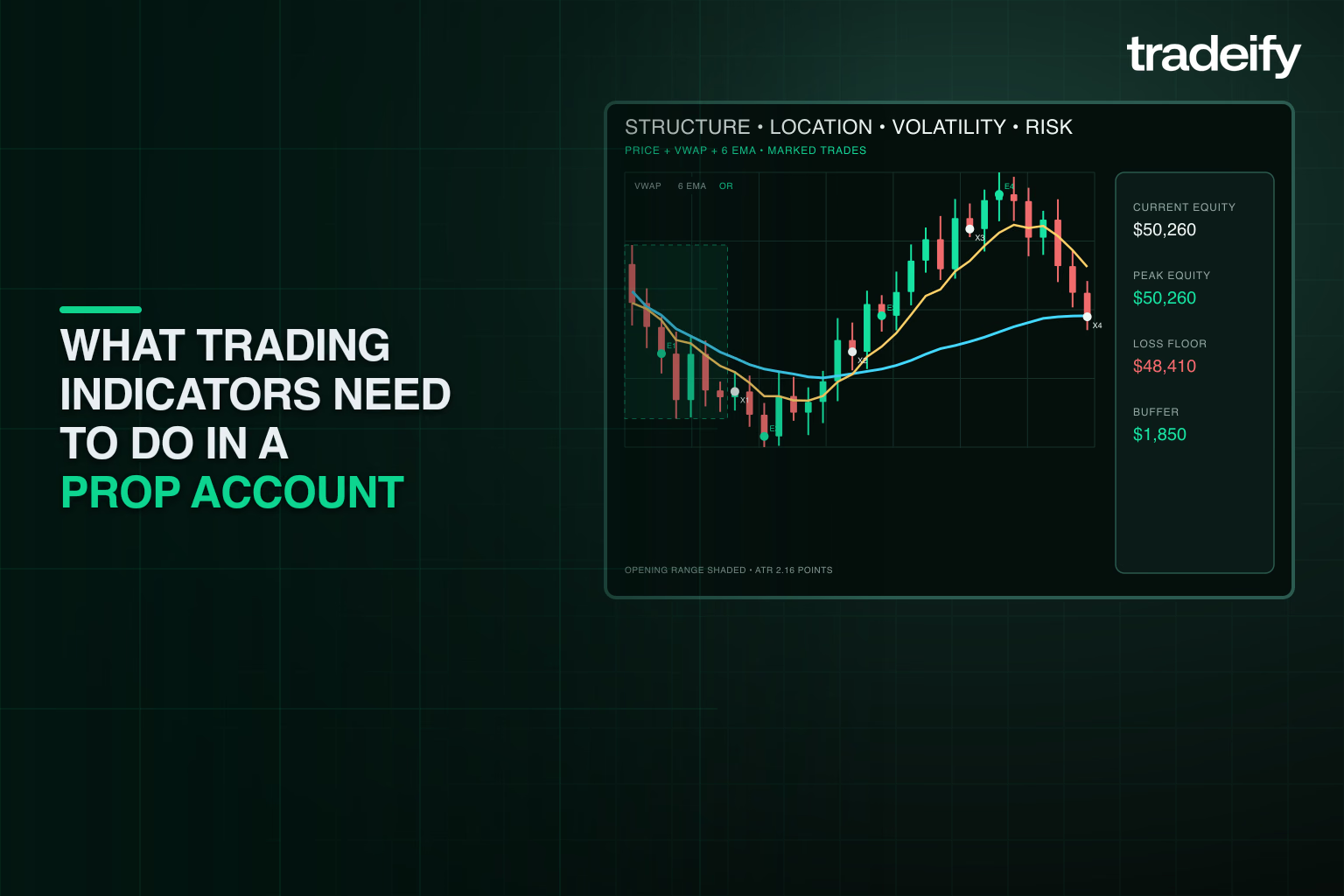
An indicator is useful in a prop account only if it changes a decision. A moving average that keeps you out of countertrend trades can be useful. A volume profile that marks a high-volume node before the open can be useful. A dashboard that shows open risk against your daily limit can be useful. A screen full of signals that compete with each other usually is not.
For futures traders, the most useful indicator stacks tend to support five jobs:
- Identify trend or range conditions before choosing a setup.
- Mark high-liquidity prices where the market has already traded meaningful volume.
- Measure volatility so stop size and contract size fit the current session.
- Read participation through volume, delta, order flow, or DOM behavior.
- Track account rules so a single trade does not create a preventable violation.
The last job is the one many indicator lists miss. Prop trading is not just a chart-reading problem. Futures products can move quickly, and margin or leverage can amplify losses. The CFTC notes that entering futures contracts through leveraged accounts can amplify risk because traders fund only a fraction of the underlying contract value, while the NFA says futures trading is highly volatile and should be approached with risk capital only. See the CFTC's advisory on leveraged futures and margin risk and NFA's investor best practices.
Best trading indicators for futures prop accounts
There is no indicator with 100% accuracy. That question appears in People Also Ask for this keyword, and it is the wrong target. A better goal is a stack that reduces poor trade selection, late entries, oversized positions, and rule mistakes.
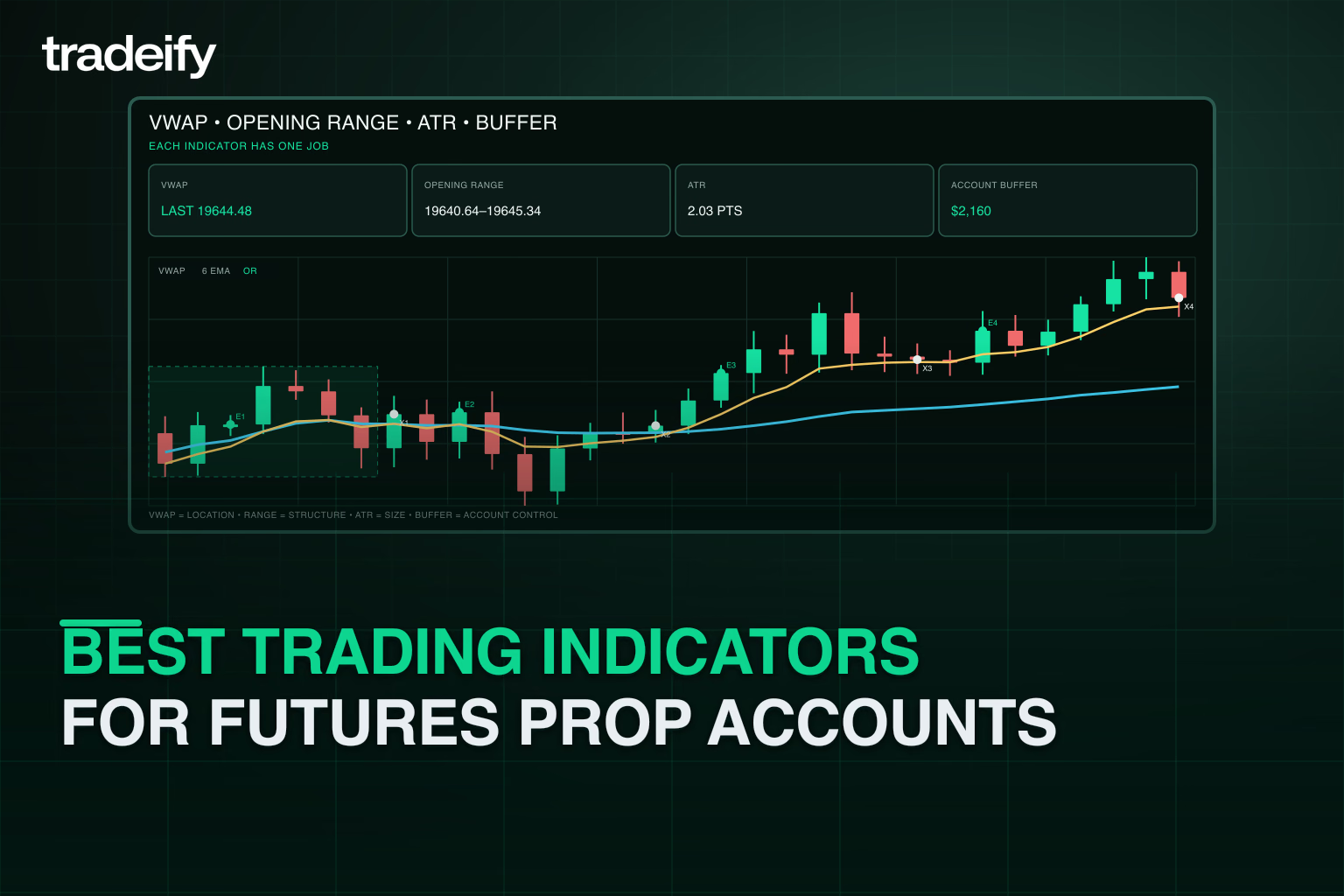
VWAP for funded-account intraday context
VWAP is one of the most useful baseline indicators for intraday futures traders because it blends price and volume into a session reference. It can help define whether price is holding above or below a volume-weighted benchmark, whether a pullback is occurring near a fair-value area, and whether a trend day is becoming extended.
TradingView, Quantower, Sierra Chart, NinjaTrader, and WealthCharts all support some form of VWAP or volume-weighted analysis. TradingView has a large VWAP script category and built-in charting tools, Quantower documents VWAP inside its volume analysis toolbar, Sierra Chart documents VWAP as a study that calculates volume-weighted average price over a chosen period, and WealthCharts publishes a VWAP formula reference.
For a funded account, VWAP is most useful when it is part of a trade filter. Examples include trading only long pullbacks above VWAP on a strong trend day, fading failed pushes back into VWAP on range days, or using anchored VWAP from a news impulse or session open.
Volume profile for funded-account levels
Volume profile is better than a generic support and resistance line when a trader wants to know where business actually occurred. TradingView describes Volume Profile as a charting indicator that displays trading activity at price levels over a chosen time period. NinjaTrader's Order Flow Volume Profile can display profile, point of control, value area, and range. Sierra Chart's Volume by Price study overlays profile bars on a chart, and Quantower's volume profiles show activity by price over a selected period.
For funded futures trading, volume profile is strongest before entry, not after. Mark prior session value area high, value area low, point of control, overnight high and low, and high-volume nodes. Then decide where your setup is allowed. If a signal fires into a thick high-volume area with poor reward to risk, skip it. If price rejects a prior value area after a failed breakout, the profile can help define a cleaner stop and target.
Order flow and DOM indicators for funded-account execution
Order flow indicators are useful for traders who need precision around entries and exits. NinjaTrader documents order flow tools that include volume profile, volumetric bars, market depth map, and trade detector features. Quantower documents volume analysis tools such as footprint-style cluster charts, volume profile, and VWAP. Sierra Chart supports detailed studies for volume by price, value area, and order-flow-style workflows through its study library.
Order flow can help a funded trader avoid two common mistakes: entering too early before liquidity confirms the level, and holding too long after buyers or sellers fail to continue. The practical use is not "green delta means buy." It is reading whether participation confirms the trade idea at a known level.
Opening range indicators for session structure
Opening range indicators mark the high and low of the first 5, 15, or 30 minutes of the regular session. They are popular with funded futures traders because they force a clear session map. Is price accepting above the opening range, rejecting below it, or chopping inside it?
The opening range works best with a second filter. Use VWAP to decide whether the breakout is aligned with session value, volume profile to see whether the breakout has room, and ATR to size stops. A prop account does not reward taking every range break. It rewards selectivity.
ATR and volatility indicators for funded-account sizing
Average True Range is not an entry signal. Its best use in a prop firm account is sizing and stop logic. If the current 5-minute or 15-minute ATR doubles after news, a stop that worked yesterday may be too tight today. If ATR contracts into lunch, a breakout signal may be less reliable.
A simple rule is to define risk before entry: maximum dollars at risk, maximum contracts, invalidation price, and whether the stop distance still fits your account. If ATR expands and the setup requires more risk than the plan allows, reduce size or skip the trade.
Moving averages for trend filters
Moving averages are not advanced, but they are useful because they reduce decision load. A 20 EMA, 50 EMA, 200 EMA, or a multi-timeframe moving average filter can keep a trader from forcing countertrend trades in a fast futures session.
The trick is to keep the moving average job narrow. Use it to define bias or dynamic pullback zones. Do not ask it to predict reversals, time entries, set targets, and manage risk all at once.
Account rule trackers for funded-account risk
Every funded trader should track account state as actively as price. Useful rule indicators include:
- Current open risk in dollars.
- Daily realized and unrealized P and L.
- Distance to daily loss limit or drawdown threshold.
- Number of trades taken.
- Contract size compared with plan.
- Time remaining before key session events.
- Locked stop and target status for each open position.
This can be a platform dashboard, spreadsheet, custom TradingView table, NinjaTrader add-on, Tradesea or WealthCharts analytics panel, or manual checklist. The format matters less than the discipline. If the trader cannot see account risk before clicking, the chart indicator stack is incomplete.
Match trading indicators to Tradeify platforms
Because Tradeify supports multiple platform routes, the best indicator stack depends on the broker connection selected at checkout. Broker choice controls platform access: you can switch freely between platforms that share the same broker credentials, but you cannot switch broker groups without purchasing a new account. Confirm current platform access in Tradeify before buying or changing accounts.
TradingView indicators with Tradovate
TradingView is the best fit for traders who want fast chart setup, clean multi-timeframe layouts, alerts, Pine Script indicators, and a large public script library. TradingView says Pine Script is its language for developing indicators and strategies, and its public scripts section lists more than 100,000 publications. See TradingView Pine Script and TradingView scripts.
For Tradeify, the key detail is connection path. TradingView connects through Tradovate only, and Tradeify's TradingView setup guide walks through connecting TradingView to a Tradovate account for charting and direct execution. Tradovate also documents its TradingView integration for order execution across both platforms.
Best TradingView stack for funded futures traders:
- Session VWAP or anchored VWAP.
- Prior day high and low, overnight high and low, and opening range.
- Volume profile for key sessions.
- One trend filter such as 20 EMA and 200 EMA.
- An account-risk checklist outside the chart if the platform does not show every prop rule in one place.
NinjaTrader indicators with Tradovate
NinjaTrader is the better fit for traders who want deeper futures-specific order flow, desktop execution, chart trader controls, and custom NinjaScript tools. One Tradeify-specific detail to know up front: you trade Tradeify accounts under Tradeify's company NinjaTrader license, not a personal NinjaTrader license.
Best NinjaTrader stack for funded futures traders:
- Order Flow Volume Profile.
- Volumetric bars or footprint-style order flow.
- VWAP or session average price.
- ATM-style bracket management when available to your setup.
- Daily P and L and drawdown monitor.
NinjaTrader is a strong choice when the trader's edge depends on reading bid-ask volume, absorption, failed auctions, and quick execution around known levels. The risk is overbuilding the screen. If order flow makes decisions slower, simplify it.
Tradesea indicators with Rithmic
Tradesea is relevant for Tradeify traders who choose a Rithmic route. It is a web-based futures platform with TradingView-powered charts, an ultra-fast DOM, indicators, drawing tools, multi-timeframe layouts, and trade-from-chart execution. Tradesea is a third-party platform that connects using your Rithmic credentials.
Best Tradesea stack for funded futures traders:
- TradingView-powered chart indicators for clean setup recognition.
- DOM for entry and exit control.
- Opening range and session levels.
- Rule and performance analytics when available in the account workflow.
Tradesea makes sense for traders who want a web-based setup but still want Rithmic-based execution and futures-focused workflows.
Quantower and Sierra Chart indicators with Rithmic
Quantower and Sierra Chart are strong fits for traders who want deeper volume analysis. Quantower documents cluster charts, volume profiles, and VWAP inside its volume analysis toolkit. Sierra Chart documents Volume by Price, VWAP, and a large technical studies reference for custom chart work. Note that Sierra Chart requires a separate paid Sierra Chart subscription in addition to your Tradeify account.
Best Quantower or Sierra Chart stack for funded futures traders:
- Session and composite volume profile.
- VWAP with standard deviation bands.
- Footprint or cluster chart.
- Market depth or DOM.
- Prior session levels and opening range.
These platforms reward traders who already have a defined process. They can be too much for a beginner if every panel creates a new reason to trade.
WealthCharts indicators for visual traders
WealthCharts is a web-based option offered through Tradeify. It provides 200+ indicators, an advanced DOM, Trade Copier, WealthTracker analytics, and a mobile app. WealthCharts is a separate third-party purchase with its own login credentials and is not included with Tradovate or Rithmic accounts. WealthCharts also documents adding indicators from chart menus, Volume by Price, and VWAP.
Best WealthCharts stack for funded futures traders:
- VWAP.
- Volume by Price.
- A trend indicator or moving average set.
- Alerts for key prices.
- WealthTracker or similar performance analytics for behavior review.
WealthCharts can fit traders who want a web-based platform with built-in analytics and less desktop setup work.
Indicator stacks by trading style
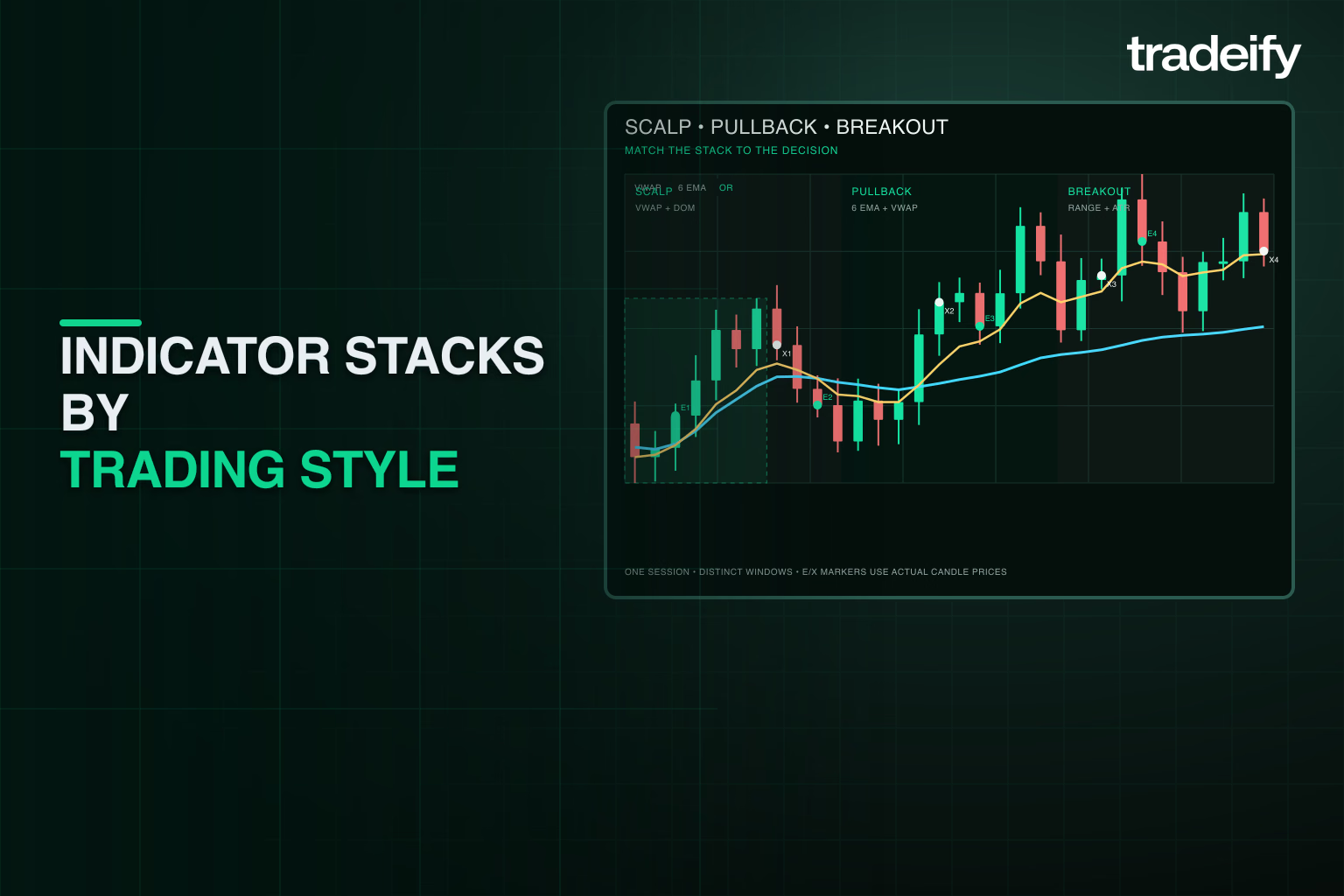
The cleanest way to choose indicators is to start with the trade style, then choose the few tools that support that style.
Scalping indicators for prop traders
Scalpers need speed and risk control more than a large indicator list.
Use:
- DOM or ladder.
- VWAP.
- Opening range.
- Footprint or delta if your platform supports it.
- Hard daily risk tracker.
Avoid:
- Slow oscillators that confirm after the move.
- Too many public script signals.
- Large stops that do not fit the account.
Best platform fit: NinjaTrader, Quantower, Sierra Chart, Tradesea, or Tradovate with a clean DOM workflow.
Trend pullback indicators for prop traders
Trend pullback traders need bias, location, and volatility sizing.
Use:
- 20 EMA or 50 EMA.
- VWAP or anchored VWAP.
- Volume profile levels.
- ATR for stop and size.
- Prior day high and low.
Avoid:
- Countertrend RSI signals during strong trend days.
- Entries directly into major profile resistance or support.
- Adding contracts because the first entry is red.
Best platform fit: TradingView with Tradovate, NinjaTrader, WealthCharts, or Tradesea.
Breakout indicators for prop traders
Breakout traders need session structure and confirmation.
Use:
- Opening range.
- Volume surge or relative volume.
- VWAP position.
- Prior session levels.
- ATR filter.
Avoid:
- Breakouts inside low-volume chop.
- Trades immediately before scheduled news without a specific news plan.
- Moving stops wider after entry.
Best platform fit: TradingView, Tradovate, Tradesea, NinjaTrader, Quantower, or Sierra Chart.
Rule control trackers for prop traders
Rule control is not a trading style, but every style needs it.
Use:
- Daily P and L tracker.
- Open risk tracker.
- Contract-size checklist.
- Drawdown distance monitor.
- Trade counter.
Avoid:
- Relying on memory after multiple trades.
- Checking account state only after a loss.
- Letting chart signals override max daily risk.
Best platform fit: any Tradeify-supported route, as long as the trader can see the account numbers before each trade.
How to test trading indicators before an evaluation
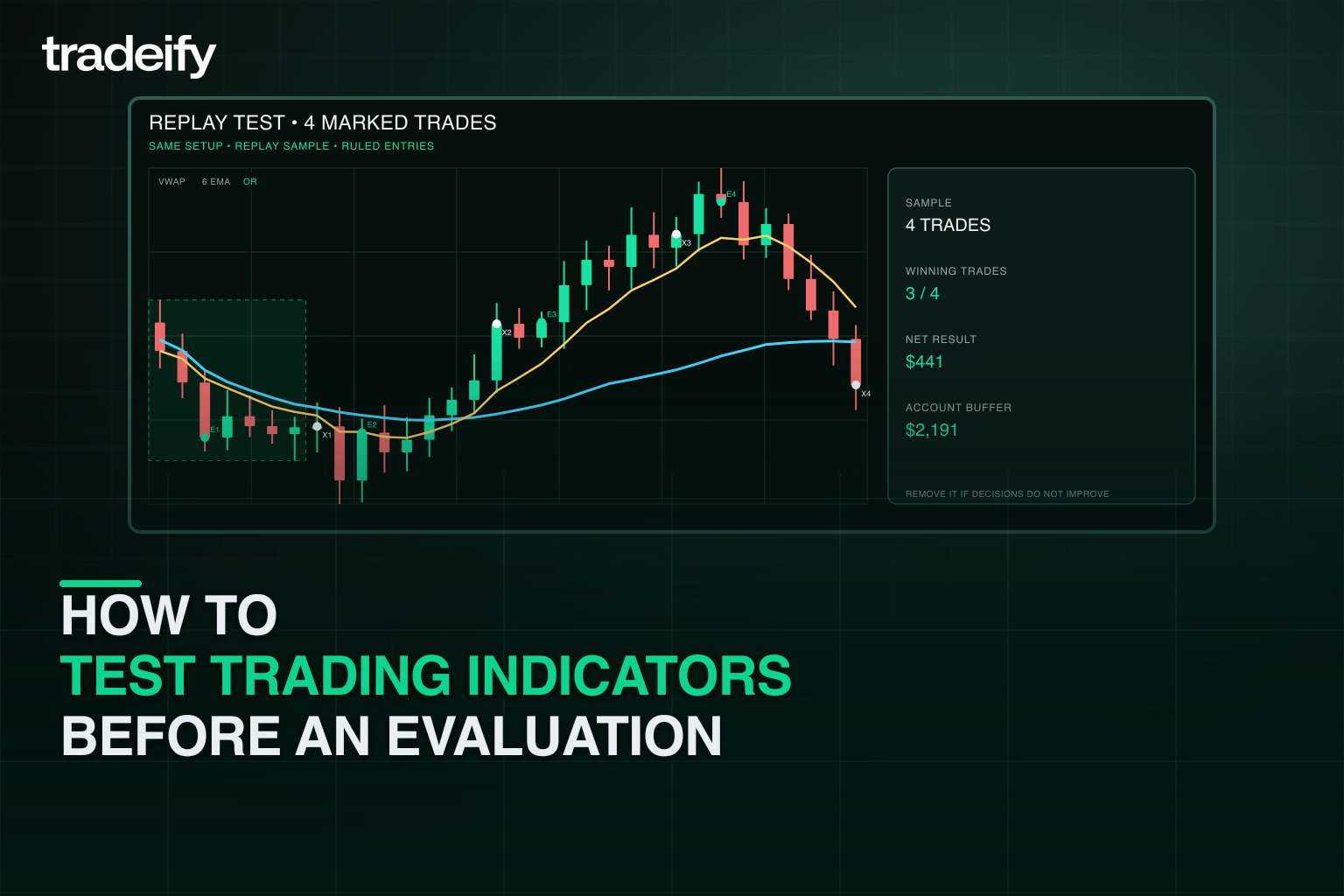
Before using a new indicator in a paid evaluation or funded workflow, test whether it actually improves decisions.
Start with replay or simulation. Pick one market, one session window, and one setup. Track at least 20 to 50 examples before trusting the indicator. For each trade, record:
- Market and contract.
- Time of day.
- Setup type.
- Indicator state before entry.
- Entry, stop, target, and size.
- Whether the trade followed the rules.
- Whether the indicator helped, hurt, or added no value.
The test should answer a simple question: would this indicator have kept you out of bad trades or helped you manage risk better? If the answer is no, remove it.
Common indicator mistakes in prop accounts
The biggest mistake is treating an indicator as permission to ignore risk. The second biggest mistake is stacking five tools that all measure the same thing. A 9 EMA, 20 EMA, Supertrend, MACD, and trend dashboard may all tell a similar story, while nothing on the screen tells the trader whether account risk is too high.
Watch for these mistakes:
- Buying a "pass prop firm challenge" indicator without a repeatable trade plan.
- Using repainting signals without understanding how they plot historically.
- Optimizing indicator settings on a small sample.
- Trading every alert instead of defining valid market conditions.
- Using the same stop size across high-volatility and low-volatility sessions.
- Ignoring commissions, slippage, and failed fills.
- Forgetting that a prop account has rules beyond the chart.
Paid indicators can be useful, but the sales page should not be the test. The trader still needs a market thesis, invalidation point, risk cap, and review process.
Indicators for Tradeify traders
For Tradeify traders, the best starting point is the platform route:
- Choose Tradovate if you want TradingView or NinjaTrader access through Tradeify's current setup docs.
- Choose Rithmic if you want Tradesea, Quantower, Sierra Chart, or R|Trader style workflows.
- Choose WealthCharts if you want a web-based platform with built-in indicators, DOM, copier, and analytics.
Then build a three-layer indicator stack:
- Market structure: prior day levels, overnight levels, opening range, and trend filter.
- Volume and execution: VWAP, volume profile, DOM, footprint, or delta depending on platform.
- Account control: daily P and L, open risk, drawdown distance, contract size, and trade counter.
That stack is less exciting than a signal indicator that promises easy entries, but it is closer to what funded futures traders need. The job is not to predict every tick. The job is to choose better trades, size them correctly, and stop before one bad session breaks the account plan.
FAQ
What are the best indicators for prop traders
The best indicators for prop traders are VWAP, volume profile, opening range, ATR, a simple moving average trend filter, and an account-risk tracker. Order flow tools such as footprint charts, delta, and DOM can help advanced futures traders, but they are most useful when paired with predefined levels and strict risk limits.
Can indicators help you pass a prop firm challenge
Indicators can help with structure, timing, and risk control, but they cannot guarantee a pass. A trader still needs a tested strategy, position sizing, rule awareness, and the discipline to stop trading when the account plan says to stop.
Is TradingView enough for trading indicators for prop accounts
TradingView can be enough for many chart-based prop firm traders because it supports custom Pine Script indicators, public scripts, alerts, VWAP, volume profile tools, and clean layouts. For Tradeify specifically, confirm the current connection path, since TradingView connects through Tradovate.
Should futures prop traders use Volume Profile or VWAP
Many futures traders use both. VWAP gives a volume-weighted session reference, while Volume Profile shows where volume traded at specific prices. VWAP is useful for intraday bias and pullbacks. Volume Profile is useful for support, resistance, value area, and point of control planning.
Are Paid trading indicators worth it
Paid trading indicators may be worth testing if they solve a specific problem, such as marking levels faster, tracking risk, or automating a checklist. They are not worth it if they replace the trade plan or promise guaranteed outcomes. Test any paid indicator in replay or simulation before using it in an evaluation.
What indicators work best on Tradeify
The best indicators for Tradeify depend on the selected broker and platform. TradingView users should start with VWAP, volume profile, opening range, and a risk checklist. NinjaTrader, Quantower, and Sierra Chart users can add deeper order flow tools. WealthCharts users can use its built-in indicators, Volume by Price, VWAP, DOM, and analytics features.
.svg)
.svg)
.svg)
.svg)




.webp)