



TL;DR: Best day trading platform picks for futures depend on your data route first and your order-entry style second. NinjaTrader and Sierra Chart lead for order flow; Tradovate and TradingView are the easiest to start on. Quantower, Tradesea and R Trader Pro cover the Rithmic route, and WealthCharts bundles everything in one plan. Compare the all-in cost per round turn, then prove the platform on a simulator before you trade size.
You are about to pick the screen you will click thousands of times, often with a position open and the market moving against you.
Most "best platform" lists rank brokers for stock investors. A futures day trader has a narrower decision: which software reads your data feed cleanly, gets your order and your stop to the exchange, and does not fight you when the market moves two points in a second.
That choice usually starts one step earlier than people expect. Your broker or account provider decides your data route (Tradovate, Rithmic or something else), and the route decides which platforms you can even open. Pick the route first. Then pick the screen.
How These Day Trading Platforms Were Compared

Each futures day trading platform in this guide was judged on the same six questions, because these are the ones that change a day trader's results or costs:
- Connection. Which brokers or data routes the platform supports, and whether it plugs into the route you already have.
- Cost model. What you pay for software, what you pay per contract, and what you pay for market data. Prices were read on each vendor's own pricing page on November 2, 2026.
- DOM and order flow. Depth of market ladder, footprint or cluster charts, volume profile and market by order (MBO) data.
- Automation. Whether you can write or run your own indicators and strategies, and in what language.
- Devices. Windows, Mac, browser and mobile.
- Learning curve. How long it takes before you can place a bracket order without thinking about it.
What this platform comparison does not do is rank execution speed. Fill quality depends far more on your broker, your data route, your internet connection and the size you trade than on the paint job of the platform. Any ranking that hands you latency numbers without stating its test conditions is guessing, so none appear here.
The rankings are editorial judgments for a futures day trader who trades index, energy, metals or currency futures intraday. A stock or options trader would rank the same platforms differently.
Best Day Trading Platforms for Futures Ranked
Here is the ranked shortlist of the best futures day trading platforms, with the reason each one sits where it does.
- NinjaTrader. The most complete package for the money: free charting, backtesting and unlimited simulation, an order-flow add-on, and NinjaScript automation in C#. It ranks first because a new trader and an automated trader can both live in it. The catch is a Windows-only desktop.
- Tradovate. The best platform for trading the same account from a laptop, a browser and a phone, with no platform licence fee and brackets held server side. It ranks second because it removes the most ways to lose a stop, not because it has the deepest charts.
- TradingView. The best charting experience, with Pine Script and DOM trading through supported brokers. It ranks third because order flow is thinner and order handling depends on the broker link.
- Sierra Chart. The fastest, cheapest serious order-flow platform, with Numbers Bars footprint and MBO on its top package. It ranks fourth only because the learning curve is steep and it runs natively on Windows only.
- Quantower. A modern DOM, cluster footprint charts and a DOM Surface heatmap in one app with many connections, including Rithmic. Per-feature licensing keeps it below Sierra Chart on value.
- Tradesea. A browser-first Rithmic platform built on TradingView charts, with DOM workspaces and built-in journaling. It is young, which is why it sits mid-table.
- R Trader Pro. Rithmic's own lean DOM with full depth and MBO data where your data plan includes it. It ranks as a backup and order-entry screen, not a main analysis platform.
- WealthCharts. Charts, scanners, journaling and a DOM in one subscription. It suits traders who want one bill more than specialist order-flow depth.
Day Trading Platform Comparison Table
This day trading platform comparison table lists what each vendor published on November 2, 2026. Vendors change pricing and run promotions, so confirm on the vendor's page before you pay.
| Platform | Best for | Cost model | Connection | DOM and order flow | Automation | Devices |
|---|---|---|---|---|---|---|
| NinjaTrader | Order flow and automated strategies | Free to chart, backtest and sim; Free $0, Monthly $99 or Lifetime $1,499 commission plans | NinjaTrader brokerage; also Tradovate credentials | DOM ladder, Order Flow+ add-on | NinjaScript in C# | Windows desktop, web, mobile |
| Tradovate | One login on every device | No platform licence fee; same Free, Monthly and Lifetime commission plans | Tradovate brokerage | One-click DOM, server-side brackets, TPO and bid-ask charts | Group Trade, trailing and OSO orders | Windows and Mac desktop, browser, iOS, Android |
| TradingView | Chart-first trading | Free Basic plan; paid tiers from $12.95 a month billed annually; CME data extra | Supported brokers, including Tradovate | Chart trading, DOM trading, volume profile, footprint and TPO tools | Pine Script indicators and strategy backtests | Web, Windows, Mac, Linux, mobile |
| Sierra Chart | Fast depth and footprint analysis | Monthly packages; Rithmic needs Package 10 at $36 or higher | Rithmic and other external services | Numbers Bars footprint, market depth historical graph, MBO on Package 12 | ACSIL studies in C++ | Windows only |
| Quantower | Modern DOM with many connections | Free limited version; All-in-One licence 70 a month, up to 30% off annually; data extra | Rithmic and many others | DOM Trader, cluster footprint, DOM Surface heatmap, TPO | Open C# API | Windows |
| Tradesea | Browser-based Rithmic trading | No public price list on its site | Rithmic | DOM-focused and scalper workspaces, chart trading on TradingView charts | Built-in journaling; AI assistant in beta | Browser, iOS, Android |
| R Trader Pro | Lean Rithmic DOM and backup screen | Issued by your broker, FCM or evaluator; one 14-day trial for new Rithmic users | Rithmic | Full-depth DOM with MBO, server-side risk controls | Trade copier, Excel streaming | Windows desktop, web, mobile |
| WealthCharts | Charts, scanners and journaling in one plan | $79 a month billed annually or $97 month to month | Broker integration needed for live trading | DOM trading, on-chart trading | WealthScript and backtester | Web, desktop, mobile |
Reading the Day Trading Platform Comparison
Two notes on reading a day trading platform comparison like this one. First, free software rarely means free trading: commissions, exchange fees and market data still apply. Second, a platform is only as good as the connection behind it. A great DOM on a feed you do not have is a screenshot, not a tool.
Day Trading Platform Reviews
Each day trading platform review covers what the platform does well, where it frustrates traders, and who should skip it. Prices and features were read on the vendor's site on November 2, 2026.
NinjaTrader Day Trading Platform Review
NinjaTrader is free to download and use for advanced charting, strategy backtesting and simulated trading, with no time limit on the simulator. New users also get a 14-day free trial of live streaming market data.
The live side runs through NinjaTrader Clearing, which is registered with the CFTC as a futures commission merchant and is an NFA member. As of November 2, 2026, you pick one of three plans: Free (no monthly fee, $0.39 per side on micros and $1.29 on standard contracts), Monthly ($99 a month, $0.29 and $0.99), or Lifetime ($1,499 once, $0.09 and $0.59). Exchange, clearing and NFA fees sit on top of every plan. Plan benefits such as real-time data, Order Flow+ and Market Replay switch on once the live account is funded and approved.
Where NinjaTrader shines:
- Market Replay replays recorded tick data from the past 90 days at up to 1,000 times speed, which is the closest thing to live practice without real money at risk.
- Order Flow+ adds footprint and TPO views for traders who read volume at price.
- NinjaScript, built on C#, lets you write indicators and fully automated strategies, and there is a large third-party add-on market.
Where NinjaTrader bites: the flagship desktop is a Windows PC application. Mac users get NinjaTrader Web in the browser and the mobile apps, or run Windows in a virtual machine. The desktop also rewards setup time; out of the box it can feel busy, and a messy workspace is how traders end up clicking the wrong account.
Skip NinjaTrader if you trade from a Mac and want the full desktop feature set natively.
Tradovate Day Trading Platform Review
Tradovate is a cloud-based platform and brokerage in the NinjaTrader group. As of November 2, 2026, its pricing page lists the same three plans as NinjaTrader (Free, $99 Monthly, $1,499 Lifetime, with Lifetime also offered as four installments of $499) and states that all Tradovate platforms are included with no licence fees.
Where Tradovate shines:
- One account on every device: desktop apps for Windows and Mac, a browser version, and iPhone and Android apps.
- The DOM supports one-click entry, OCO brackets set by ticks, price or currency, and multiple brackets held server side with up to 10 target and stop levels. Tradovate says orders sit at the exchange or on its servers, never on your device, so a laptop crash does not cancel your exit orders.
- Group Trade, Market Replay at up to 4 times speed with full depth, TPO profile charts and bid-ask chart types are built in.
Where Tradovate bites: the charting is solid but lighter than NinjaTrader or Sierra Chart for deep custom studies. Traders who want heavy automation usually pair it with another platform.
Skip Tradovate if you want a platform you can program end to end.
TradingView Day Trading Platform Review
Most traders already know TradingView as a charting site. The question is whether to trade from it.
TradingView has a free Basic plan and four paid tiers: Essential, Plus, Premium and Ultimate. As of November 2, 2026, the annual-billing special prices were $12.95, $29.95, $59.95 and $199.95 a month. Real-time exchange data, including CME, is added separately and requires a paid plan or a trial. That data line is the one people forget.
Where TradingView shines:
- Charting, drawing tools and Pine Script are the best known in retail trading, with strategy backtesting.
- You can trade from the chart or a DOM panel through selected brokers, including Tradovate, and there is a paper trading mode.
- It runs in a browser, as a desktop app on Windows, macOS and Linux, and on mobile.
Where TradingView bites: it is a charting product first and an order-entry tool second. Volume footprint and TPO tools exist but depend on your tier, and your order handling depends on the broker integration behind it.
Skip TradingView if your edge comes from reading the ladder rather than the chart.
Sierra Chart Day Trading Platform Review
Sierra Chart looks dated, and that is mostly the point. It is built for speed and light resource use, which is why many order-flow traders accept the old-fashioned screens.
Pricing is by monthly service package, and these are the prices listed as of November 2, 2026. The Base packages ($26 and $36) only connect to Sierra Chart's own data and trading services. To connect to an external route such as Rithmic you need an Integrated package: Package 10 at $36 a month, Package 11 at $46 (adds TPO, Numbers Bars footprint, volume profile and the market depth historical graph), or Package 12 at $56 (adds market by order data). Sierra Chart's Rithmic setup page says Package 10 or higher is required.
Where Sierra Chart shines:
- Numbers Bars and the market depth historical graph are among the most detailed order-flow views available to retail traders.
- ACSIL lets you build custom studies and trading systems in C++.
- Unlimited simulated trading comes with every package.
Where Sierra Chart bites: it is designed for Windows. Sierra Chart's support staff say there is no native Mac app, so Mac users run it through Wine, an emulator or a Windows virtual machine, and Sierra Chart does not support those setups. The interface has a steep learning curve, and many settings sit deep in menus, so expect a few evenings of setup before it feels natural.
Skip Sierra Chart if you want something that looks and behaves like a modern app on day one.
Quantower Day Trading Platform Review
Quantower is a Windows trading platform with a modular, panel-based layout and a long list of broker connections, including Rithmic.
As of November 2, 2026, the All-in-One licence was listed at 70 a month, with discounts of 10% for three months, 20% for six months and 30% for a year, plus a lifetime option and a 10-day money-back guarantee. There is also a free limited version and a 7-day full trial, and you can buy single features such as DOM Surface, Volume Analysis or the TPO chart instead of the full licence. Market data is never included in the licence price.
Where Quantower shines:
- DOM Trader supports one-click ladder trading, an order entry panel and hotkeys.
- The cluster chart (Quantower's name for a footprint chart) shows volume traded at each price inside a bar, and the Volume Analysis set adds volume profiles and time statistics.
- DOM Surface draws the order book as a heatmap, and an open C# API supports custom tools.
Where Quantower bites: per-feature pricing can be confusing, and the cost adds up if you pay month to month. The desktop download is offered for Windows, so Mac users need a workaround.
Skip Quantower if you only need a simple chart with a buy and sell button.
Tradesea Day Trading Platform Review
Tradesea is a newer, browser-first platform built around Rithmic connectivity and TradingView charting.
Its help center describes a web app and iOS and Android apps, with a desktop app listed as coming soon. Workspaces can be built around a DOM, a scalping layout or a full workstation. A journaling module called Compass scores your trades, and an AI assistant called Polaris is in beta. Built-in risk tools include position brackets, daily loss and profit limits, and personal lockouts.
Tradesea did not publish a retail price list on its website as of November 2, 2026, so confirm the cost with whoever issues your login.
Where Tradesea bites: it is young, and a browser platform is only as stable as your browser and machine. Tradesea's own guidance recommends 8 GB of RAM or more and 8 or more processor cores, suggests the latest Chrome when something misbehaves, and warns that a VPN can slow data.
Skip Tradesea if you need a mature desktop application today.
R Trader Pro Day Trading Platform Review
R Trader Pro is Rithmic's own platform. You do not buy it from a store; your broker, futures commission merchant or funding evaluator issues the credentials. New Rithmic users get one free 14-day trial.
Where R Trader Pro shines:
- A full-depth DOM with market by order data, one-click order entry and server-side risk controls.
- A Windows desktop plus web and mobile apps on the same login.
- A trade copier for distributing orders across accounts you control, and live streaming into Excel.
Where R Trader Pro bites: charting is basic, and the desktop does not run on macOS (Rithmic points Mac users to its web and mobile apps). Most traders use it as a lean order-entry screen or a backup, not as their main analysis platform.
Keep R Trader Pro installed even if you trade elsewhere on Rithmic. When your main platform freezes with a position open, a second screen on the same credentials is how you flatten.
WealthCharts Day Trading Platform Review
As of November 2, 2026, WealthCharts sells one plan: $79 a month billed annually ($948 a year) or $97 month to month. It covers charting with more than 200 indicators, 22 real-time scanners, alerts, a backtester, the WealthScript language, WealthTracker performance tools and mobile apps. Live trading needs a brokerage connection; paper trading is included.
Where WealthCharts shines: everything sits in one subscription, including DOM trading, on-chart trading and prop firm integrations.
Where WealthCharts bites: it is a broad platform aimed at stocks, options and futures together. Depth and order-flow specialists usually want more than its DOM offers.
Skip WealthCharts if you already pay for a charting package you like.
Day Trading Platform Fees and Commissions
Day trading platform cost has three layers, and comparing only one of them is how traders overpay.
- Software. Free, monthly, or a one-time licence.
- Trading costs. Broker commission per side, plus exchange, clearing and NFA fees per contract.
- Market data. Real-time CME data, and optional depth (Level 2) or MBO data.
Commission Plan Math on NinjaTrader and Tradovate Platforms
NinjaTrader and Tradovate both offer the Free, Monthly and Lifetime structure, so the real question is how many contracts you trade. All figures here use the plan rates published on November 2, 2026, and are illustrative.
Take the micro rates. Moving from Free ($0.39 per side) to Monthly ($0.29 per side) saves $0.10 per side, or $0.20 per round turn. At $99 a month, you need 495 micro round turns a month just to break even. On standard contracts the saving is $0.60 per round turn, so the break-even is 165 round turns.
Now run a realistic case. A trader who does 10 MES round turns a day for 21 trading days makes 210 round turns a month.
- Free plan commission: 210 x $0.78 = $163.80.
- Monthly plan: 210 x $0.58 = $121.80, plus $99 = $220.80.
The Free plan wins by about $57. Triple the activity to 30 round turns a day (630 a month) and Monthly edges ahead: $491.40 on Free versus $464.40 on Monthly. Exchange fees are the same either way, so they do not change the comparison.
Lifetime only pays off at volume. Against the Free plan it saves $0.60 per micro round turn, so $1,499 takes about 2,500 micro round turns to recover. On standard contracts it saves $1.40 per round turn, so roughly 1,071 round turns.
Here is where traders get caught: they buy the cheapest commission and then trade more to justify it. That is the failure mode. Pick the plan that fits the volume you already trade, not the volume you hope to trade.
Broker Platform Commissions Per Round Turn
Stock brokers with futures desks price differently. As of November 2, 2026, Schwab charged $2.25 per contract per side, and Interactive Brokers charged $0.85 per contract on US futures up to 1,000 contracts a month, falling to $0.65, $0.45 and $0.25 at higher monthly volume. Exchange and regulatory fees apply on top at both.
| Broker route | Commission per round turn before fees | 210 MES round turns a month |
|---|---|---|
| NinjaTrader or Tradovate Free plan (micro) | $0.78 | $163.80 |
| Interactive Brokers, up to 1,000 contracts | $1.70 | $357.00 |
| Schwab | $4.50 | $945.00 |
The point is not that one broker is good and another is bad. A flat per-contract rate hurts most on micros, where the commission is a bigger share of a small tick value. If you trade standard contracts a few times a week, the gap shrinks. If you scalp micros all day, it decides your year.
Day Trading Platform Software Subscription Costs
For subscription platforms, the yearly cost is easy to forget because it bills in small pieces. These are list prices read on November 2, 2026.
| Software | Listed price | Rough yearly cost |
|---|---|---|
| TradingView Essential, annual billing | $12.95 a month | $155.40 |
| Sierra Chart Package 10 | $36 a month | $432 |
| Sierra Chart Package 11 | $46 a month | $552 |
| Sierra Chart Package 12 | $56 a month | $672 |
| Quantower All-in-One, monthly | 70 a month | 840 |
| WealthCharts, annual billing | $948 a year | $948 |
| WealthCharts, monthly billing | $97 a month | $1,164 |
That is before market data. With a broker account, check whether you are classed as a non-professional data subscriber; professional rates are far higher, and signing the wrong agreement is a common and avoidable mistake.
Charting and Order Flow Tools on Day Trading Platforms
Every day trading platform draws candles. The differences show up in four order-flow tools.
- DOM (depth of market). A price ladder showing resting bids and offers, where you click to place and move orders. Scalpers live here.
- Footprint or cluster chart. Shows how much traded at the bid and the ask at each price inside a bar. NinjaTrader Order Flow+, Sierra Chart Numbers Bars (Package 11 and up), Quantower's cluster chart and TradingView's volume footprint all do this.
- Volume profile and TPO. Show where the market spent time and volume, which helps define value areas and balance zones. Tradovate, TradingView, Sierra Chart, Quantower and NinjaTrader all offer a version.
- MBO (market by order). Shows individual orders in the queue instead of a total size per price. Sierra Chart Package 12 and R Trader Pro support it, if your data subscription carries it.
One thing many traders miss: a DOM window is not the same as depth data. A DOM running on Level 1 data shows the best bid, the best ask and your own working orders, which is enough to place and move orders on a ladder. Heatmaps and depth-reading tools need Level 2 data to show anything beyond the inside market.
Here is the honest part: more tools do not create an edge. If price is chopping in the middle of yesterday's range, adding a footprint chart does not make a direction appear. These tools help when you already have a reason to be at a level and want confirmation that buyers or sellers are actually showing up there. Use them to confirm or cancel a plan, not to invent one.
Day Trading Platform Ease of Use and Customization
Day trading platform ease of use is not about how pretty the screen is. It is about how many decisions stand between your idea and a working stop.
| Platform | First-week learning curve | Main friction |
|---|---|---|
| Tradovate | Low | Lighter custom charting |
| TradingView | Low | Order flow depends on tier and broker link |
| Tradesea | Low to moderate | Newer product, browser-dependent |
| WealthCharts | Moderate | Many features to sort through |
| NinjaTrader | Moderate | Windows desktop and workspace setup |
| Quantower | Moderate | Per-feature licensing and panel setup |
| R Trader Pro | Moderate | Basic charts, functional rather than friendly |
| Sierra Chart | High | Dated menus and Windows only |
Customizing a Day Trading Platform Workspace
Customization matters in three places. Hotkeys (Tradovate, Quantower and NinjaTrader all let you set them) cut the clicks between decision and order. Saved workspaces (Tradesea's DOM and scalper layouts, NinjaTrader's multi-monitor setups, Quantower's panels) keep the same tools in the same place every morning. Order templates with a default size and attached stop and target stop you from typing a quantity under pressure.
The failure mode is building a cockpit. Ten panels and three DOMs on one screen look serious and slow you down. Start with one chart, one DOM and one positions panel, and add a panel only when you can name the decision it changes.
A practical ease-of-use test: on any platform you are considering, time how long it takes to place a market order with an attached stop and target, move the stop, and flatten everything. Do it on the simulator ten times. If you still hesitate on the tenth try, that hesitation will cost you more on a fast morning than any feature will earn you.
Order Execution and Stop Handling on Day Trading Platforms
No day trading platform can promise you better fills. Fills happen at the exchange, and your broker, data route and connection all add delay before the platform has any say.
What the platform does control:
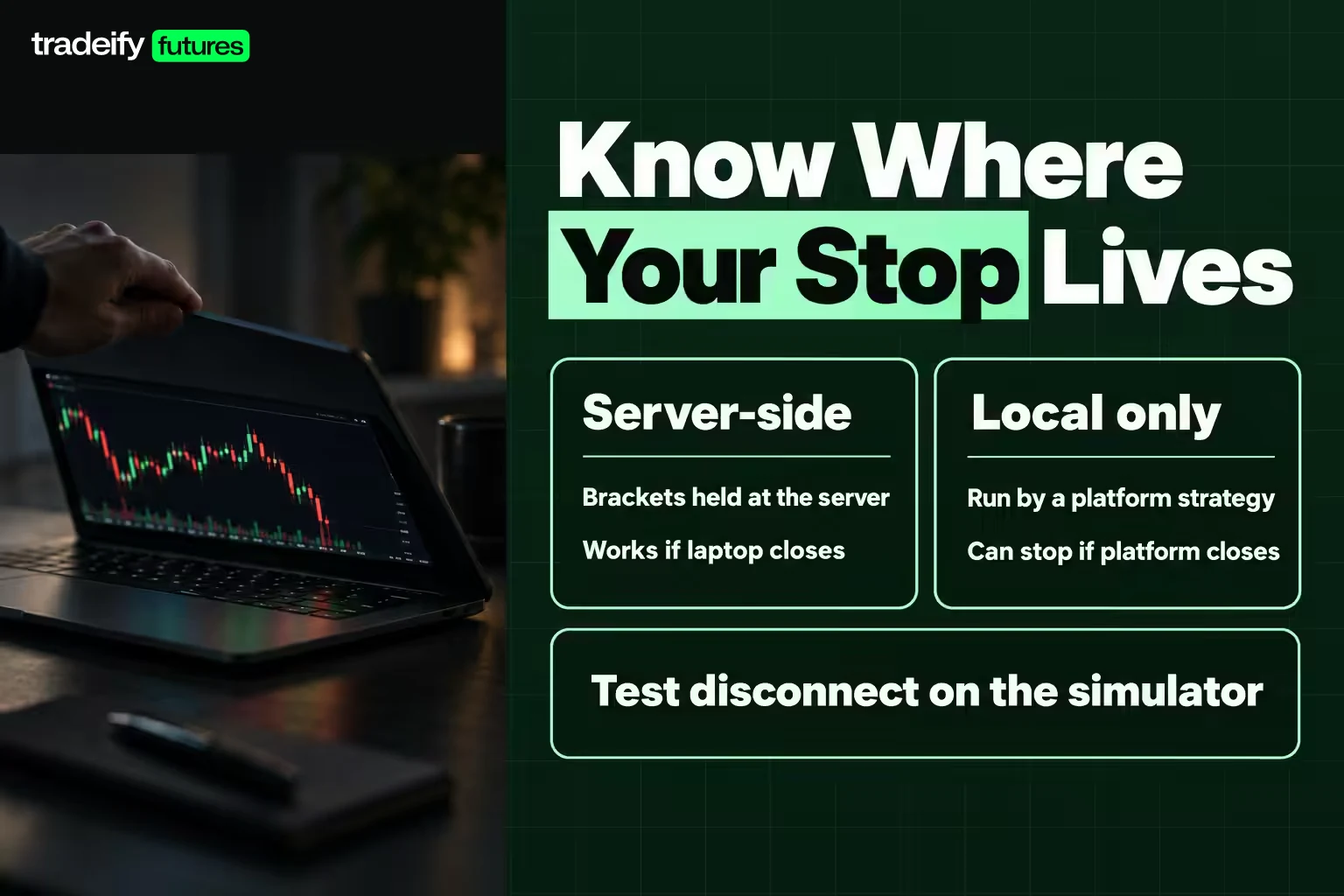
- Where your stop lives. Tradovate holds brackets server side, and R Trader Pro has server-side risk controls, so those orders do not depend on your laptop staying on. Orders managed locally by a platform strategy, such as some automated trailing stops, can stop working if the platform closes.
- Which order types you have. Tradovate lists OCO brackets, trailing stops, trailing stop-limits, OSO orders and good-til-date flags. Check that your platform supports the exact exit you plan to use before you need it.
- How fast you can act. Hotkeys, one-click DOM entry and a clean layout reduce the seconds between decision and order.
- How your connection behaves. Browser platforms depend on your browser and network; Tradesea, for example, warns that a VPN can slow data.
Test disconnect behaviour on the simulator: open a position with a bracket, close the platform, reopen it, and confirm the bracket is still working.
The common failure mode is assuming an automated trailing stop is protecting you when it only runs while your platform is open. Know which of your orders are at the exchange or broker server and which are only on your screen.
Tradable Markets on Futures and Multi-Asset Day Trading Platforms
What a day trading platform can trade depends on whether it is futures-first or multi-asset. Most top-ranked "day trading platform" lists are written for stock traders. If you trade stocks, options and futures from one account, a broker platform may suit you better than a futures-only tool.
- Futures-first platforms (NinjaTrader, Tradovate, Sierra Chart, Quantower, Tradesea, R Trader Pro) are built around futures order entry. Rithmic, for example, lists CME Group exchanges (CME, CBOT, NYMEX, COMEX), EUREX through select FCMs and the Small Exchange for R Trader Pro.
- Multi-asset platforms (TradingView, WealthCharts) chart stocks, options, futures and more, and route orders through whichever broker you connect.
- Broker platforms such as Schwab's and Interactive Brokers' cover stocks, options and futures from one account. As of November 2, 2026, Schwab charged $2.25 per futures contract per side and Interactive Brokers $0.85 per contract up to 1,000 a month, plus exchange and regulatory fees.
The tradeoff: broker platforms cover far more asset classes, but futures day traders usually find their DOM and order-flow tools thinner than NinjaTrader, Sierra Chart or Quantower. Compare the all-in cost per round turn on the exact contracts you trade, because small gaps compound over hundreds of round turns a month.
On regional access, charting software is sold online, but trading live depends on a broker accepting residents of your country and on local regulation. Confirm the broker accepts you before you build a workflow around its platform.
Forex Day Trading Platforms and Currency Futures
Forex day trading comes in two forms, and they run on different platforms. Spot forex is traded over the counter through a forex dealer, usually on that dealer's own platform. Currency futures trade on CME Globex, so every futures day trading platform in this guide can chart and trade them through a futures broker or data route.
Currency futures are worth knowing about because their contract math is standardized and published by the exchange:
| Contract | Size | Minimum tick | Illustrative 20-pip move (0.0020) |
|---|---|---|---|
| Euro FX futures (6E) | 125,000 euros | 0.00005 = $6.25 | $250 |
| Micro EUR/USD futures (M6E) | 12,500 euros | 0.0001 = $1.25 | $25 |
M6E trades on CME Globex Sunday to Friday from 6:00 p.m. to 5:00 p.m. ET with a 60-minute daily break. Because the micro is one tenth of the standard contract, it does for a currency day trader what MES does for an index trader: it lets you learn the platform and the market at a tenth of the dollar risk.
Which futures platform suits currency trading comes down to the same questions as any other market. A ladder trader who reads the queue in 6E will want a DOM-first platform such as Sierra Chart, Quantower or R Trader Pro. A trader who works news releases and session ranges on a chart will be more at home in TradingView, NinjaTrader or Tradovate. On currency futures, our commissions are $6.20 round trip on 6E and $1.60 on M6E.
How to Choose a Day Trading Platform
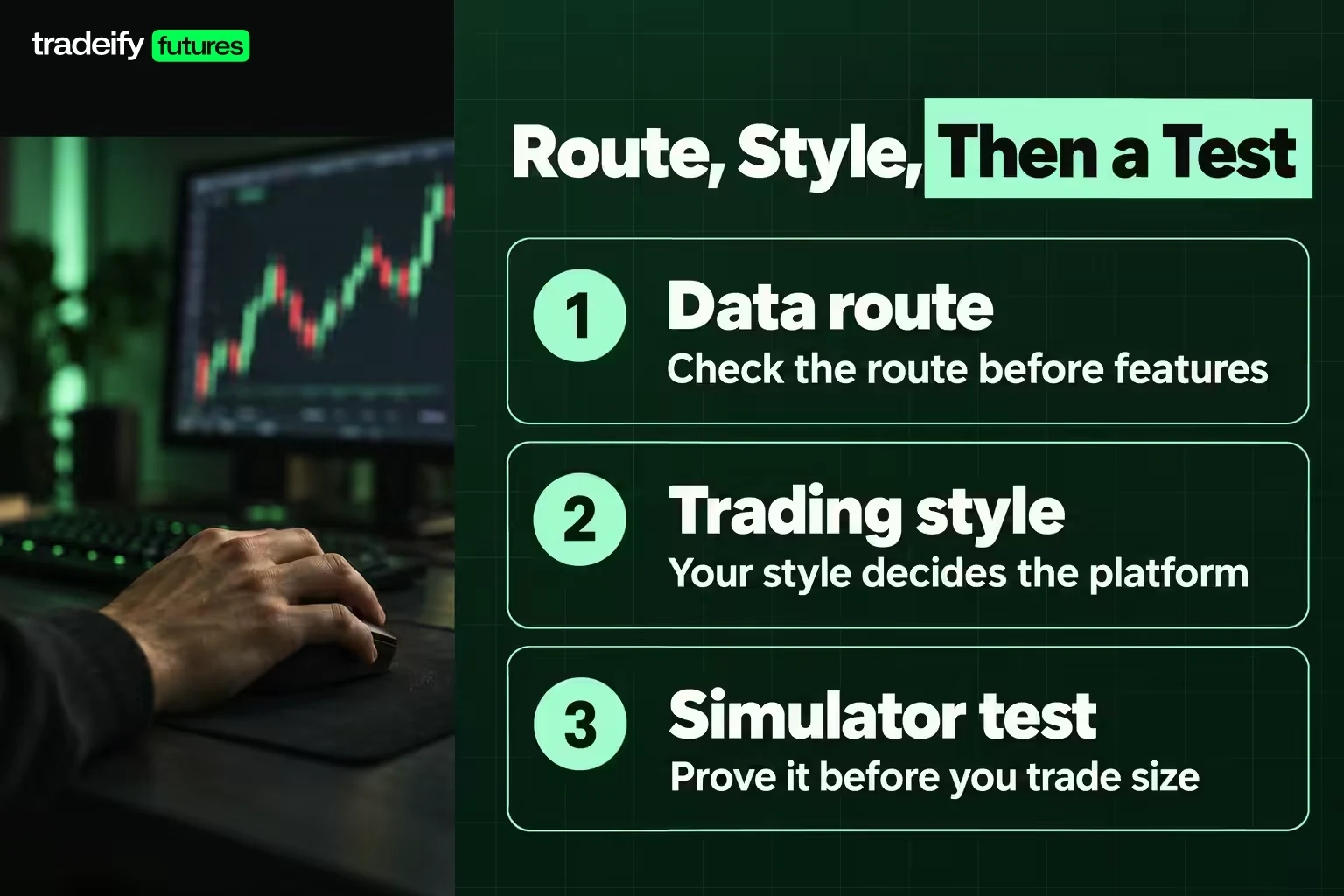
Choosing a day trading platform works best as a short process: route, style, then a test. Your style should decide the platform, not the other way around.
Start With Your Day Trading Platform Data Route
If your broker or account provider only supports one data route, the list of usable platforms shrinks before features matter. A Rithmic account will not open TradingView or NinjaTrader through that route, and a Tradovate account will not open Sierra Chart through Rithmic. Check the route before you fall in love with a screen.
Match the Day Trading Platform to Your Trading Style
| Trading style | What matters most | Platforms that fit |
|---|---|---|
| Scalping from the ladder | DOM speed, one-click entry, MBO | Sierra Chart, Quantower, R Trader Pro, NinjaTrader |
| Chart-based intraday trading | Charting, alerts, bracket orders | TradingView, Tradovate, NinjaTrader, Tradesea |
| Automated strategies | Programming language, backtesting, replay | NinjaTrader, Sierra Chart, Quantower |
| Trading on a Mac or on the move | Native Mac or browser and mobile apps | Tradovate, TradingView, Tradesea |
| Multiple accounts you own | Group trading or a copier | Tradovate Group Trade, R Trader Pro copier, Quantower |
| All-in-one research and trading | Scanners, journaling, one bill | WealthCharts |
When to Change Your Day Trading Platform Choice
Three things should change which day trading platform you pick, even after you have matched route and style. If you trade from a Mac, the Windows desktops (NinjaTrader, Sierra Chart, Quantower, R Trader Pro) drop down the list. If you trade a few contracts a week, a monthly software fee costs more per trade than it saves. And if a platform you like makes you hesitate on order entry after a week of simulation, the features no longer matter.
Account Minimums and Starting Capital for Day Trading Platforms
Day trading platform cost and trading capital are two different questions, and many "minimum deposit" answers blur them.
Software minimums are low or zero. NinjaTrader, Tradovate's simulator, TradingView Basic and Quantower's limited version cost nothing to try. Live trading is different: NinjaTrader's plan benefits, including real-time data, only switch on once a live account is funded and approved, and its ACH and debit card transfers carry a $5.00 minimum. That is a funding mechanic, not a statement that $5 is enough to trade.
Beyond money, a live futures account has prerequisites. The broker has to approve your application for futures trading, you sign market data agreements (as a non-professional, if that applies to you, since professional data rates are far higher), and your broker sets its own intraday margin per contract, which varies by broker and can change. Platforms like Sierra Chart, Quantower and TradingView add their own software or data fees on top, so budget for the platform separately from your trading capital.
Is $500 Enough to Start on a Day Trading Platform
Here is the contract math, using CME specs and an illustrative 1% risk rule. On $500, 1% is $5. One MES point is worth $5 and one tick is $1.25, so a 1% risk allows a stop just 1 point (4 ticks) away on a single MES contract. A 2% risk ($10) allows 2 points. One ES tick alone ($12.50) is 2.5% of $500.
So $500 is enough to learn a platform on a simulator but very tight for live futures. One normal pullback can be wider than your whole risk budget. Broker intraday margins vary by broker and change, so they are not a reason to size up; your stop distance and your risk per trade should set the size.
Can You Make $200 a Day on a Day Trading Platform
$200 is 4 points on one ES contract, 40 points on one MES, 10 points on one NQ or 100 points on one MNQ, before commissions and fees. Any size big enough to make $200 on a normal day can also lose $200 or more, and a fixed daily dollar target tends to push traders into forcing setups. No platform makes a daily income reliable.
Best Day Trading Platforms for Beginners
New futures traders usually do best with the day trading platform that makes it hardest to make an order-entry mistake, not the one with the most features.
- Start with Tradovate or TradingView if you want a clean screen and fewer settings.
- Use NinjaTrader's free simulator and Market Replay if you want unlimited practice on recorded sessions before risking anything.
- Delay Sierra Chart and heavy order-flow setups until you can explain why you would use them.
Start with micro contracts while learning a platform. One MES point is worth $5 and one tick is $1.25, versus $50 a point and $12.50 a tick on ES, so a fat-fingered order costs a tenth as much. MNQ works the same way against NQ: $2 a point versus $20.
A few beginner tips that save money on any platform:
- Set the default order size to one micro before your first session, so a slip of the mouse sends one contract, not ten.
- Save one bracket template with a stop and a target and use it on every practice trade.
- Keep a simple journal of every simulated trade: entry reason, stop, exit, and whether you clicked what you meant to click.
- Judge a month of trades, not a day. One rough session is one line in the sample.
Futures use leverage, which means losses can exceed what you planned if a stop is missing or misplaced.
Day Trading Platforms for Funded Account Traders
If you trade an evaluation or funded account rather than your own brokerage account, the account's broker connection sets your day trading platform options.
On our accounts, you choose the broker at checkout, and it decides your platforms. Tradovate credentials open Tradovate, NinjaTrader and TradingView (through the Tradovate connection only). Rithmic credentials open Tradesea, Quantower, Sierra Chart (which needs its own paid Sierra Chart subscription) and R Trader, all on one login. WealthCharts is its own broker and platform with a separate login. All three broker options cost the same, and you cannot switch brokers later without buying a new account, so choose with your platform in mind.
Level 1 CME data is included on every route. Level 2 depth and EUREX data are paid add-ons bought from Tradovate, on Tradovate accounts only; on Rithmic and WealthCharts accounts they are not available yet. That matters for order-flow traders: Quantower and Sierra Chart connect to our Rithmic accounts, but their depth heatmaps and depth-reading tools would run on Level 1 data only. Bookmap, MotiveWave and ATAS are not on our supported platform list.
On first Tradovate login, sign the Non-Professional data agreement to get free market data; skipping it can leave your data delayed or trigger a professional data fee. Free TradingView accounts get data about 5 seconds delayed, and paid TradingView plans start at $12.95 a month, paid to TradingView, not to us. Our evaluations and funded accounts are simulated, and copy trading is allowed only between accounts you own. Tradovate's Group Trade add-on is the native route on Tradovate, but bracket orders (ATM strategies) are not supported while Group Trading, and Exit All only closes the selected account.
Day Trading Platform Setup Steps
Getting started with day trading on a platform means three decisions before the first trade: which account you trade (a funded brokerage account, a simulator, or a simulated evaluation account), which data route that account uses, and which platform on that route you will learn. Open and fund a brokerage account only after you have practised on the simulator, and start with the smallest contract size.
Before your first live session on any day trading platform, run this sequence once.
- Confirm your data route (Tradovate, Rithmic or other) and list which platforms it supports.
- Install the platform and connect to the simulator or replay mode first.
- Sign the correct market data agreement and confirm your data is real time, not delayed.
- Build one clean workspace: one chart, one DOM, one positions panel, and nothing you do not use.
- Set the default order quantity to one micro contract and save an attached stop and target template.
- Practice entry, stop adjustment and flatten-all until you do it without looking for buttons.
- Test a disconnect with an open simulated position and confirm which orders stay on the server.
- Install a backup order-entry platform on the same credentials, such as R Trader Pro on Rithmic or the Tradovate web app on Tradovate.
Day Trading Platform FAQ
Is it true that 97% of day traders lose money?
It is true for one well-known group of traders, not as a universal law. The 97% figure comes from a study by Chague, De-Losso and Giovannetti of everyone who began day trading Brazilian equity index futures between 2013 and 2015 and kept going for at least 300 days. 97% of them lost money, and only 0.4% earned more than a bank teller's wage of about US$54 a day. It covers one market and one period, but it is a serious warning about trading without a tested edge.
Is day trading worth it?
For most people who try it without a tested plan, the evidence says no. It can be worth practising if you treat it as a skill to test: a defined setup, fixed risk per trade, a journal, and a large sample on a simulator before real money. A platform reduces friction; it does not create an edge.
Is $500 enough to start day trading?
It is enough to learn a platform on a simulator, and very tight for live futures. At a 1% risk rule, $500 allows $5 of risk, which is a 1-point stop on one MES contract. One ES tick is $12.50, or 2.5% of the account.
Can you make $200 per day in day trading?
Some traders do on some days, but no platform or strategy makes it a reliable daily income. $200 is 4 ES points, 40 MES points, 10 NQ points or 100 MNQ points on one contract, before costs. The same size can lose $200 or more, and chasing a fixed daily number is a common way to force bad trades.
Is there a free futures trading platform?
Yes, in part. NinjaTrader is free for charting, backtesting and simulation, Tradovate charges no platform licence fee, TradingView has a free Basic plan, and Quantower has a free limited version. You still pay commissions, exchange fees and, in most cases, real-time market data when you trade live.
Can I use TradingView to trade futures?
Yes, through a supported broker integration such as Tradovate. You can place orders from the chart or a DOM panel, and real-time CME data in TradingView itself is a separate purchase that requires a paid plan or trial.
Does NinjaTrader or Sierra Chart work on a Mac?
NinjaTrader's desktop is a Windows application, though NinjaTrader Web runs in a Mac browser and the mobile apps run on iPhone. Sierra Chart has no native Mac version and needs Wine, an emulator or a Windows virtual machine. Mac-first traders often prefer Tradovate, TradingView or Tradesea.
Your Next Step in Picking a Day Trading Platform
The fastest way to pick a futures day trading platform is to narrow it to two, not to try all eight in this guide. Trying everything is how a month disappears into settings menus. Write down your data route, then shortlist the two platforms that both run on it and match your trading style.
Spend one week on each in simulation. Track three things: how fast you can enter with an attached stop, whether you ever clicked the wrong button, and whether the tools changed a single decision. Keep the one that made fewer mistakes, not the one with more features.
Futures trading involves substantial risk of loss, and leverage means losses can exceed your intended risk. A better platform reduces friction; it does not create an edge.