




TL;DR: A trade copier repeats one leader account's trades on your follower accounts, sized by fixed quantity, ratio or cross order. The main choice is a native tool such as Tradovate Group Trade (no ATM brackets) or a paid add-on. Third-party options run from per-machine NinjaTrader licenses to monthly cloud subscriptions. Prop rules usually allow copying only between your own accounts, all in the same direction. Copying 2 MNQ to three accounts with a 30-point stop puts $360 at risk at once, so test in sim first.
You have three evaluation or funded accounts, one plan and one pair of hands. A trade copier saves clicks. Nobody argues with that.
The real question is what happens on the day one account gets filled and another one does not.
That is the real decision behind every trade copier search. You are choosing how a single mistake spreads across every account you own, and whether the rules behind those accounts let you copy at all.
This guide covers how copiers work, what the native tools on Tradovate, NinjaTrader, Quantower, Tradesea and WealthCharts actually do, how third-party copiers compare, where copying breaks, and what prop firm rules usually allow, including ours.
What a Trade Copier Is and How Copy Trading Works
A trade copier is software that watches one trading account and repeats its activity on other accounts. You trade the leader (some tools say master or parent). The copier sends matching orders to the followers (also called child or slave accounts).
Copy trading is the broader idea: one set of decisions, several accounts executing them. In retail forex and stock apps, copy trading usually means following someone else's trades on a social platform. In futures prop trading, it almost always means something narrower, which is one trader copying their own trades across their own accounts.
Done well, a trade copier removes the slowest part of multi-account trading, which is entering the same order four times while the market moves. Done badly, it gives you four accounts that each hold a slightly different trade, and you only find out when one of them hits its drawdown.
Copy Trading Versus Mirror Trading With a Trade Copier
The terms get used loosely, so it helps to separate them.
- Copy trading copies individual trades from a leader account as they happen. You see each order land on the followers.
- Mirror trading historically meant following a whole strategy or algorithm, with every account replicating a defined system rather than a person's live clicks.
- A trade copier is the tool that does either job. It does not care whether the leader is a person, a strategy or an alert.
For a futures trader running several prop accounts, the label matters less than the mechanics. What matters is how the copier sizes, fills and exits each follower, and whether the firm behind the accounts allows it.
Leader and Follower Roles in a Trade Copier
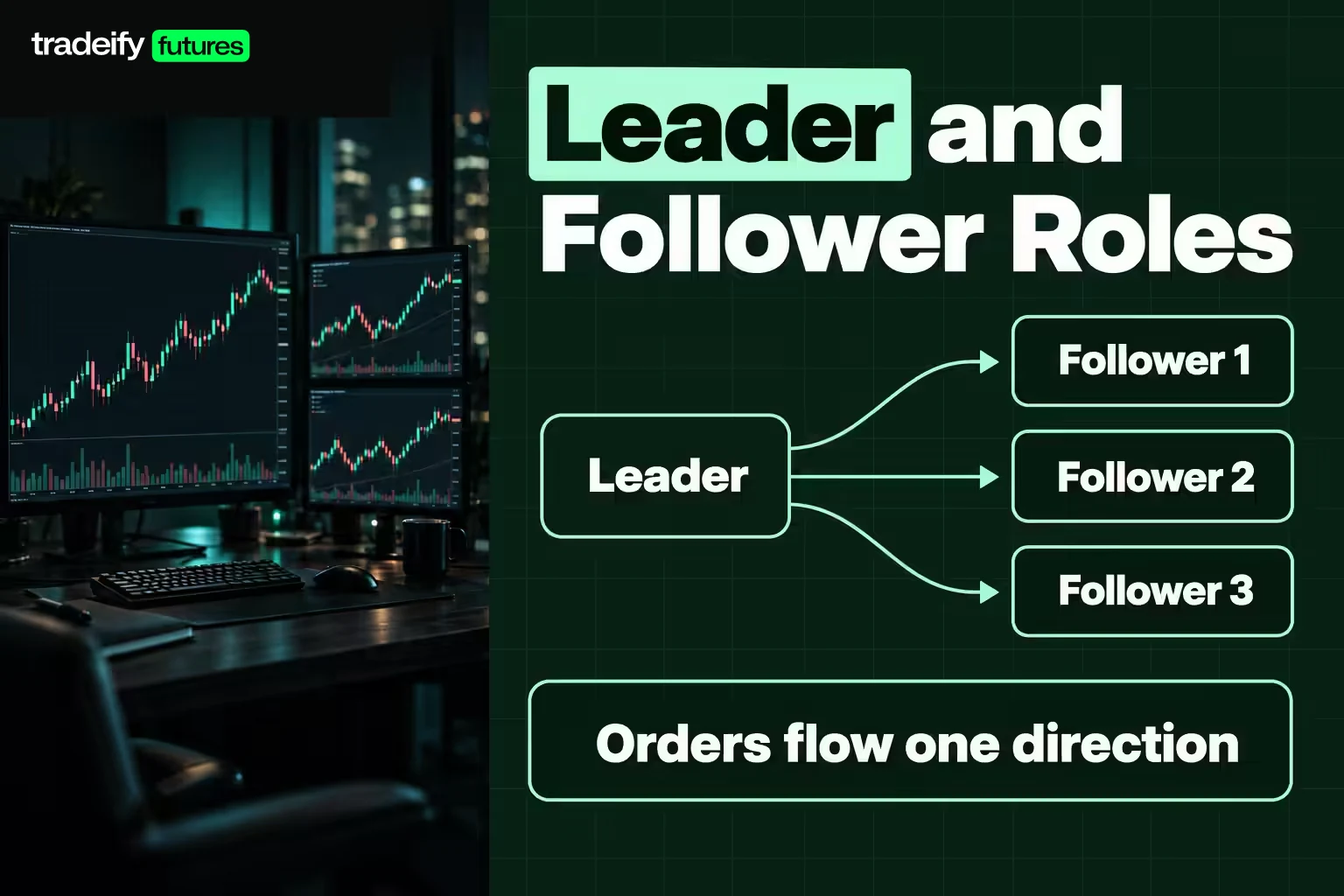
Every trade copier has two roles and a direction. Orders flow from the leader to the followers, never the other way.
- The leader, or signal source, is where decisions are made. Your chart, your DOM, your stops. In a social copy trading app, the signal provider is another trader. In a prop setup, it is you.
- Followers receive copies. You normally do not touch them while copying is on.
- A group is the set of followers attached to one leader. Some tools let you run several groups, for example one for NQ and one for gold.
Platforms name the roles differently. Quantower calls them Parent and Child accounts. Tradesea tags a lead account and followers. In Tradovate Group Trade, the first account you add to a group becomes its lead account.
The one-direction rule matters for more than tidiness. If you start managing a follower by hand while the copier is running, the copier may try to "fix" the difference, or it may ignore it. Either way the accounts drift apart, and you now have two decision makers on one position.
How Trade Copier Software Mechanics Work
A trade copier listens for events on the leader account (an order placed, modified, filled or cancelled) and translates each event into orders on the followers. Two design choices decide how that works in practice: what the copier copies, and where it runs.
Order Copying Versus Fill Copying in a Trade Copier
Copiers handle orders in one of two broad ways, and the choice changes your fills.
- Order copying mirrors working orders. Place a buy limit on the leader and every follower gets a buy limit at that price. Stops and targets are copied as orders too. Each account then fills, or does not fill, on its own.
- Fill copying (often called execution mode or market-only mode) waits for the leader to fill, then sends market orders to the followers. Every follower ends up in the trade, but at whatever price the market offers in that moment.
Replikanto, for example, offers a Market Only mode that copies only the leader's executions as market orders and leaves unfilled limit and stop orders out.
Neither method is free, and the cost shows up at the worst time. Order copying protects your entry price but can leave a follower flat when the leader is in. Fill copying keeps every account in the trade but can give followers worse prices, which matters most in fast markets and on news.
Local Versus Cloud Trade Copiers
A trade copier lives in one of two places, and that decides what fails when your computer does.
A local copier runs inside your trading platform or as a desktop app. NinjaTrader 8 add-ons and Quantower's copy panel work this way. Quantower's own documentation says copy trading works only while the platform is launched, and that a copy bot that was running when you closed the platform will resume when you open it again.
A cloud copier runs on the vendor's servers. You connect your platform logins and manage it from a browser. Tradesyncer says your copying runs in the cloud with no VPS needed, and Tradesea says its SecureCopy runs on Tradesea's servers, so copying keeps working even if the follower tab is closed.
| Copier factor | Local copier | Cloud copier |
|---|---|---|
| Where it runs | Your PC or a VPS you control | Vendor servers |
| If your PC shuts down | Copying stops | Copying continues |
| Credentials | Stay in your platform | Shared with the vendor |
| Cross-platform reach | Usually one platform | Often several platforms |
| Typical cost model | One-time or annual license | Monthly subscription |
| Main failure point | Your hardware and internet | Vendor uptime and API limits |
The trade-off is control against reach. A local tool keeps your logins on your machine but stops when the machine does. A cloud tool keeps running and can bridge platforms, but a third party now holds your credentials and its uptime is part of your risk plan.
Trade Copier Sizing and Allocation Across Accounts
A trade copier also decides how many contracts each follower gets. In futures, allocation means contracts per account, not dollars per trader. The common methods:
- Exact quantity. The follower trades the same size as the leader.
- Fixed or pre-allocated quantity. Each follower gets a set size no matter what the leader trades.
- Ratio or multiplier. The follower trades the leader's size times a number, such as 0.5 or 2.
- Balance-based. The follower sizes by account value. Quantower's Percentage mode works this way, and it is more common in stock and forex accounts.
- Cross order. The leader trades the mini and the follower trades the micro, or the reverse, such as ES to MES.
Vendors bundle these differently. Replikanto lists seven copy methods (Exact Quantity, Pooled Quantity, Available Cash, Net Liquidation, Pct Change, Ratio and Pre Allocation). Quantower offers Percentage and Multiplier modes. WealthCharts uses a Ratio per follower plus a Cross setting that copies ES as MES. Tradesea lets each follower scale up to 3x the leader.
Group Trade Quantity Math
Tradovate Group Trade uses fixed per-account quantities, and the rule trips up most new users. Your order size must be a multiple of the group's total quantity, which is the per-account quantity times the number of accounts.
| Group setup | Total group quantity | Valid order sizes | Each account receives |
|---|---|---|---|
| 3 accounts at Qty 1 | 3 | 3, 6, 9 | 1, 2 or 3 contracts |
| 3 accounts at Qty 3 | 9 | 9, 18, 27 | 3, 6 or 9 contracts |
With three accounts at Qty 3, anything other than a multiple of 9 returns the error "Total order quantity should be a multiple of 9." Setting each account to Qty 1 gives the most flexibility.
The Contract Limit Trap in Trade Copier Sizing
Sizing is where prop accounts get hurt quietly. Imagine a trader with a 50K leader and a 25K follower. On our accounts, a 50K allows 4 minis or 40 micros and a 25K allows 1 mini or 10 micros, and other firms set similar tiers.
The leader buys 3 NQ, which is fine on the 50K. With exact-quantity copying, the copier sends 3 NQ to the 25K follower, three times its limit. Depending on the firm and platform, that order is rejected, or it fills and breaks a rule. Either way, the two accounts now hold different trades.
The fix is to size each follower by its own limit, not by the leader. Fixed quantities, or a cross order with the mini on the leader and micros on the smaller follower, keep each account inside its own rules.
Trade Copier Platform and Broker Compatibility for Futures
Before paying for a trade copier, check what your platform already does. Several futures platforms ship a built-in way to trade multiple accounts. Many copier guides focus on MT4 and MT5, which are forex platforms; this one sticks to the platforms futures traders actually connect to.
Tradovate Group Trade
Tradovate's answer is Group Trade, which sends one order to every account in a group. Tradovate's support article says Group Trade is often called a trade copier, and is also clear that Tradovate offers no native trade copier add-on beyond group trading.
Per that article:
- You create groups from the Account dropdown, in Manage Groups, and drag accounts into each group.
- Each account gets its own order quantity, and orders must be a multiple of the group total.
- The first account you add becomes the lead account. To change it, you drag every account back out and re-add them in order.
- With a group selected, the SuperDOM and chart show combined profit and loss for the group.
- Group Trade works only between accounts held with the same brokerage provider, so accounts from two different providers cannot share a group.
- It runs on Tradovate Web and Desktop, not the mobile app.
The limits matter more than the setup:
- ATM strategies (automatic bracket orders) are not supported. Tradovate suggests placing stop market and limit orders yourself with manual OCO.
- Large group orders may exceed API rate limits.
- If you remove a group while positions are open, only the lead account keeps its position and the others are closed automatically.
That last point is a good reason to never edit a group mid-trade.
NinjaTrader Trade Copier Add-Ons
NinjaTrader Desktop does not ship its own trade copier. Tradovate's Group Trade support article, published on NinjaTrader's vendor support site, states that copiers used with the NinjaTrader Desktop app are third-party add-ons, and that questions about them belong with the vendor.
That leaves two routes on NinjaTrader 8:
- Commercial add-ons, such as Replikanto from FlowBots.
- Free community add-ons shared through the NinjaTrader Ecosystem. Treat any free script as untested until you have run it in sim and read how it handles exits.
Quantower, Tradesea and WealthCharts Trade Copiers
Three other platforms that futures traders use have a copier built in.
Quantower has a Copy trading panel. You create a copy bot with one parent account and one or more child accounts, and pick Percentage or Multiplier mode. Since version 1.140.1, Quantower can copy between different connections using symbol mapping. Its own warnings are worth reading in full: it may fail to copy, change or cancel orders on child accounts because of rejections, disconnections or mismatched order details, and actions on parent and child accounts may not happen at the same time. With 5 or more accounts in a bot, it recommends disabling its Order Limitation option.
Tradesea has SecureCopy. It runs on Tradesea's servers and replicates leader trades, including flatten, exit and cancel actions, to followers. A Copy Protection setting retries and resyncs followers within a window you choose (250, 500 or 1,000 milliseconds). Followers can scale up to 3x the leader, direction always matches the leader, and the limits are 3 copy groups and 10 followers per group.
WealthCharts has a Trade Copier component. You build a copier strategy per instrument, with one leader, a set of followers, a Ratio per follower and an optional Cross setting. Copying is session-based, so you must turn it on again in a new browser tab or window.
Native Copy Tools Versus Standalone Trade Copier Software
A native tool is part of the platform you already trade on. A standalone trade copier is a separate product that connects to one or more platforms.
| Copier question | Native platform tool | Standalone trade copier |
|---|---|---|
| Extra cost | Usually none beyond the platform | License or subscription |
| Reach | One platform, often one provider | Can span platforms and providers |
| Bracket support | Varies, Group Trade has no ATM | Often copies brackets |
| Support when it breaks | Platform support | Vendor support |
| Credentials | Stay with the platform | May sit with the vendor |
Start native. Pay for standalone software only when you hit a concrete limit, such as accounts on two providers or a need for copied brackets. Buying features you do not use just adds one more thing that can break.
TradingView and Webhook Trade Copier Routes
Many traders chart on TradingView and want those trades on several accounts. Group Trade runs only in Tradovate Web and Desktop, so a TradingView chart order does not reach the group on its own.
Two routes cover this:
- A copier that watches the account TradingView trades on, then copies to followers. Replikanto copies TradingView orders when the leader is a Tradovate account, and Tradesyncer lists TradingView via Tradovate as a connection.
- A webhook automation tool, such as PickMyTrade, that receives a TradingView alert through a webhook URL and places the order on connected accounts.
Webhook tools turn alerts into orders with no click from you. That makes them automated trading, not only copying, and prop firms usually have separate automation rules. Check those before you connect one.
Trade Copier Platforms by Broker Connection
On our accounts, the broker is chosen at checkout and switching broker needs a new account. Tradovate credentials work with Tradovate, NinjaTrader and TradingView. Rithmic credentials work with Tradesea, Quantower, Sierra Chart and R Trader Pro. WealthCharts has its own login. That maps cleanly onto copiers: Group Trade or a NinjaTrader add-on on Tradovate accounts, Tradesea SecureCopy or Quantower's panel on Rithmic accounts, and the WealthCharts Trade Copier on WealthCharts accounts.
Because Group Trade only groups accounts from the same provider, and each of our accounts is tied to the broker picked at checkout, a Tradovate-connected account and a Rithmic-connected account will not share one Group Trade group. Plan your broker choice before you buy if you intend to copy.
Trade Copier Costs and Fees
Trade copier costs fall into three models, and the cheapest one is often the one you already have.
- Built in. Tradovate Group Trade, Quantower's copy panel, Tradesea SecureCopy and the WealthCharts Trade Copier come with the platform. The platform's own license or plan terms still apply.
- License. NinjaTrader add-ons such as Replikanto sell per-machine licenses, lifetime or one year, with a 7-day trial. Every computer involved needs its own license, and copying between computers over the internet uses separately bought credits.
- Subscription. Cloud copiers charge monthly. As of November 2, 2026, Tradesyncer's pricing page lists Basic at $49 a month (2 connections, 10 accounts per connection), Pro at $99 (4 connections, 20 accounts per connection) and Flex at $149 (unlimited connections, 120 accounts included) after the first month, with a 7-day trial that needs a card and up to 30% off for annual billing. A connection is one broker or platform login.
The cost people forget is commissions. A copier does not add a fee per trade, but every follower pays its own. On our accounts, round-trip commission is $1.82 per MNQ and $5.76 per NQ. One trade of 2 MNQ copied to three accounts is 6 contracts, or $10.92 in round-trip commissions. Trade that ten times a day and the copier has quietly turned $36.40 of daily costs on one account into $109.20 across the group.
Trade Copier Comparison Table
This table compares documented features from each vendor's own help and pricing pages, checked on November 2, 2026. It is not a speed ranking. Copy speed depends on your connection, the broker API and market conditions, and vendor latency claims are not independently tested here.
| Copier option | Type | Runs | Bracket handling | Follower sizing | Cost model |
|---|---|---|---|---|---|
| Tradovate Group Trade | Native group order | Tradovate Web and Desktop | No ATM, manual stop and limit with OCO | Fixed quantity per account | Built into Tradovate |
| Quantower Copy trading | Native copy bot | Local, while Quantower is open | Stop and target orders mirrored | Percentage or Multiplier | Quantower license terms |
| Tradesea SecureCopy | Native, server side | Tradesea servers | Leader TP and SL replicated | Up to 3x multiplier | Built into Tradesea |
| WealthCharts Trade Copier | Native component | Browser session | Desynced followers flatten | Ratio and Cross | Built into WealthCharts |
| Replikanto | NinjaTrader 8 add-on | Local PC or VPS | ATM Copy or copied OCO | Seven methods | Per-machine license, 7-day trial |
| Tradesyncer | Cloud copier | Vendor servers | Bracket orders listed | Per-account sizing | $49 to $149 a month as of November 2, 2026 |
Trade Copier Execution Quality and Fills
Execution quality for a trade copier means one thing: how closely each follower's fills match the leader's. Three forces pull them apart.
- Latency. The copier has to see the leader's event, build follower orders and send them. Even a fraction of a second matters when price is moving through levels.
- Slippage. Market orders on followers fill at whatever the book offers at that moment, which is why fill copying tends to cost a few ticks in fast markets.
- Partial and missed fills. Limit orders on followers may fill partly or not at all, even when the leader is fully in.
Quantower's documentation says plainly that actions on parent and child accounts may not happen at the same time. Every copier has this property. The good ones tell you what they do about it.
How Trade Copier Sync Guards Respond
Tools handle a follower that falls out of line differently.
- WealthCharts gives followers a sync window (3 seconds by default, by time or by ticks). A follower that has not matched the leader in that window is marked desynced and flattened out of the copied position. Differences in brackets, setup or fill range count as desync.
- Tradesea's Copy Protection retries flatten, exit and cancel actions and resyncs within 250, 500 or 1,000 milliseconds.
- Replikanto's Follower Guard can flatten and disarm an out-of-sync follower, or one whose order the broker rejected, and e-mail you.
- Quantower notifies you when a connection drops but copies only to the connections that are active.
A copier that flattens a desynced follower protects that account but leaves you with fewer accounts in the trade. A copier that does nothing leaves you with an unmanaged position. Know which one you have before it happens.
Partial Fills and Missed Entries in a Trade Copier
Imagine a trader who places a buy limit for 2 MNQ on the leader, and the copier mirrors it to two followers. Price touches the level, the leader fills 2, one follower fills 1, and the other fills nothing before price runs away.
Now there are three different trades. The temptation is to chase the missed account with a market order. That turns one planned entry into a worse second entry on one account, and the accounts drift further apart.
Decide this before the session, not during the trade. Either use fill copying so every account gets in, accepting the worse price, or accept that limit orders sometimes miss and log it as normal. What you should not do is improvise with price moving. Missing the entry on one account does not make the next price a good entry. It makes it a different trade.
Trade Copier Risk Math and Position Controls
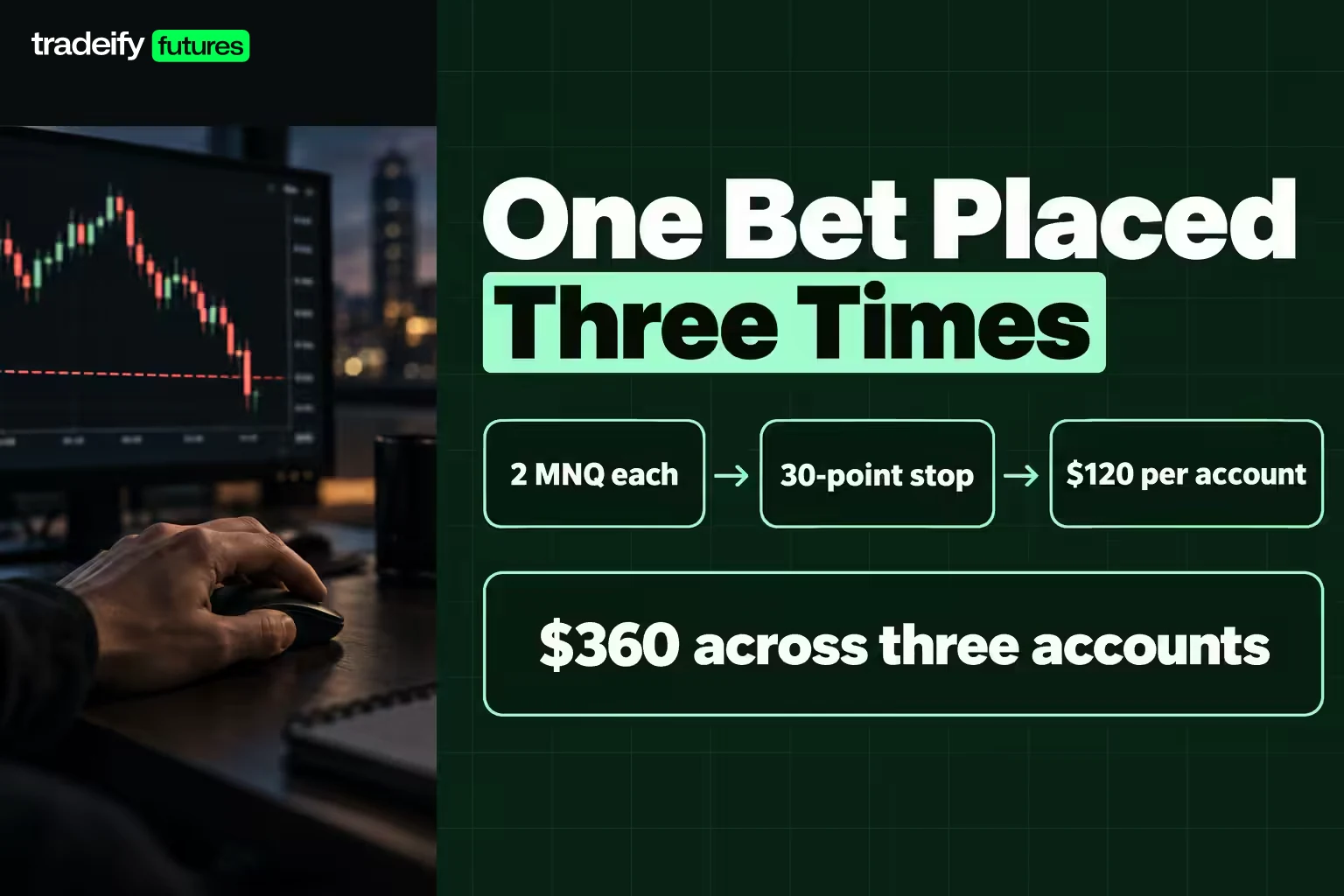
The biggest misunderstanding about a trade copier is that more accounts means more safety. It does not. Copying the same trade onto three accounts is one bet placed three times.
Here is the math, using CME Group contract specs (NQ is $20 times the Nasdaq-100 index and MNQ is $2 times the index, both with a 0.25-point tick) and our round-trip commissions of $5.76 for NQ and $1.82 for MNQ. Prices are illustrative.
| Setup across three accounts | Risk per account at a 30-point stop | Risk across the group | Round-trip commissions for the group |
|---|---|---|---|
| 1 MNQ each | $60 | $180 | $5.46 |
| 2 MNQ each | $120 | $360 | $10.92 |
| 1 NQ each | $600 | $1,800 | $17.28 |
Each account has its own drawdown, so a 30-point loss is a $120 hit to each account at 2 MNQ. But it lands on all three at the same moment. If one account is closer to its limit than the others, the copier does not know or care. Size the group as one position, not three.
Stops and Brackets in a Trade Copier
Brackets are where native tools and third-party copiers differ most.
- Tradovate Group Trade does not support ATM brackets. You place the stop and target as separate orders with OCO yourself.
- Replikanto can copy OCO brackets, or run your ATM strategy on each follower with ATM Copy.
- Tradesea replicates the leader's take profit and stop loss to followers.
- WealthCharts counts a difference in brackets as one of the causes of desync.
The failure to watch for is a follower with a position and no stop. It happens when the entry copies but the stop does not, often after a rejection or a modify that did not carry over. Check every follower's working orders after your first trades on any new setup.
One Tradesea detail belongs in your risk plan: saving a copy group clears the personal daily loss limit, personal daily profit target and position risk bracket settings on the followers. Re-check those after every group change.
Flatten Controls for a Trade Copier Group
Group-wide flatten buttons do not always reach every account. On Tradovate, the "Exit All Positions Cancel All" button closes only the selected account when Group Trading, not the whole group. "Exit at Mkt and Cxl" affects only the instrument in that module, and "Cancel All" cancels working orders but leaves positions open.
WealthCharts takes the opposite approach: flattening the lead account flattens the copied accounts too. Know which behavior your tool has, and practice flattening each account by hand before you need to.
Benefits and Drawbacks of a Trade Copier
A trade copier is a time tool, not an edge. It makes your execution faster across accounts. It does not make the trades better.
| Trade copier benefit | Matching drawback |
|---|---|
| One entry instead of several | One mistake lands on every account |
| Consistent sizing per account | A bad ratio breaks contract limits quietly |
| Same plan on every account | Fills and P&L still differ by account |
| Faster scaling across accounts | Risk scales at the same rate |
| Frees attention for the chart | Desync can go unnoticed for hours |
| Cloud tools run with your PC off | A vendor now holds your credentials |
Here is the honest version. A copier helps a trader who already has a tested plan and the discipline to stick to it. It makes a shaky plan fail faster, on more accounts. Quantower's own disclaimer calls copy trading high risk and tells users to practice on demo accounts first, which is the right instinct for any tool.
Evaluating a Trader or Strategy Before a Trade Copier Follows It
On social copy trading apps, the big decision is which trader to follow. In futures prop trading, copying another person's account is usually banned, so the trader you are evaluating is yourself. The criteria are the same either way.
- Sample size. A few weeks of results says little. Look for enough trades to include a losing streak.
- Maximum drawdown. The worst peak-to-trough run matters more than the best month, because every copied account must survive it at once.
- Risk per trade. Check stop distance and size, not just win rate.
- Consistency. Profits spread across many days hold up better than one big day.
- Strategy fit. Know what the strategy trades, when it trades and how it exits.
- Execution style. Very fast trades copy badly, since the follower may enter after the move is gone.
That last point shows up in prop rules too. Our guidelines note that trades executed in less than 10 seconds are difficult to reliably replicate or copy.
There is also a legal line. In the US, the NFA defines a commodity trading advisor as anyone who, for compensation or profit, advises others on trading futures, and that role can require CFTC registration and NFA membership, with narrow exemptions. Copying your own accounts does not cross it. Selling your trades to followers can.
What Prop Firm Rules Allow With a Trade Copier
Prop firms do not all write the same rules, but the pattern across futures firms is consistent. The line is ownership and direction.
| Copying situation | Usual treatment | Why firms care |
|---|---|---|
| Copying between accounts you own | Often allowed, check the firm | Same trader, same risk decisions |
| Copying another trader's account | Usually banned | The firm is evaluating your trading |
| Letting others copy your account | Usually banned | Turns one account into a signal service |
| Paid signal services into funded accounts | Usually banned | Outside trades plus regulatory risk |
| Opposite trades across accounts | Banned as hedging | One account wins as the other loses |
| Automated strategies and webhooks | Separate rules, often restricted | Ownership and high-frequency concerns |
The hedging rule deserves attention because a copier can break it by accident. If a tool has a reverse or inverse setting, or a follower is set to the opposite direction by mistake, you are long on one account and short on another. Firms treat that as hedging even if it was a configuration error.
Copying also does not change how each account is measured. Drawdown, daily limits and consistency rules still apply to each account on its own. If one follower gets worse fills for a week, it can fall behind the others on every one of those measures.
Own-Account Trade Copier Rules in Practice
Here is how it works on our accounts. Copy trading is allowed, using Group Trade, the WealthCharts Trade Copier or any other method, but only between accounts you personally own and manage. Copying trades from or to accounts owned by other people is not permitted and may result in account termination. If you use a third-party trade copier, you do so at your own risk. We do not support those tools and cannot fix errors they cause.
All copied accounts must trade in the same direction. Long ES on one account and long ES on another is fine, and that is how copy trading works. Long ES on one account and short NQ on another is a hedging violation, because both sit in the Equity Index product group, and contract size does not change that. A copier set to invert direction, or a lead account flattened while followers stay open, creates exactly that kind of opposing position. A hedging violation puts every account involved into violation status, forfeits profits from the violating period, and can lead to a permanent ban.
Other Account Rules That Shape a Trade Copier Setup
A few of our other rules shape a copier setup on our accounts:
- Up to 5 active Sim Funded accounts per user and household. Funded accounts are simulated.
- Contract limits apply per account: 1 mini or 10 micros on a 25K, 4 or 40 on a 50K, 8 or 80 on a 100K, 12 or 120 on a 150K.
- Every position must be flat by 4:45 PM ET (12:59 PM ET on holiday early closes), with no overnight holds. Positions left open at the close are closed for you without failing the account, with slippage risk.
- Automated strategies are allowed only if you own the strategy exclusively, it is not shared, and it is not high-frequency. Coordinated automation across unrelated accounts can trigger a review, and no trading technology exempts a trader from any rule.
- The Tradovate API is available only on Live funded accounts, so check how any cloud copier connects to Tradovate before you rely on it for evaluation or Sim Funded accounts.
- On funded accounts, more than 50% of your trades and more than 50% of your profit must come from trades held longer than 10 seconds before you can request a payout.
Setting Up a Trade Copier Step by Step
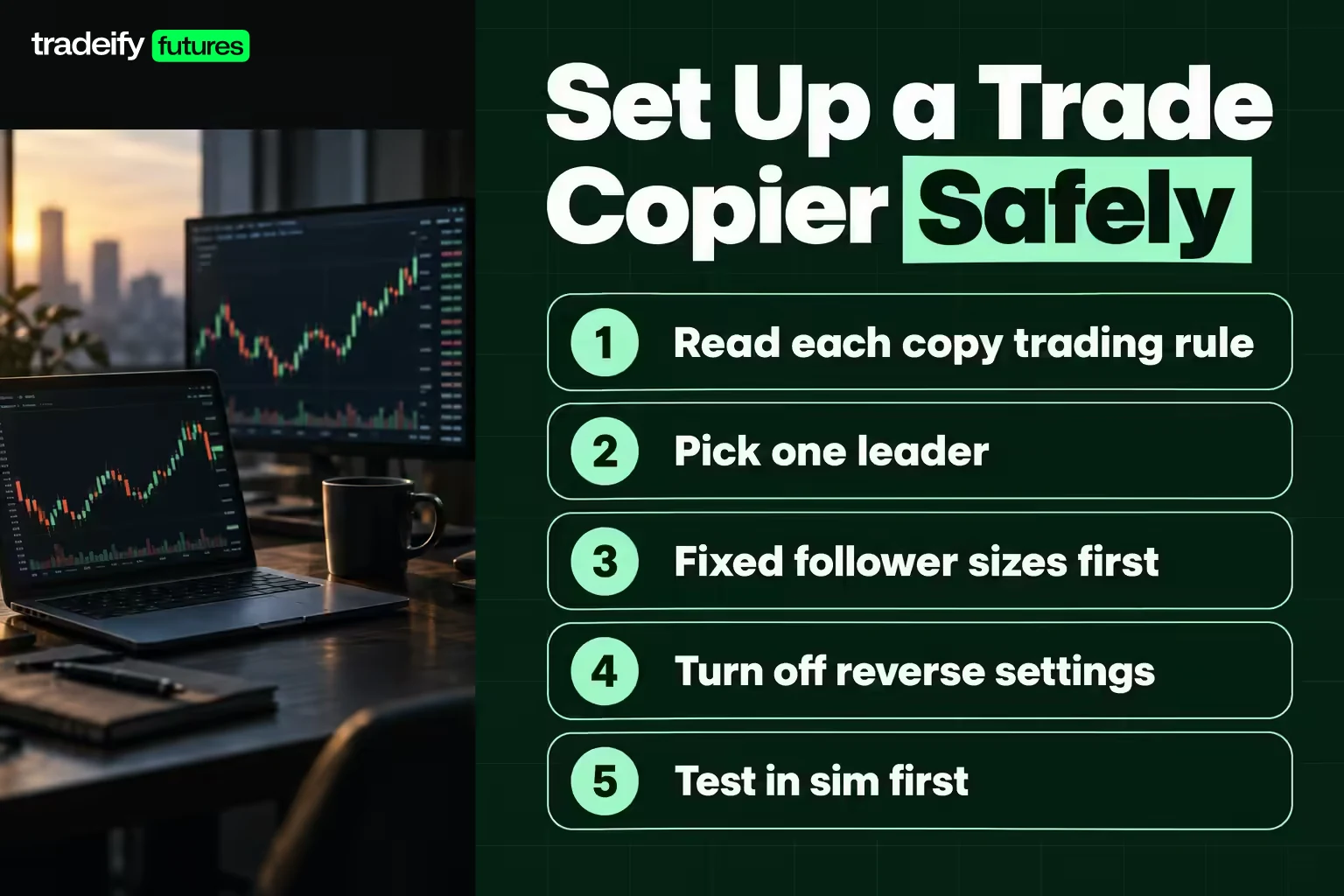
The tool changes, but a safe trade copier setup follows the same order: prepare the accounts and settings, then test before any live size.
Trade Copier Preparation Steps
- Read the copy trading rule for every account you plan to connect. Save the date you checked it.
- Confirm every account is in your name and on a platform the copier supports.
- Pick one leader. Use the account with the lowest contract limit or the tightest rules as your sizing reference.
- Set follower sizes as fixed quantities first. Add ratios only once you have tested them.
- Turn off any reverse, inverse or opposite-direction setting if the tool has one.
- Decide how brackets work. Either the copier copies your stops and targets, each follower runs its own bracket, or you place them by hand.
Trade Copier Testing and Go-Live Steps
- Run the trade copier setup on sim accounts for several sessions, including one fast open.
- At the end of each test day, compare every follower's fills, position and P&L with the leader's.
- Write down your flatten procedure for each account, including what to do if the copier is down.
- Go live with the smallest size the plan allows.
The step people skip is the end-of-day comparison. It is also the only step that shows whether the copier actually did what you think it did.
Tradovate Group Trade Setup Steps
On a Tradovate-connected account, our Help Center walks through Group Trade like this:
- Log into Tradovate and open Application Settings in the top right corner.
- In the Add-Ons section, click Activate on the Group Trade add-on.
- Open the Accounts dropdown and choose Manage Groups.
- Click the plus sign to create a group and drag the accounts you want from the left side to the right side.
- Set the contract quantity per account. Qty 1 per account gives the most flexibility.
- Click Save, then click the group name to turn it on. The group name appears under the account number when it is active.
Remember the two limits: bracket (ATM) orders are not supported while Group Trading, and "Exit All Positions Cancel All" closes only the selected account.
Multi-Account Trade Copier Setup for Prop Accounts
A multi-account trade copier setup is where copying starts to pay for itself, and where most of the expensive mistakes happen. The goal is a structure where every account stays inside its own rules even when the leader is having a busy day.
- Group by size. Accounts with the same contract limit can share fixed quantities. Mixed sizes need per-account quantities or a cross order.
- Group by stage. An evaluation and a funded account follow different rules on the same firm, so some traders run them in separate groups with separate sizing.
- Group by instrument. Tools like WealthCharts build one copier strategy per instrument, and Tradesea allows up to 3 groups, so a gold group and an NQ group can run side by side.
- Size to the weakest account. The account with the least room to its drawdown sets the group's size, not the healthiest one.
- Count capacity. Tradesea caps a group at 10 followers. Tradesyncer counts connections and accounts per plan. Quantower suggests a settings change at 5 or more accounts.
On our accounts, the 5 active Sim Funded account cap per household means a full funded group is at most 5 accounts, plus any evaluations you choose to copy.
Scaling should be one step at a time. Add one follower, run it for a week, compare fills, then add the next. A copier that handles two accounts cleanly can still struggle with ten if the broker API starts rate limiting.
Common Trade Copier Mistakes and Troubleshooting
Trade copiers rarely fail with a crash. They fail with a quiet difference between accounts that grows until it costs money. These are the failure modes worth testing for.
| Trade copier failure | What it looks like | Guardrail |
|---|---|---|
| Desync | Follower holds a different position than the leader | Sync check that flattens or alerts, plus an end-of-day comparison |
| Partial or missed fill | Leader is in, one follower is flat or partly filled | Fill copying, or accept and log the gap |
| Orphan exit | Follower receives an exit for a position it never opened | Copiers that check the real position first |
| Bracket mismatch | Stop or target missing on a follower | Test bracket copying in sim, or place brackets by hand |
| Disconnect | Copier stops while positions are open | Know how to flatten each account manually |
| Size overrun | Follower exceeds its contract limit | Fixed per-account sizes based on each limit |
| Inverted direction | Follower short while leader is long | Keep reverse settings off and check after every change |
Orphan Exits in a Trade Copier
The most dangerous failure is the orphan exit. If the leader's target fills and the copier sends a sell to a follower that never got long, a careless copier can open a new short on that follower. That is a fresh, unplanned position, and on a prop account it can also be an opposing position across accounts.
Better tools check the follower's real position first. Replikanto, for example, says it re-reads the real position from Rithmic before flattening a follower. Test this exact case in sim before you trust any copier with size.
Trade Copier Error Messages and Fixes
A few Tradovate Group Trade errors come up often.
- "Total order quantity should be a multiple of X." X is your total group quantity. Trade in multiples of X, or lower each account's Qty in Manage Groups, save, and reselect the group.
- "The selected account group must contain the current account." The account selector is still on an account outside the group. Switch the selector to one of the grouped accounts.
- No Manage Groups option. It does not appear when only one account is linked to your username.
Other trade copier problems have simple causes:
- Copier silently stopped. Local tools stop with the platform. Quantower also resumes a bot that was running when you closed it, so stop it on purpose at the end of the day.
- WealthCharts not copying. Copying is session-based, so a new browser tab or window needs it switched on again.
- Group removed mid-trade. On Group Trade, only the lead account keeps its position and the others close.
- Hard flat time missed. If your accounts have a flat time and the copier misses one exit, that account holds into the cutoff. Know where each account's flatten control is.
Choosing a Trade Copier for Your Futures Accounts
Choose a trade copier by starting with where your accounts already are, then add only what you need.
- All accounts on one Tradovate login from the same provider, and you are fine placing brackets by hand. Group Trade covers it.
- All accounts in NinjaTrader 8, and you want ATM brackets on followers. A NinjaTrader add-on such as Replikanto is the natural fit.
- Accounts on Quantower, Tradesea or WealthCharts. Test the built-in copier first.
- Accounts spread across platforms or providers, or you need copying with your PC off. You are looking at a cloud copier, and you are handing over credentials.
Then ask every vendor the same questions:
- Does it copy orders or fills, and can you choose per follower?
- What happens to a follower that falls out of sync? Flatten, alert, retry or nothing?
- How are stops and targets copied, and what happens on a modify?
- Does it check a follower's real position before sending an exit?
- Can you set fixed sizes per account so no follower exceeds its limit?
- Does it have a reverse or inverse mode that you need to keep off?
- Where does it run, and what happens if that machine or server goes down?
- Do the prop firm rules behind your accounts allow it?
If a vendor cannot answer the desync and orphan exit questions clearly, that is your answer.
Trade Copier FAQ
How does copy trading work?
Copy trading links a leader account to one or more follower accounts. When the leader places, changes or closes a trade, a trade copier sends matching orders to each follower, sized by a fixed quantity, a ratio or a multiplier. In futures prop trading it usually means one trader copying across their own accounts.
How much does a trade copier cost?
It ranges from no separate fee to a monthly subscription. Native tools such as Tradovate Group Trade, Quantower's copy panel, Tradesea SecureCopy and the WealthCharts Trade Copier come with the platform. NinjaTrader add-ons such as Replikanto use per-machine licenses, and Tradesyncer listed $49 to $149 a month as of November 2, 2026.
Is there any free trade copier?
Yes, the built-in copiers are effectively free, because they come with a platform you already use. Free community copiers also exist for NinjaTrader 8. Free does not mean tested, so run any copier in sim and check how it handles exits before you trust it with a funded account.
Can you copy trade on Tradovate through TradingView?
Not with Group Trade alone, because Group Trade runs only in Tradovate Web and Desktop. Traders use a copier that reads the Tradovate account TradingView trades on, such as Replikanto with a Tradovate leader or Tradesyncer's TradingView via Tradovate connection, or a webhook tool that turns alerts into orders. Webhook tools count as automation, so check the automation rules too.
Can you make $200 per day in day trading?
Some days, maybe, but no tool or method makes it a reliable daily figure. For scale, $200 is 10 points on one NQ contract or 100 points on one MNQ contract, and a copier with 1 MNQ on three accounts needs about 33 points for $200 across the group. A copier changes how fast gains and losses add up, not the odds of either.
Is it true that 90% of traders lose money?
No single verified study shows that 90% of all traders lose money, and published figures vary by market, broker and period. What is consistent is that many short-term traders lose money, and futures losses can add up quickly. A trade copier does not change those odds. It repeats your results, good or bad, on every connected account.
Is copy trading illegal in the USA?
No, copying trades between futures accounts you own is not illegal in itself, though every firm and broker sets its own rules. The legal line moves when you trade for other people. The NFA defines a commodity trading advisor as anyone who, for compensation or profit, advises others on trading futures, and that role can require registration.
Can you copy trades between evaluation and funded accounts?
Often yes, but it depends on the firm, since some treat evaluation and funded accounts differently. On our accounts, copying is allowed between any accounts you own and manage, in the same direction. Each account is still measured separately on drawdown, limits and consistency, even when the trades are identical.
Testing a Trade Copier in Sim Before Live Size
Do not start by buying a trade copier. Start by reading the copy trading rule for every account you want to connect, and write down the date you checked.
Then build one group in sim with the tool you already have. Trade it for a week, including at least one fast open, and compare every follower's fills, working orders and P&L with the leader at the end of each day. Practice flattening each account by hand.
If the accounts match and you know exactly what happens when one falls out of sync, you are ready to copy small size. If they do not, you have found the problem for the price of a sim session. Futures are leveraged and losses can exceed what you plan for, and a copier spreads every loss across each connected account at once, so size the group as one position, not several.